Enscape is not compatible with SU2026.
You’ll have to wait for the next enscape stable version.
(Or install a pre release at your own risk)
yes,4.13 preview is ok.
发自我的 iPhone
a new bug?
No fill color is visible. I believe that it should be filled with the blue colour.
This is a simple rectangle shape with nothing in front or behind it, and its not set to any transparency., or in draft mode.

1 Like
I do that too. I am grateful that external developers step up to produce core and basic workflow functionality for SketchUp
But in my opinion core basic workflow functionality should be provided by the app itself  . And they are trying, but it hasn’t really reached the point where it´s usable yet.
when is the unified Layout version coming for the Mac version?
well, I’m gonna make a guess, probably at the same time or shortly after the unified sketchup version comes to mac ?
we don’t have an eta, and won’t have any I’m afraid.
however, a positive point, layout for PC is breaking the pots on this one, with some luck, any problematic point will have been ironed out by the time we get it on mac 
3 Likes
Yeah, it seems to be that way with the Qt conversion of SU for Mac, which has lingered in labs version for some time. I suspect the focus may be on ironing out the numerous problems in the Windows versions first. In principle most fixes should carry across.
I don’t have a plugin to select the edges in 2025… it’s something I’ve been able to do for several versions now that’s completely absent in 2026.
I finally found some time to use your strategy for finding the culprit of my hanging on startup with a large file, and I narrowed it down to the extensions I got installed from thomthom, including the TT lib.
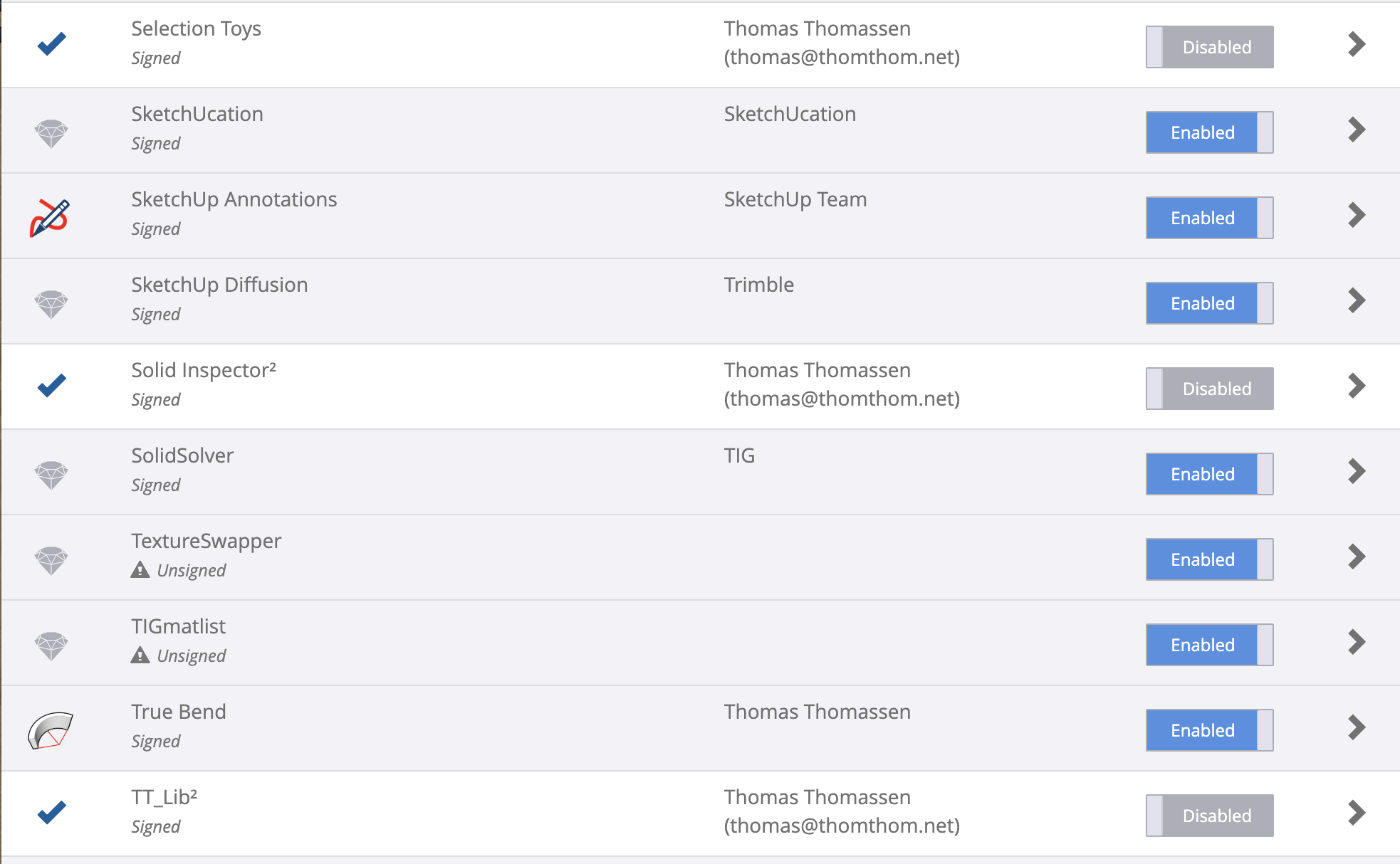
After disabling them all, the file opens as usual.
I don’t get a Bugspat or any other info.
Hope Trimble of ThomThom can find a solution.
Hmmm. I run all of those with no issue.
1 Like
The only one of those I had to turn off is selection toys, which is also known to interfere with customizing the toolbar on Mac. I also had issues with Fredo6 Tools (not the extensions in Fredo6 Collection), but nobody else has yet reported that.
Maybe it’s an Intel Mac issue
It´s known that selection toys and 1001 bit tools are causing problems with the latests releases of sketchup, specially on mac, if you have any of those plugins installed you better uninstall them until a fix is released with the nex update of sketchup.
I turned off Selection Toys, fixed my tool bar, turned it back on… so it might be an Intel issue.
It’s been two months, and SketchUp 2026 still hasn’t received any fixes. Wouldn’t it be more efficient to work with small updates to improve usability? It’s clear that this version didn’t go through more extensive testing before its release.
is it though ?
same issue
We are looking into a problem where certain characters in the text cause strange line spacing. ‘~’ for example does that. With LayOut 2025 you could turn on the experimental graphics engine, and the line spacing problems would go away. With 2026 they don’t go away. We’re trying to see what changed.
I can’t see any unusual characters in your screen recording, so I’m not sure which one is causing the line spacing problem.
If you do a Google search this is a known issue in Word, and there are work arounds. Unfortunately, LayOut doesn’t have all of the formatting options that are in Word, and so those work arounds don’t work.
I’ve just updated to SketchUp 2026.1 and noticed that all Fredo6 plugins stopped working. If major yearly releases already require plugin updates, are minor updates now causing incompatibilities as well? It would be helpful if SketchUp prioritized adding native tools that currently depend on plugins, rather than focusing on AI features that, at this moment, don’t address practical daily needs.
4 Likes
We believe this issue should be addressed with the latest LibFredo6 v15.6a update which Fredo published after testing 2026.1
1 Like