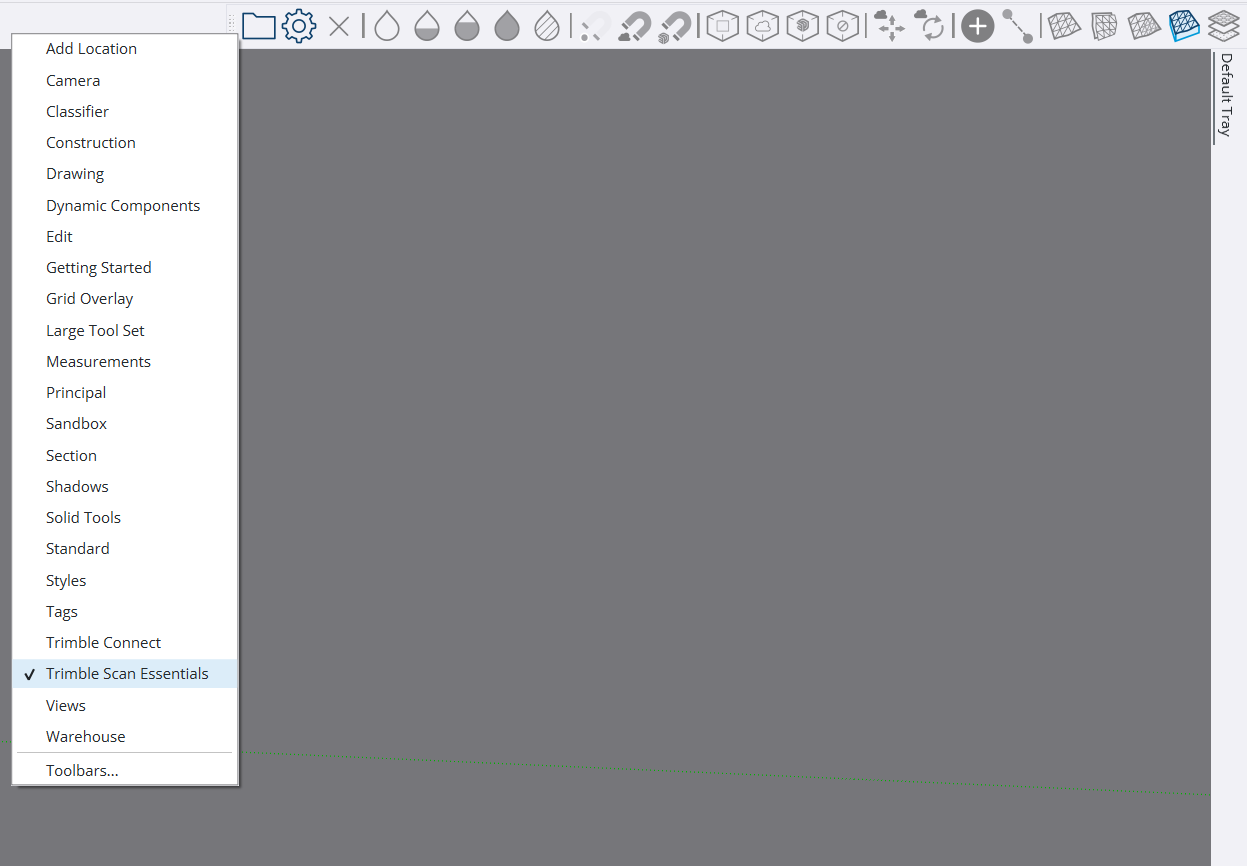
I have been away from SketchUp for a while. I just updated to SU 2026 and there is a feature that I am not familiar with. I see a toolbar for Point Cloud, however:
Can someone give me good explanation of what Point Cloud is?
Is there a way to remove or move the toolbar for the Point Cloud?
I have been away from SketchUp for a while. I just updated to SU 2026 and there is a feature that I am not familiar with. I see a toolbar for Point Cloud, however:
Can someone give me good explanation of what Point Cloud is?
Is there a way to remove or move the toolbar for the Point Cloud?
Ok guys, I appreciate your replies but I do not see any options for removing the Point Cloud toolbar and I am still not understand what the tool really does/would do for me.
yeah, so when you launch the installer, by default, it has scan essential, vray and revit importer ticked. looks like you might not have unticked cloud essential, the point cloud tool. it’s part of studio.
a point cloud is, in short, a 3d scan made with a laser. it scans the position of many many small points, making a cloud.
go to your extension manager and disactivate trimble scan essentials in the home tab or even uninstall in the manage tab, it’ll also remove its toolbar
Scan Essentials is the extension that imports point clouds. You can’t get away with removing the files from plugins, because they get reinstalled next time you open SketchUp.
To get rid of Scan Essentials you would run the installer again, and choose the top option to modify what is installed. Skip past the language options screen, and then in the regular installer screen uncheck the Scan Essentials box. Let the installer proceed, and all it will do is uninstall Scan Essentials. After that you can open SketchUp, and the point cloud toolbar should be gone.
Thank you very much. Now a very dumb question though. Sine I did the install by selecting the option to update 2025, what is the best way to “reinstall”?
Download the installer from the sketchup website, make sure to run the installer as administrator, if you don’t have an studio subscription do not select scan essentials, Revit importer and download automatically Vray.
An alternative to downloading the installer again is to use the Windows option to add or remove programs. Tap the Windows key and start typing ‘add or remove…’ soon you will see the settings entry for Add or Remove. Choose that one.
In the window you see, type in 2026, to filter the list to ones with ‘2026’ in the name. When you see SketchUp, click the dots, and choose Modify.
That will then open the copy of the installer that Windows had stashed away somewhere.
OK, I need to let everyone know that I finally got the issue resolved. Turned out that all I had to do was go to the Extension Manager and uninstall the plugin.
Scan essentials and Revit importer can’t be removed from the extension manager, you’ll have to download the installer and run it again as administrator, I don’t remember right now if the option to not install this extensions is shown when you choose repair, if it doesn’t you’ll have to uninstall and reinstall it again, the option to not install scan essentials and Revit importer will appear for sure at some point during installation, it will also ask you if you want to download the Vray installer.