I thought this was already possible in SketchUp Web. Do you mean via some new user interface? For example, to set the default location to be a user-specified volume, such that the infamous auto-save feature would not involve any network activity if the user so chose?
When teaching with SketchUp for Schools, I found two vital things missing, and they still are as I look at it now:
-
The outliner.
I guess Shop has it (? - I don’t have access to Shop), but the others don’t. I teach the kids that if there’s only one thing they learn out of the class, they must learn that everything must be part of a group or component. It’s everyone’s message here on the forum that SU models aren’t organized around Layers/Tags (which the web versions do have), but around groups and components, and that quickly leads to nested groups and components. If you’re trying to teach absolute beginners good practice and discipline from day one, why is the main tool to manage that missing? -
Printing to scale
What good is a CAD app that won’t print to scale? Exporting PNG isn’t the same. It’s not to any scale, and you have a real chore trying figure out in another app how to get it to a meaningful scale. On the Mac, any app that can print to paper can print to PDF. Since first starting with SU in 2002, before Layout, and even after with Make, it’s easy to output a PDF file to disk that, when imported into another Mac CAD or graphics program is automatically to scale; no further messing around required.
Additionally, my favorite feature, MatchPhoto isn’t there. In my last class, I was teaching perspective and MatchPhoto, so I had to ditch SketchUp for Schools and go back to SketchUp Make for the lesson plan.
2 Likes
That would be awesome and perhaps take care of the autosave problems. It needs a good interface to communicate to the enduser, though. You are not always aware whether online or not.
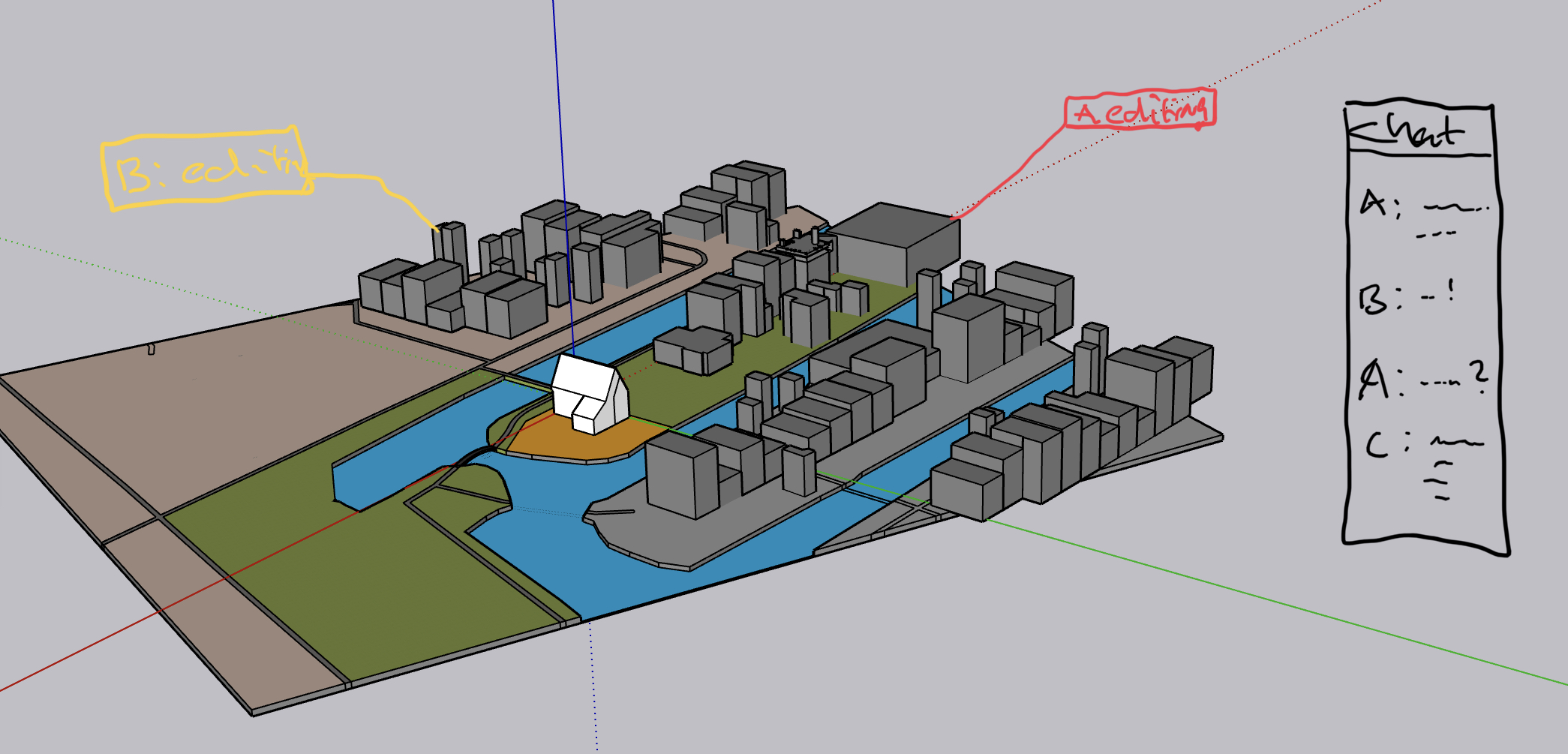
Google docs has it, but I don’t like the ‘connecting…try again in 15 sec’ part. What I do like of GD is the ability to work on the same document and the chat function.
1 Like
Pretty much all of Curic’s extensions are essential for my workflow so the web platform is useless for me
While this isn’t great for SketchUp Web, that is AWESOME for Curic developers.
10 reason i why I don’t or will never use Online versions.
1 Security. I do not like my project on the cloud or open to the World wide web.
2 Internet outages
3 Wifi connection issue.
4 Having to learn a slightly different Interface.
5 No plugins. Fredo is a must for me
6 No extensions like rendering.
7 Lag is annoying when you got bad internet.
8 Modern failure.
9 Can’t work on your lap when you are on the go unless you have a Wifi connection.
10 Everyone I spoke to all say the same. why are you forcing people online? If people want to use online fair enough. But it’s got to the stage that you can’t use your desktop version unless you log Online. But what if you don’t have Wifi or Internet in you quite office space?
11 I am going to venture out and say what will happen. People who now use sketch-up pro will up-grade their desktop version and that will be it, They will not go to the Subscription version and will make do for yrs with it. I know that is what I am going to do. I have everything I need in the current version with plugins. But I would ungrade a desktop version just for the little tweaks which the last two version were but I could of done without them. I am a pro user and use sketchup everyday.
1 Like
Hey @RTCool: SketchUp for Schools does support printing scaled drawings to a PDF file (in the web app’s Print preview). What we haven’t done yet is support tiling 1:1 scale prints across multiple sheets. Is that what you are referring to?
In SketchUp for Web, you can open .SKP’s that are on your local machine, but when to save your models, (today) you must use Trimble Connect. As a rule, web browsers draw a red security line around writing files to a user’s device. Thankfully, progressive web apps are coming up with a secure way to close this gap.
The better your Internet connectivity, the faster SketchUp for Web will load (and load models). But, your Internet connection won’t affect how fast modeling in the app works. In the future, we think connectivity will be less of a barrier to accessing the web app. FWIW, A free version of SketchUp will always be available to the maker community, and we work to do to make it more useful too.
We hear you about not wanting to store models online. We’re working on that, but there are benefits to retaining a rich revision history of a project. At a minimum, this is our approach to back-up files for the web version.
OK, I wasn’t seeing that when I went looking yesterday. I’ll have to look again.
Thanks for the feedback, @kimrebley. We know how important extensions are to a professional workflow. For your information, most of the new functionality we add to SketchUp also surfaces as improved API tools for extension developers. I think you will do okay sticking with a version of SketchUp that works on the machine you have, but I hope you’ll continue to keep an eye on what’s new.
1 Like
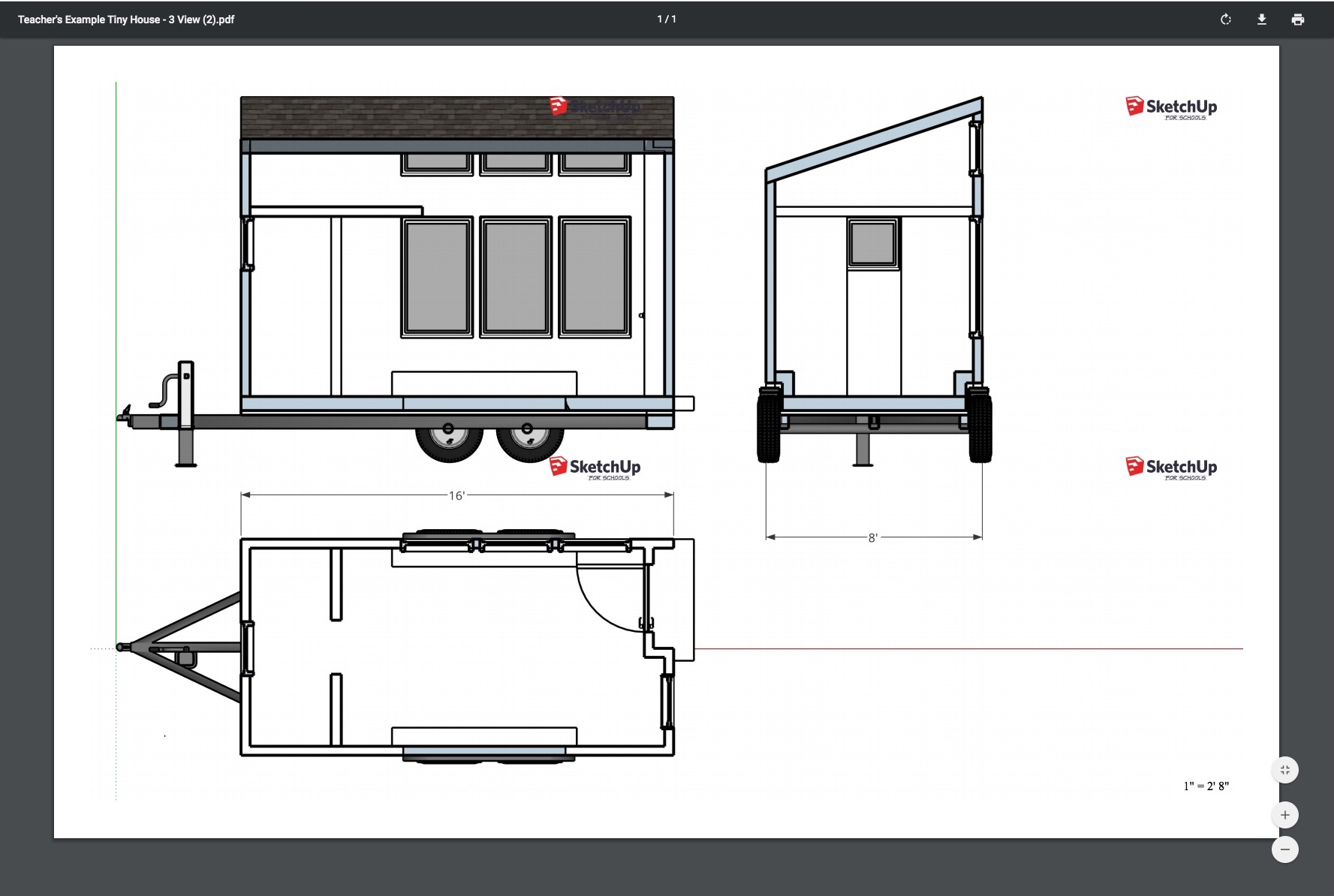
Ok, found it, tested it, and it works, though, is it intentional that the water mark is repeated?
Looks like this in preview:

Ends up with this:
I see it’s not included in the Free version.
For me the unique interest of the Web app was to run it on iPad.
I don’t like the idea to upload to a Trimble server my work.
Ah, that is a bug we’ve known about for a bit. I’ll try to get it fixed soon.
2 Likes
June 17, 2020
- Introduced App Settings in SketchUp for Web. Control various preferences, including Autosave interval, visual Accessibility settings, and Scroll to Zoom controls
- Fixed an issue where some exports with materials were downloading incorrectly, leading to failed imports.
May 20, 2020
- There is now only one app menu in the upper left corner of the screen. In this menu, you can find file actions like Save As, Insert, Export PNG, or Add Location. Recent Files in the Home tab can be accessed from the app menu.
- Added the ability to assign custom keyboard shortcuts to tools and commands using Search.
- Search is now available in French, Italian, German, Spanish, Portuguese, Swedish, Russian, Japanese, Korean, and Chinese. Use the Globe icon at the bottom of the modeling window to change languages.
- Undo and redo icons are now available at the top of the modeling window.
- The list of recently opened and saved files will now be available if you clear your browser cache, or use multiple web browsers.
- 3D Warehouse is now embedded in SketchUp for Web. Model searches can now be filtered by category and complexity. Models you have uploaded are available in My Models, and models you like can be organized with Favorites and Folders.
- Fixed an issue where a group could not be converted to a component using Search or the Make Component shortcut (G).
April 30, 2020
- Added control point grip choices for the Rotate tool. Use the Alt key on PC (Command on Mac) to toggle through grip inferences for the Rotate tool.
- Change the control point toggle key for the Move tool: now, use the Alt key on PC (Command on Mac) to toggle through grip inferences for the Move tool.
- Added the ability to create an ‘empty’ component from the context menu or Search. When creating an empty component, first place the component axis, name the component, and then start drawing.
- Added the ability to create an ‘empty’ group from the context menu or Search. As soon as you create an empty group, start drawing to add geometry.
- The visibility of a section plane is now remembered per scene as a hidden object.
- Improved scene settings to save the visibility of hidden objects separately from the visibility of hidden geometry.
April 22, 2020
- Updated the Trimble Connect icon.
- Fixed an issue where recently opened files were not appearing in the Recent Files list.
- Improved shortcut key display in Search for non-QWERTY keyboards. Recommended browsers are Google Chrome and Microsoft Edge. (English only).
March 25, 2020
- Files are now saved in the 2020 SKP file format.
- Added additional commands to Search: Divide, Align View, Zoom Selection, Invert Selection, Reverse Faces, and Orient Faces.
January 28, 2020
- Added control point grips for moving and rotating objects from the corners of a group or component bounding box.
- Added temporary object transparency to Move and Rotate operations, so that all control points for a group and component can be seen and selected.
- Added group and component visibility control to Outliner. Select a hidden group or component in Outliner to see it visualized in the model.
- Added a new visibility toggle called ‘View Hidden Objects.’ This command displays groups and components that are hidden, while ‘View Hidden Geometry’ displays raw geometry that is hidden. Both are available in Search and the Display panel.
- Renamed the Layers utility to Tags, and the default ‘Layer0’ to ‘Untagged.’ Tags have the same functionality and behaviors as Layers.
- Fixed an issue where a special character in a file name would prevent a successful export operation.
January 15, 2020
- Introduced a new interface for saving, opening, and inserting files in SketchUp for Web. In addition to thumbnails, list view (and sorting) is available while navigating within projects. (Not available in SketchUp for Schools).
- Introduced the ability to view revision history from Trimble Connect in the Home tab and Trimble Connect tab. Open a revision to view an older version of a model. Then, choose to save your revision as a new file in Trimble Connect or restore the revision. Either way, you won’t lose the last-saved version of your model. (Not available in SketchUp for Schools).
November 6, 2019
- Changed the location of the search button and search results. Search is distinctly located just above the toolbar, and search results appear on the left side of the modeler.
October 23, 2019
- Introduced a Home tab for both SketchUp for Web and SketchUp for Schools. From the Home tab, you can launch recently saved models, open local files, or start a new model from one of the basic templates.
- New start-up behavior: when the app loads, the Home tab is immediately visible, and you can choose whether to open a recent model or create a new model.
- Fixed an issue where the units for area and volume were not displaying in the same format of the designated model units.
October 9, 2019
- Updated search to not show lower-quality search results, and to abbreviate search results to a list of five. Click
See more resultsto see all results for a query, or refine your search.
September 25, 2019
- Introduced a new version of SketchUp for Schools’ in-app video player that allows you to reposition and resize videos while modeling with SketchUp for Schools curriculum.
- Updated Solid Inspector so that display controls are only available during an inspection.
- Fixed an issue where the components browser was not respecting undo operations for editing component attributes.
August 28, 2019
- Added display controls to Solid Inspector to assist with visualization of solid modeling problems.
- Fixed an issue where Solid Inspector would repeatedly prompt you to
Fix Issues, when remaining issues could only be fixed manually. - Fixed an issue where making a group (with one object) a component did not replace the group with the component.
- Fixed a Components Browser issue where displaying component details in thumbnail view would obscure other component thumbnails.
- Fixed an issue where undo and redo commands were incorrectly available when starting new models.
August 13, 2019
- SketchUp for Schools is now integrated with Microsoft for Education. You can log in and use all the SketchUp for Schools features and curriculum with any Microsoft account created by an accredited K-12 educational institution.
July 30, 2019
- Added the ability to search for tools and commands. Search for the exact name of a command, or for what you are trying to do in SketchUp. Use keyboard shortcuts “Shift + /” or “Shift + S” to search. Hit enter to activate the first search result.
- Added the ability to invert selections, available in certain contextual situations, and also by the default shortcut “Shift + Alt + I” (PC) / “Shift + Command + I” (Mac).
- While using the Erase tool, we added the ability to unselect items for deletion by holding down the “Alt” (PC) or “Command” (Mac) keys.
- Improved the quality and fidelity of PNG exports. As you increase the pixel size of an image, the line weights in your exported image scale to match the previewed image.
- Improved the smoothness of lines exported for PNG files and PDF prints.
- Fixed an issue where text from dimensions and labels was exporting at the wrong size for PDF prints.
- Added a more explicit download progress dialog for importing 3D Warehouse models. You can also cancel an import if it is taking too long.
May 29, 2019
- For paid subscribers (and already available in SketchUp for Schools): we’ve added a Solid Inspector utility to help prepare models for 3D printing. Select a group or component: the utility will identify issues that might affect your print, and fix problems as possible.
- Fixed an issue where section planes would disappear and be un-selectable when editing or switching styles.
- Fixed an issue when inserting components from the Components browser.
April 16, 2019
- For users on Google Chrome, we’ve added the ability to install SketchUp for Schools and SketchUp for Web as a Progressive Web App. Available as an option from Chrome’s tab customization menu, ‘installing’ adds an application icon for SketchUp for Schools/Web to your computer. This allows you to launch a dedicated window, without opening a web browser and typing in a URL. Internet connectivity is still required.
- Fixed an issue where the preview canvas for PNG exports and printing was not respecting the visibility of axes in the modeling window.
March 19, 2019
- Bug fix: SketchUp was not warning you when you created a component with a name identical to an existing component. Now, you get a polite ‘heads-up’ before this component gets replaced.
- Bug fix: Layer visibility icons were not respecting the visibility settings assigned to scenes. Layer visibility is now behaving predictably.
- Bug fix: In the Trimble Connect project and file picker, it was difficult to see the bottom of a projects or models list. Now, you should be able to see and select things at the bottom.
February 20, 2019
- We’ve added the ability to preview pages for 2D printing. Choose a paper size and orientation, then compose your print using SketchUp’s navigation controls (orbit, pan, and zoom). From here, SketchUp will export a PDF to print through your preferred PDF viewer.
- Similar to our PNG export, you can also jump to scenes you’ve defined in the model. Click Print Mode > Scenes to call-up model scenes.
- New for both printing and PNG export: when you export, SketchUp will create a new scene to save the camera settings for that view. Every time you export, this ‘export’ scene gets overwritten. If you want to save that scene, simply rename it in the Views panel.
- For printing, we’ve included the ability to set your background to white for ink-efficient prints.
- For paid subscribers and SketchUp for Schools users: We’ve added the ability to assign a drawing scale in Print Preview. Switch print mode to “Print to Scale” and then define a drawing scale. SketchUp forces your camera into parallel projection/orthographic mode for scaled prints. You can also display print scale on your page if you like.
- For paid subscribers and SketchUp for Schools users: We’ve improved added color and image texture controls to material editing.
February 5, 2019
- New models save in the 2019 .skp format.
- Models created in SketchUp Pro 2019 will open in SketchUp For Web. This includes display of line styles created in SketchUp Pro 2019.
- Models can be downloaded in the 2019 file format. Models can no longer be downloaded in the 2016 .skp format.
- Added a scene picker to PNG Image Export. Now, you can access and jump between scenes when composing an image.
- Added Standard Views (Top, Front, Back, etc… ) to PNG Image Export.
- When you load a component from a 3D Warehouse search, the original search and results will remain accessible in the component browser (as opposed to re-setting).
- You can now navigate between pages of Component Browser search results no matter how far down you have scrolled in the component browser.
- 3D Warehouse search results also display model file size and popularity (the number of downloads).
- Bug fix: .DWG files with upper case file extensions will now import without issue.
- SketchUp for Web Terms of Service updated. (Not applicable to SketchUp for Schools users).
January 8, 2019
- Shiny new release for the new year with several fixes and improvements.
November 13, 2018
- Live Preview Image Export: Compose your view for a specific image size before you capture an image from SketchUp. Go to File (Folder Icon) > Export > PNG.
October 16, 2018
- Miscellaneous fixes and stability improvements.
September 19, 2018
- Miscellaneous fixes and stability improvements.
September 4, 2018
- Implemented search functionality in the Outliner.
- Fixed “Area” context menu item to display the selected area.
- Fixed a crash that could occur when adding a section plane.
- Miscellaneous fixes and stability improvements.
August 1, 2018
- In-model materials can now be downloaded as .skm files.
- Added detail, list, and thumbnail views to the in-model components browser
- Added detail, list, and thumbnail views to the in-model materials browser
- Added the ability to quickly show the entities being edited or selected within the Outliner.
- Added the ability to create a new style.
July 17, 2018
- SketchUp Shop subscribers can now edit in-model styles.
- Miscellaneous fixes and stability improvements.
June 13, 2018
- Fixed a bug in the authentication workflow which prevented some users from accessing the application.
- Made various UI fixes.
- Made STL file insertion available in SketchUp for Schools.
- Fixed a bug preventing sketchy edge styles from rendering correctly.
April 30, 2018
- Changed UI to indicate when a model has been fully saved and uploaded to the user’s account.
April 13, 2018
- Fixed a bug that prevented insertion of models from STL files.
- Fixed a bug that disallowed embedded dots in model names in some cases.
April 10, 2018
- This is the first release of SketchUp Shop, which offers advanced features at an affordable annual subscription price.
- Added for all users: Text Tool, direct links to SketchUp Store and miscellaneous performance and stability improvements.
- Added for SketchUp Shop subscribers: Material Editor, Outliner, and Solid Tools (Union, Subtract, Trim, Intersect, and Split).
- SketchUp Shop subscribers can now remove the “SketchUp” watermark from models created with SketchUp Free.
- Added a cloud-based file conversion service for model import and export functions.
- Added support for file import from dwg, dxf, dae, kmz, 3ds, stl, dem for SketchUp Shop subscribers.
- Added support for file export to dwg, dxf, dae, kmz, 3ds, stl, wrl, fbx, xsi, obj for SketchUp Shop subscribers.
- Added a direct link to SketchUp Technical Support in the Help menu for SketchUp Shop subscribers.
- Added a direct link to Account Management for SketchUp Shop subscribers.
February 20, 2018
- Added the ability to delete all guides.
- Improved the memory usage and performance of the Materials Browser.
- Miscellaneous fixes and stability improvements.
December 13, 2017
- Expanded support for WebGL 2 to a wider range of hardware configurations.
- Fixed an issue when uploading a model to 3D Warehouse.
- Fixed a bug preventing Instructor Panel content from showing correctly in certain languages.
- Added ability to reactivate the welcome tour while modeling.
- Updated the UI of the welcome tour.
- Fixed an issue when files with the .skp extension removed are opened in SketchUp from Google Drive.
- Added SketchUp Make and SketchUp Pro desktop applications to the App Downloads page.
- Fixed a bug that caused the 3D Text tool to become stuck as the selected tool in its toolgroup.
- Fixed miscellaneous UI issues.
November 7, 2017
- Added UI enhancements to the Materials panel.
- Added UI enhancements to the Entity Info panel.
- Added 3D Text Tool.
- Added support for more font families and styles in the Add 3D Text tool and dimension labels.
- Added ability to select font sizes for dimension labels.
- Added UI enhancements for icons.
- Added ability to add and remove panels from the right sidebar. Panels now scroll to last used position.
- Added hashtag support for 3D Warehouse model upload descriptions.
- Added the ability to resize the right sidebar.
- Added curriculum content to SketchUp for Schools.
- Improved the 3D Warehouse model upload interface.
- Added ability to change the language of the user interface. Note that this work is still in progress and there may be inaccurate translations along with occasional non-translated words.
- Changed the rendering pipeline to use WebGL 2.0 when supported by the browser.
- Fixed a bug preventing the insertion of .skp files in Safari.
- Fixed a bug preventing the materials browser from updating properly.
- Fixed mislabeled standard views UI buttons.
- Fixed a shader bug preventing certain transparent materials from rendering.
- Fixed a bug which occurred when opening read-only models from Google Drive.
- Fixed a bug causing WebGL context loss when opening a large number of scenes.
August 22, 2017
- Added .stl file downloads for 3D printing.
- Added curriculum tab for learning fundamental modeling skills.
- Fixed file synchronization bugs.
- Made miscellaneous UI enhancements.
July 13, 2017
- Added UI enhancements to the left sidebar, right sidebar panels, and homebar.
- Improved handling of loss of internet connection.
- Fixed bug when adding a new scene.
- Various fixes to support “SketchUp for Schools” beta
- Fixed a bug in model save workflow.
- Fixed duplicate styles and materials listing bug in the right sidebar panel.
- Fixed a bug where projects would be duplicated in the file browser.
- Turned on WebAssembly when supported by the browser.
- Updated 3D Warehouse components browser.
- Fixed bugs in login workflow.
- Fixed Safari crash occurring when uploading to 3D Warehouse.
- Added generation of thumbnails for models uploaded to Google Drive.
- Added linear and radial dimensions to Entity Info.
- Added image details to Entity Info.
- Fixed a bug occurring when components are imported from 3D Warehouse.
March 1, 2017
- Modeling shortcut keys now have no effect when a dialog is open.
- Fixed crashes occurring in certain Windows OS configurations.
- Changing the model’s title renames the current model.
- Fixed model save bug.
- Prompt to save the model before another model is opened.
- Fixed layout issues occurring during onboarding in Safari.
- Fixed bug for in-model component purge.
- Fixed for crash occurring on startup in Edge.
- Fixed for bug occurring when large models are loaded in the viewer.
- Updated team photo.
- Added tool for creating section planes.
- Added the ability to purge in-model styles.
January 24, 2017
- Added About tab.
- Added Changelog, Team, and Terms of Service to the About tab.
- Added Scenes functionality.
- Added Insert image and skp file functionality.
- Added Cut, Copy, Paste, Paste in Place and Delete to context menu.
- Added the ability to Purge Unused Materials.
- Added the ability to Purge Unused Layers.
- Added the ability to filter the layer list by text.
- Added Fog settings.
- Added Standard Views controls
- Added Field of View controls.
- Added 2pt Perspective controls
- Added Section Plane tool.
- Added Paint Bucket and Eye Dropper tools.
- Fixed repetitive auto-save.
- Relocated the Forums icon.
- Added in-app notifications.
- Miscellaneous bug fixes and UI enhancements.
November 9, 2016
- Added color picking for Layers.
- Added Paint Bucket and Material Matching tool.
- Added Position Camera tool.
- Added Walk tool
- Added Look Around tool
- Added Zoom Window tool
- Added new user on-boarding slide show.
- Fixed open dialog reloads and loses the selection after adding a model from your disk.
- Fixed repetitive auto-save.
So that feature wasn’t there in Fall 2017 when I wanted my students to print their three view drawing to scale to compare to what they drew with T-squares and triangles in the beginning of the course? I wasn’t just unable to find it?
1 Like
I just wanted to post the last improvement
And the first from dec 2016
But accidentally posted all 
Point was, the fix with the repetitive autosave generated a whole lot of improvements after it, maybe the last autosave fix will, too!
I realize that you can make more money by having subscriptions for your software.
It would be nice if you could find a way to support those who get to into sketchup because it is free and it gives them
a path to design things. Some of those people are kids who can’t afford anything. They might grow up to be power user$
of sketchup if there was a way made available for them to use it now. That would have to be a long term decision on
your company’s part because they probably don’t have a fast or reliable internet connection.
As a retiree, I don’t need to have the latest version but would be willing to upgrade every few years if the feature set
included something that I would really like to have. I kept all my programs up to date for many years while I was
working. Now I’d like to find things that work for me and will not like to update them except very occasionally.
I acknowledge that you will still have a free version. I bought sketchup pro 2016 and 2017 after starting with the free
version because I wanted more than what was available in the free version although I probably couldn’t tell you the
reasons why at this point. I didn’t like the changes that were made to the 2017 version so I went back to the 2016 version.
My suggestion is to put PRO in the cloud-- and let people access it like many of the virtual PC gaming platforms. It’s really fast (see Googles Stadia). This way people could run the full version of SketchUp Pro, with extensions and they wouldn’t need a fast computer to do so.
I think this would do 2 things:
- It would justify a subscription price b/c of the cloud components;
- It would bring the cloud version in line with the desktop version, including all features and extensions.
1 Like
You can already do something similar, go to Amazon Web Services and configure a super high-end Windows virtual machine (max out RAM and graphics). That’s the combination for which Amazon charges the highest price. Google Stadia circumvents this by having their own cloud infrastructure and running many games on a different, optimized and cheaper platform (SketchUp can’t do that without losing extensions).
I agree the cloud has potential to bring much more extra value to a subscription (there is more possible than what we see with SketchUp for Web which is basically downloaded from the cloud and runs in your browser).
- you could run all of SketchUp Pro on super powerful servers and stream the display output to the client at the cost of high bandwidth.
- you could run the rendering on the client for better interactivity and responsiveness (only if models not too complex) and run only expensive geometry algorithms like intersect or explode in the cloud.
- you could sync changes on a single “source of truth” model in the cloud with many simultanously editing collaborators.