Thanks for all of the bugsplats you sent in.
I have found a bug report about the problem. I’m trying to find out if it is fixed, and if there is a work around you can do to avoid the problem until a fixed version is released.
Thanks for all of the bugsplats you sent in.
I have found a bug report about the problem. I’m trying to find out if it is fixed, and if there is a work around you can do to avoid the problem until a fixed version is released.
I found out more. This is a problem where we haven’t yet found a way to make it happen. If you have a file, or steps, that always make the crash happen, that would be useful.
DaveR , I would like you to share your method to do it and know if it is the same one you talked about in a post, which you unfortunately deleted, in which you said that you got better textures resolution by exporting the image instead of combine textures feature or something like this.
I create my pattern with cubic face array plugin and explode all group/component to finally combine texture, but the resolution is not good enough. If I export as image or do a print screen, I get a better resolution, but I can’t eliminate some whitish edges around the image that prevent the seamless effect.
Thanks
Here you go. This is using an example I made years ago.
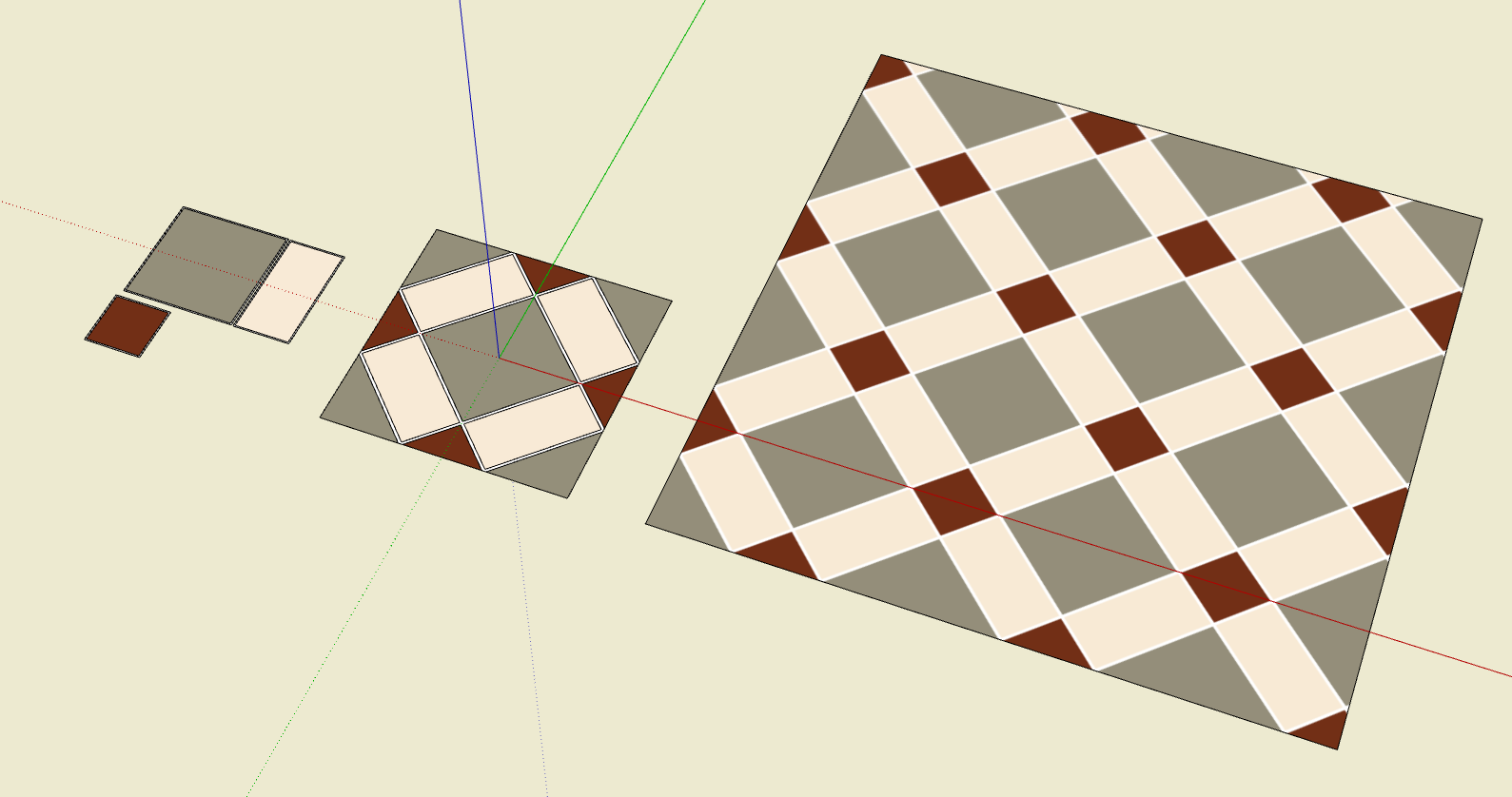
I start by modeling a unit of the tiles. Sometimes it’s easier to think about putting together individual tiles to start with. In this case I modeled the three different tiles as components (far left) and laid them out into a single unit. (At the origin.)
With the tile unit modeled Iset the camera to Parallel Projection and the standard Top view, then Zoom Extents. I turn off the edges and profiles in the style, too.
I crop away all the transparent pixels and save the file which ends up like this. It’s ready to be imported into SketchUp as a material. You can see it as a material on the right in the first image.
The materials can be whatever makes sense. In some cases I would model the tiles in 3D with the grout lines recessed a but and then set a suitable sun direction to emphasize the 3D-ness (maybe including shadows). Then export an image and crop it as above. I haven’t tried with the new materials in SU2025 but that could add an interesting look, too. No matter what I do with these tiles, only a few are usually required and I’m not bloating my project model with tons of geometry.
If you use a material with a texture in one of the tiles, the new texture can be created directly from within SketchUp, with the Combine Textures command. The image editor part can be left out.
True but the image resolution of the result isn’t as good which is one of the things that @Charevir commented on.
Hi Colin,
So I haven’t tried to delete stuff since this morning as I have been working on resizing the materials. But last night and this morning this was my process:
Now I did just try it, while my file was already open, and i was able to right click “delete” and it warned that all instances would be gone and I said “ok!” and the file didn’t close or bug splat! So I think i finally got the heavy element gone.
Hope this helps on some level..
@colin, Update for you! Feeling empowered I decided to try to delete more components and I got a bug splat. This was my process this time - which may actually have been sthe same as the previous times (rather than what I described above I am realizing):
This time I found the component, clicked “select instances” and then hit the “delete” button on my keyboard. That closed my file automatically and brought up the bugsplat screen. Hope this helps!
Are you able to put the component you were deleting into its own SKP, that I could look at?
DaveR, I understand you clearly, I appreciate all your effort and dedication.
Thanks again
Thank you!
Sure, here is that file (ankit light 33) and also my dreaded beaded curtain component that I just tried to delete and created a bugsplat error.
I have made a new beaded curtain using the method that @DaveR suggested that seems to be working nicely (thanks DaveR!) so I am ready to get ready of this stupid component that was always problematic!
Ankit Light - 33.skp (2.4 MB)
Bead Curtain Circle.skp (993.9 KB)
Thanks for your help @DaveR: the bead curtain redo as a cylinder worked out wonderfully - image attached for reference!
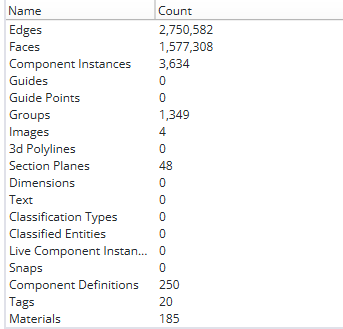
And my edges and faces have reduced from approx 23million/7million to 2m/1m!