I’ve been using SketchUp pro since it came out - do literally all modeling and construction drawings on it - but is there still no fillet or chamfer in Layout? There’s some very basic tools that are still missing…
Dwight
I’ve been using SketchUp pro since it came out - do literally all modeling and construction drawings on it - but is there still no fillet or chamfer in Layout? There’s some very basic tools that are still missing…
Dwight
Does this help…?
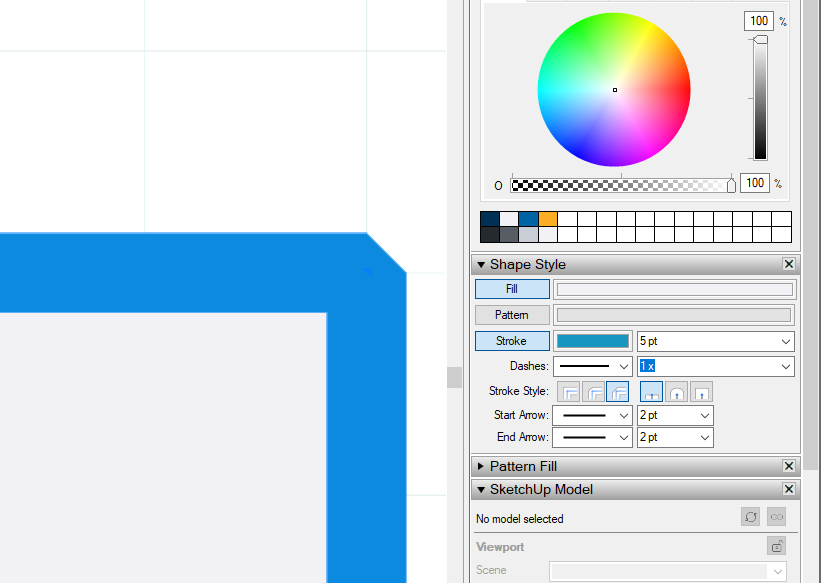
If you type 0 it chamfers but I don’t think you can control the setback - you’d have to mark where you want the chamfer to start.
It might be better to describe and/or attach some images of a specific use case that you have in mind. I don’t think product managers like to zift through threads like this only to find unrelated or biased ‘me too’ comments.
Where you aware of the method @PaulMcAlenan described for chamfer? It might be combined with the rounded rectangle, for instancee (personally, I like the double click behavior of the 2-point arc in SketchUp)
I don’t think you are talking about the stroke styles.
(Hé, there are actually more way’s of fillet/bevel/round in LayOut natively than in SketchUp 

Why does it say 599% ?
That’s the zoom level in LayOut. Has nothing to do with what is being drawn beyond the size on screen.