I’m trying to create a spot component that creates an opening in the ceiling. It needs to be imported into a liner (group or component), but every time I try to import it comes upside down.

skp file: WeTransfer - Send Large Files & Share Photos Online - Up to 2GB Free
The component’s axes need to be inverted so it’ll mount right side up on the bottom face of the ceiling.
How to invert if the component does not have a blue axis?
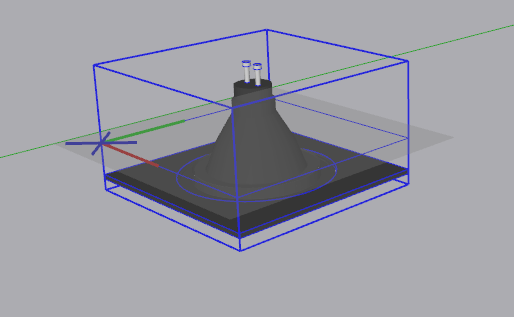
Make the red axis point to the right instead of the left, green in the same direction as it is.


FWIW, you might also consider placing the component’s origin at the plane where you want it to sit. You can probably identify where the center of the speaker is supposed to be more easily than the corner.
Does this component get used on surfaces other than ceilings?
Thanks, it worked. <3
1 Like