Can someone help me convert this file from an SKP (pro version) to a DWG version? Whenever I export straight from my file, my drafter can’t seem to open it. I’m not sure what the problem is.
Thank you!
primary bathroom.skp (13.1 MB)
Can someone help me convert this file from an SKP (pro version) to a DWG version? Whenever I export straight from my file, my drafter can’t seem to open it. I’m not sure what the problem is.
Thank you!
primary bathroom.skp (13.1 MB)
What version of AutoCAD is your drafter using?
Can they open this?
primary bathroom.dwg (300.3 KB)
BTW, I cleaned up the incorrect tag usage.
Thank you! This should work!
Hey, I have a problem. After texturing the 3D object, my license for the program ran out and it had to be exported from .skp or .skb to .obj. The only way I can upload my file to the browser demo version, which unfortunately has access to export to obj, but requires purchasing the premium version. Would anyone be able to export the small .skp or .skb file to .obj? !
Po.Teksturowaniu.skp (1.5 MB)
You can open your file in the free web version.
I can, but i want to export the file to Blender. Free web version not have free export to .obj 
no but it has stl. and blender reads stl.
there are also plugins in blender that allow you to import a skp file
As @ateliernab you can export as .stl and import that into Blender.
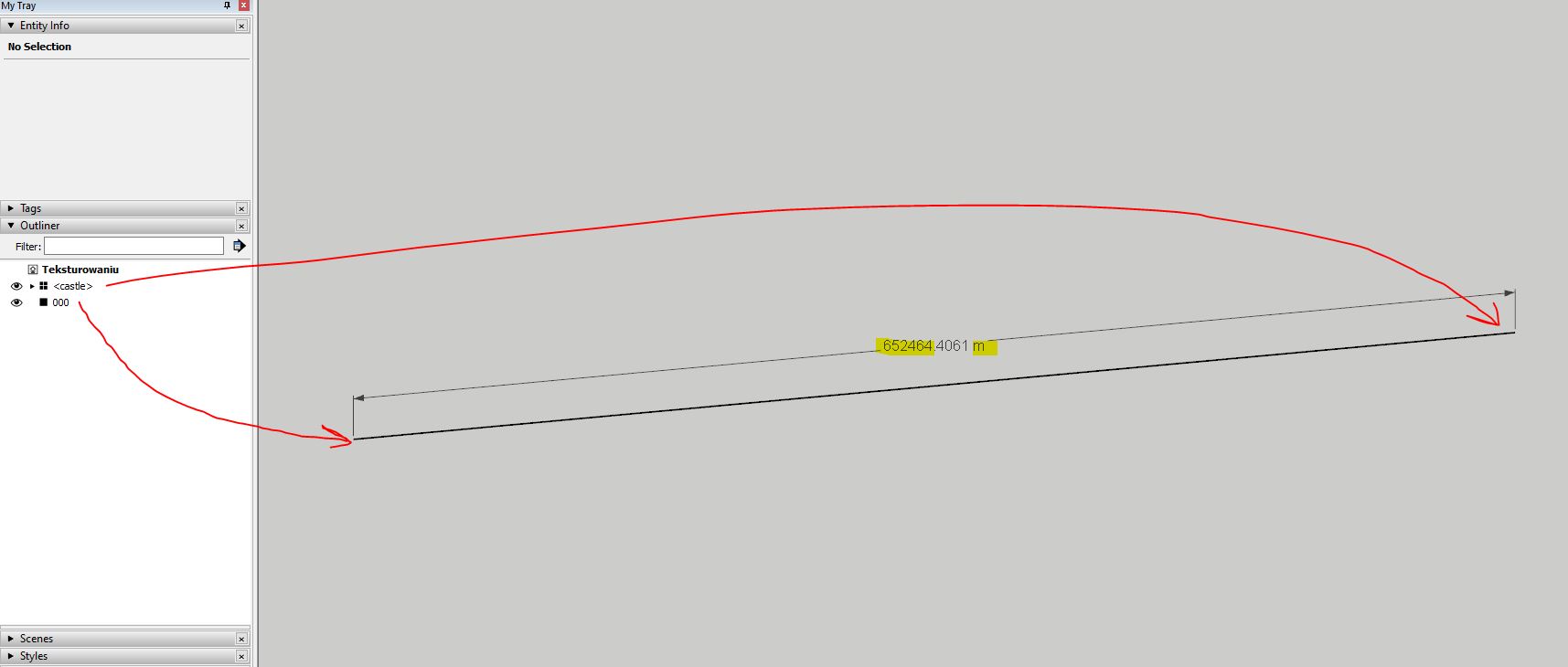
FWIW, your model is more than 650 kilometers from the origin. You’ll likely have problems with it.
I tried to .stl from the browser, but the file is empty after reading from blender.
I installed two plugins and they are also confusing and do not show the model
I have tried everything but nothing works for me
Po.zip (275.3 KB)
Here’s the .obj. There was a lot of problem geometry flagged in the export. You’ll probably have to fix the model or just redo it in Blender since you aren’t going to be using SketchUp anyway.
Did you try fixing the problem with the model being so far from the origin?
Your model is located very far from the origin. Either move it in SketchUp, or in Blender - Set Origin > Geometry to Origin
It doesn’t look great in SketchUp either. What are you expecting?
I would like to keep the lines and the overall model. I know that the textures are ready-to-use and look bad. But you can see that the model is poorly behaved in relation to, for example, this one
@mihai.s How did you export the castle with maintaining the appearance of lines and edges?
Could you send maybe this project from blender??
Did you read my post? Do you understand that keeping your model 650 km away from origin (0,0,0) creates the problems you complain about?
Move it near the origin and then normally you will get rid of those errors.
// edit
After looking at your model in more detail, just moving it near the origin will not be enough. For each group you’ll need to reset its axes.
The geometry is poorly drawn, with overlaps or gaps between it, grouped quite sloppy.
If you want to be able to work easily in Blender, without having visualization or texturing problems, you should redo the entire model correctly, either in SketchUp, if it’s easier for you, or in Blender.
Hello, can anyone help to convert this old 3d skp model to dwg format?
3D_2022-12-04 sidenbuilding.skp (2.9 MB)
3D_2022-12-04 sidenbuilding.dwg (2.5 MB)
Many thanks
Hi everyone, I use the free SketchUp web application very rarely (every few years or so) to draw components in 2D for preservation work I am doing on my historic house. It has been a very long time since I used SketchUp, and recently I drew some shutters and hardware (four very basic drawings in total), and I need to convert these files to DWG format. I would prefer not to have to start all over by drawing them using a free CAD software. Is there anyone that could convert these to DWG for me?
I also just realized that since I am a new forums user, I can only upload two files at a time:
CH.OldShutter.Int.01.skp (208.0 KB)
CH.Shutter10.Int.02.skp (219.7 KB)