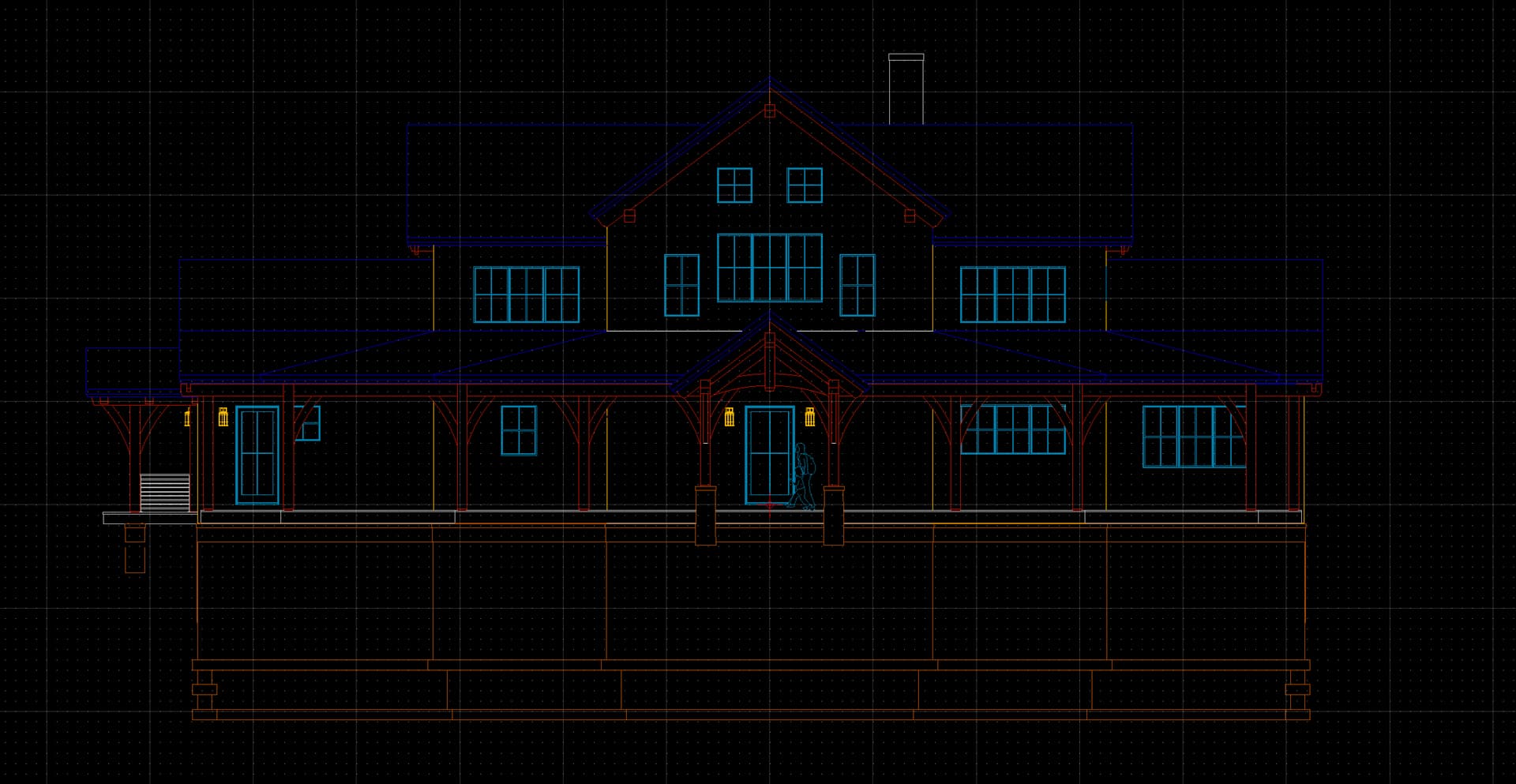
I have just been asked by an architect for an example of my door drawings in .dwg format and I confess I am lost.
My usual workflow is to model everything in SketchUp creating multiple scenes etc, then create a set of drawings in Layout and distribute them in .pdf format.
The architect says he wants something like the .pdf drawings in .dwg format so I guess I need to use the Layout Document rather than the SketchUp model.
I would love to know what others do in this situation.
Also is there a particular .dwg viewer you use to see what the recipient is going to see?
You can try exporting to DWG from LayOut. Render in Vector.
I use CuricToCAD direct from SKP scene to share my sections, plans and elevations with other professionals. I don’t know if dimensions / notations export with this option as usually I’m just interested in the geometry.
Depending on how many doors / windows / details you have I could see setting up a scene with an elevation, and section cut (rotate door 90, setup cut to slice the rotated copy but not the flat version) then export each scene to DWG into a folder naming each door according to model #, RO, etc.
I have just registered for a free AutoCAD account which apparently lets me view .dwg files so it will be interesting to see how things look before I send them off.
I’m on a Mac and use QCad Pro (relatively cheap) - I can use it to clean up files sent to me before importing into SKP, and to have a look at files before I send them:
Could you possibly share an example of what you send Paul? I seem to remember architects sending me 3D models in the past, I think they came from Vectorworks but they opened fine is SketchUp.
I spoke to the architect who said he wanted a few views and some section details as .dwg files. I just exported a few Scenes from SketchUp using Export>2D Graphic set to Full Scale in the Options, and the results seem really good, and the measurements are spot on.
trying to understand what they want to do with the DWG might be the first port of call.
I’d probably say that you don’t work in autocad - but ask what they are specifically interested in and then supply something appropriate for that from the data you already have.
DWG is an autocad proprietary project format
It can contain 3D data , 2D data and it can also be a “Layout” style document as well.
You can export a 3D DWG from Sketchup - this is actually a little closer to the native autocad file - they will be able to open that and obtain all the dimensions they need from any angle. No scaling, it will be exactly as you’ve drawn
In SketchUp choose export make sure to choose the 3D export option - then DWG.
I don’t think your scenes will be there in a meaningful way - but everything should be exact.
if you choose the 2D option it just flattens what you are looking at in the viewport and dras it as a vector file and slaps it inside a DWG project. You have to be careful you aren’t slightly rotated or in any kind of perspective view as the measurements will be off.
It takes whatever model view and ‘properly’ creates 2d DWG with your tags intact, basically smashing it down. I’ve not had luck with native exporter to get these results - and I am not using the full potential of the plugin as I don’t have other provide DWG enough to map tags, etc. etc.
One of the detailers I just started working with has been getting LayOut exports from other designers and architects and he absolutely hates it…
For a project similar to this one I sent him FND, Elevations, Sections, timber frame and first floor (schematic) framing plans and he loved working with it.
I mainly do all my CDs in LO, but have been toying with working with a colleague that drops everything into his AutoCAD templates to do detail work… so far it has worked well. Keeps me designing, keeps him busy.
I can see why they liked working with these files. Not to beat a dead horse again BUT this is the type of export that we should get with native SU. Thanks for sharing that plugin.
For years I’ve been converting each SketchUp scene to a DWG using Export/2D Graphic, when engineers, surveyors or frame and truss manufacturers request them.
While they won’t receive the content you’ve added in Layout such as dimensions, text, etc., its unlikely that would be much use to them. Certainly in my case at least.