Okay, wanted to provide some updates:
Okay, so basically when I was importing the .Dae file from SU into SP I was checking the “create texture set per UDIM title” option and then uploading the folder of materials that SU created along w the DAE. file during the export process.

I think that was leading to the index count problem - I’ll explain why in a sec. When I deselect the create texture set per UDIM title the file imports with the texture sets separated by material (at least that’s what it seems like?)!

When I look at the names of the texture sets that were created there’s more than when SketchUp exported into the material folder. There are 43 Texture sets, but only 25 textures get exported from SketchUp. One specific example is the brass doorknob material. There is a texture set labeled Brass-material in the Dae. import, but there’s no texture labeled Brass in the SU texture exports.

Does anyone know why Sketchup wouldn’t be exporting all of the materials/textures? I’ll likely make a separate post to figure this out and link it back here.
With that in mind, I’m just skipping importing the texture files themselves during the .Dae import and am applying the textures manually within substance painter itself.
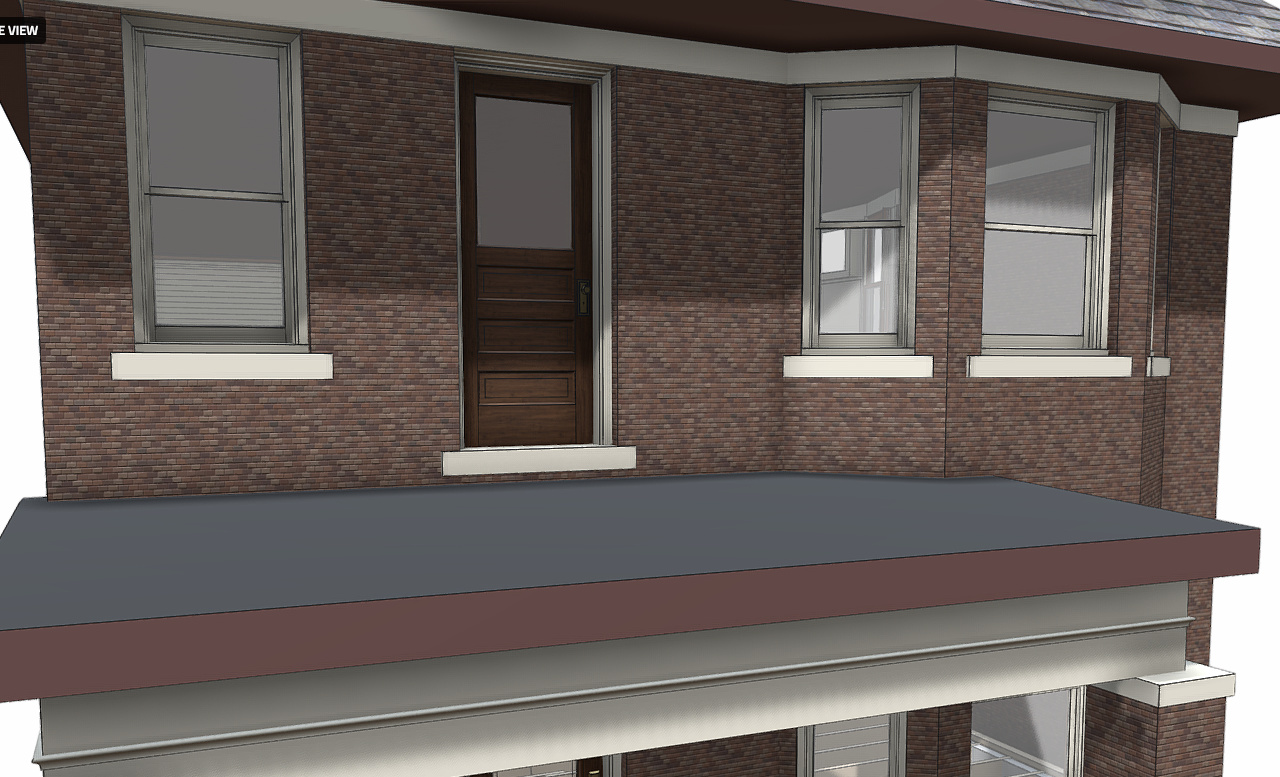
Of course, this isn’t happening seamlessly… When I first apply my endless brick texture the scale is way off.

When I scale it down it seems to correct itself, but only while it’s loading/computing. While loading it looks like the

When it finishes loading it looks like this:

No amount of adjustments seems to correct the problem. That said, it takes like 5 minutes for every adjustment to load, so it’s hard to tell if I’ve really exhausted all the options.
Just to test the texture in SketchFab (and to see if i could maybe fix the problem in SF directly), I tried uploading the file to SketchFab, but got the following error message.

Somehow my file is 350mb and my current pro account won’t allow me to upload it.
Any idea why this file would be so bulky all fo the sudden?
I tried reducing the pixels from 4096 to 2048 (keep in mind my computer is now running impossibly slow) and the bumps just sort of mesh together like this:

Down to 1024 looks like this:

512:

You get the point.
Can anyone tell what the problem is just by looking at this?
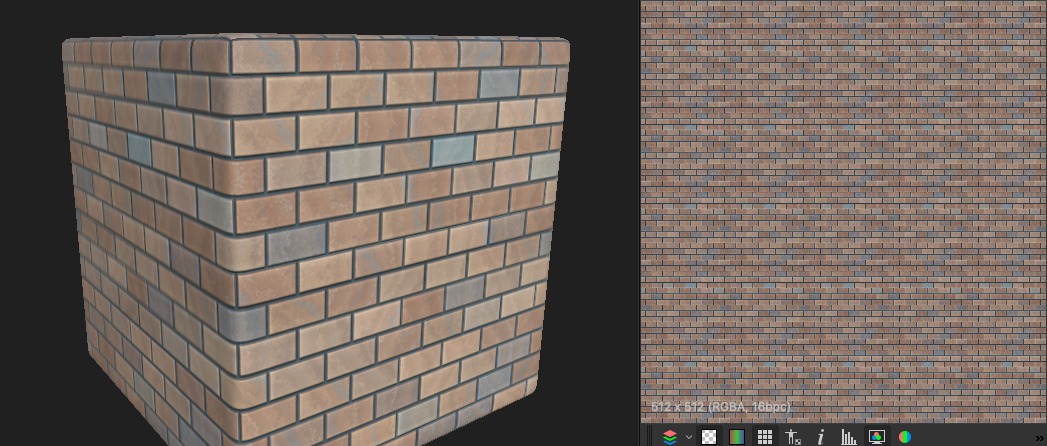
As a remind, the texture itself is supposed to look like this: