Texture turns black randomly when working on a model. It’s only a visual bug since exporting 2D shows the normal Wood_OSB texture. See the images attached of the exported image and a screenshot.
The bug is fixed with Sketchup restart but would often reoccur after a few hours.


You are using oldish integrated Intel graphics. Does switching to the Classic display engine help?
1 Like
Yes, cpu is I5 4430S with integrated gpu HD 4600.
I’m already using the Classic graphics engine, system doesn’t even support the new one.
Have you visited the Intel site to see if a newer graphics driver would be available?
Does switching the display to Perspective instead of parallel projection help? Parallel projection lets you move the “camera” to somewhere in outer space without changing the display view. Is the actual model very far from the SketchUp model origin? (going through possibilities)
2 Likes
Basically, you have an 11-year-old low end machine that is beyond end of life. It came out when Windows 8 was the newest version in use. I am surprised it is still running.
The latest Windows 10 64bit driver I can find for HD 4600 graphics on a 4th generation Haswell CPU from Intel is dated 9 JAN 2015:
Intel® Graphics Driver for Windows® 10 [15.40][4th Gen]
Note: Intel® Graphics driver for Windows* version 15.40/45.x.x has known security issues. As of June 15th, 2024 it is not supported with any additional functional, security, or other updates. All versions are provided as is. Intel recommends that users discontinue use as soon as possible.
Version: 15.40.7.64.4279
Release Date: 9 Jan 2015
I looks like Dell has a more updated version for a few of its systems:
Intel HD 4600 Graphics Driver | Driver Details | Dell US
This package contains the Intel HD 4600 Graphics driver. It is supported on Dell Precision M3800, XPS 9530, and XPS 9343 systems that run the Windows 10 operating system.
Version: 20.19.15.5058, A05
Release Date: 08 Nov 2018
Fixes: Driver update to address Intel security advisory INTEL-SA-00166 (CVE-2018-12152, CVE-2018-12153, CVE-2018-12154)
1 Like
Même problème pour moi alors que j’ai un pc et une carte graphique très récent et puissant acheté cette année !
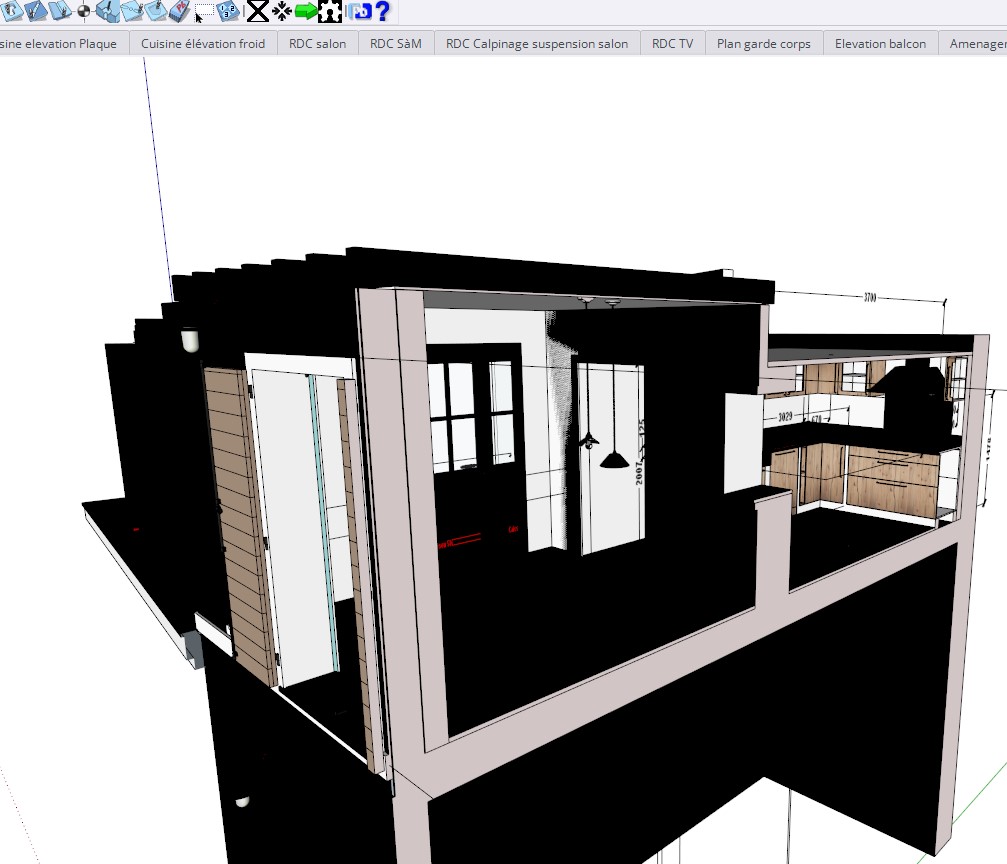
Texture deviennent noir,
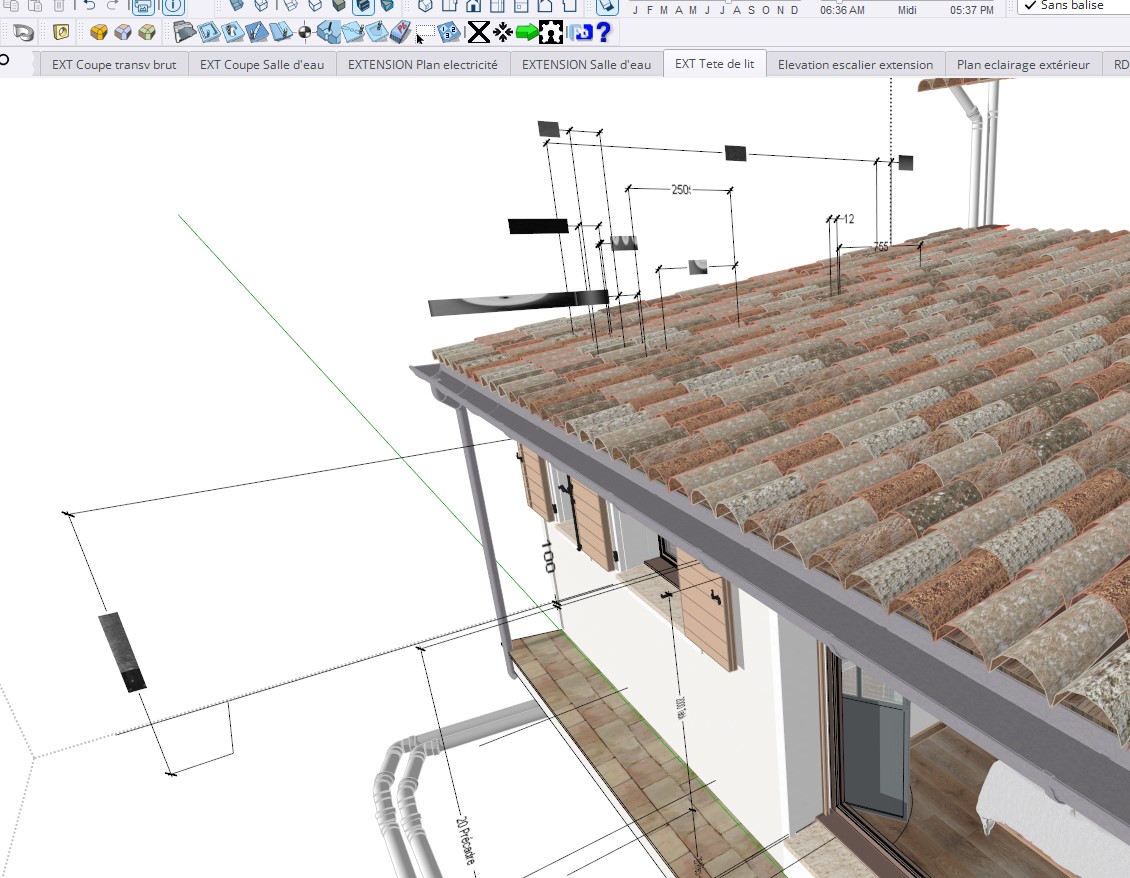
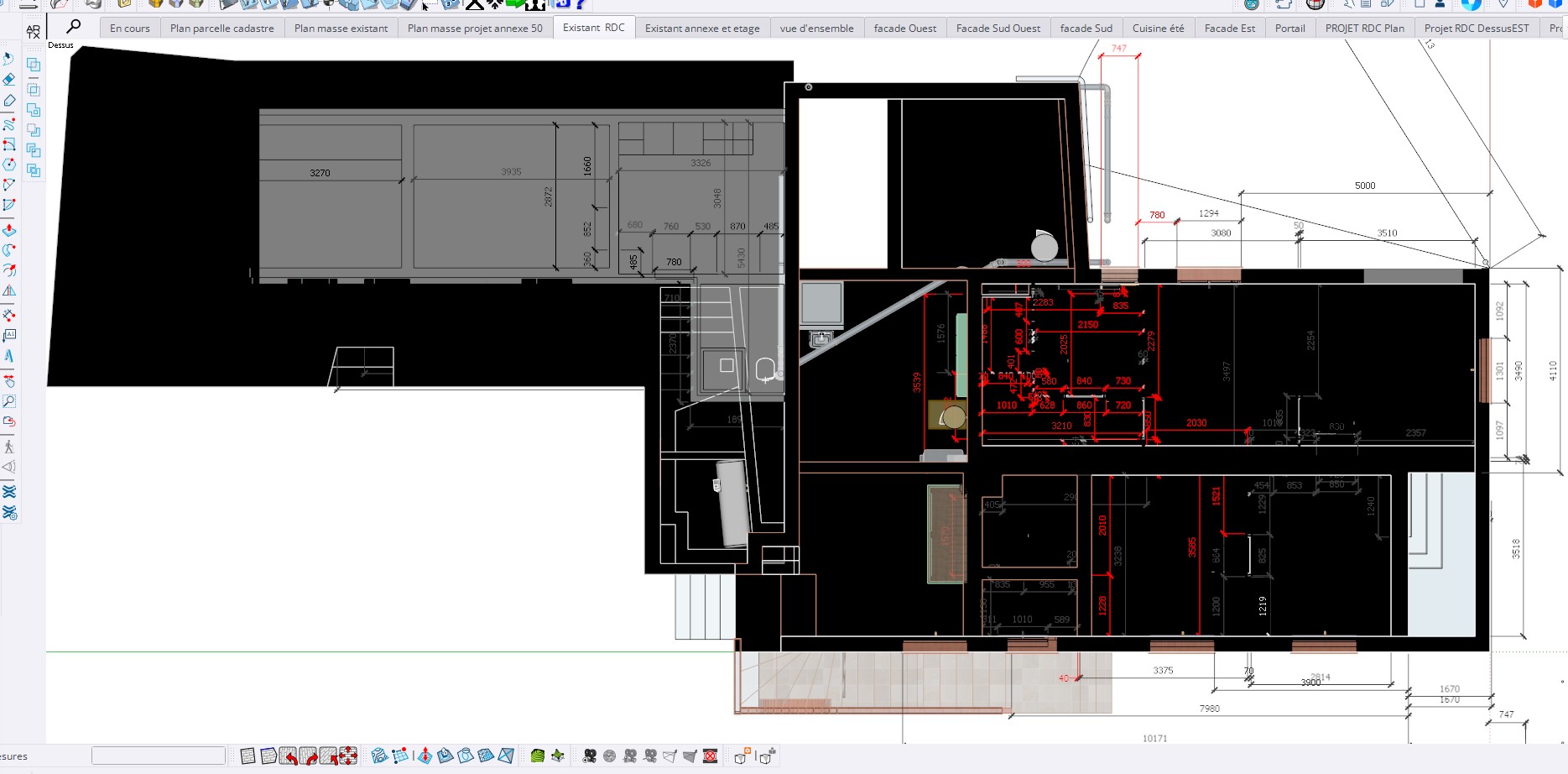
Affichage de cotes remplacées par carré noir et affichage de valeur de cotes aléatoires qui ne correspondent pas au cotes réelles et qui ne se corrige qu’à l’enregistrement;
A chaque enregistrement l’affichage de couleur des lignes passe systématiquement de “toutes identiques” à " par matière" les arrêtes deviennent invisibles et visuellement illisible et je dois à chaque fois recocher la case " toutes identiques"
Could you start by updating your profile please ? Or are you still running sketchup go / 2018 ? / on windows 7 ?
depending on your update, it can be various things.
running sketchup Go, it means you might have a browser issue.
running 2018, maybe a recent windows update ?
running windows 7, a combo of both of the above.
Hi, thnaks for your answers
Here is my new profile..
I use SketchUp 2024
Édition Windows 11 Famille
Version 23H2
install on 21/05/2024
Processeur Intel(R) Core™ i7-14700K 3.40 GHz
Mémoire RAM installée 48.0 Go (47.7 Go utilisable)
Type du système Système d’exploitation 64 bits, processeur x64
carte graphique NVIDIA GeForce RTX 4060 Ti
Other problems:
- Random disappearance of the guide lines
- Disappearance of the dotted grid when I select a face.
Forced to restart SketchUp
Thanks
Put that information on your profile, not on a reply.
[quote=“fredberrin, post:6, topic:303678, full:true”]
Bonjour,
Toujours les même problèmes et toujours pas de réponses
- Textures deviennent noires, il faut repasser en texture couleurs puis en textures réelles pour les réactiver
- Affichage de cotes remplacées par des carrés noirs et affichage de valeur de cotes aléatoires qui ne correspondent pas aux cotes réelles et qui ne se corrigent qu’à l’enregistrement, ou au changement d’angle de vue.
- A chaque enregistrement l’affichage de couleur des lignes passe systématiquement de « toutes identiques » à « par matière » les arrêts deviennent invisibles et visuellement illisibles et je dois à chaque fois recocher la case « toutes identiques »
- Les lignes guides ne s’affichent plus, il faut relancer SketchUp pour les voir réapparaitre, idem pour la sélection des faces qui n’apparait plus avec la trame pointillés.
Merci de vos réponses et solutions
Fred
Can you share your model, it’s almost impossible to know the exact problem with out seeing it, we could try guessing but it could take a while until we hit on the head of the nail.
And please fix your profile information.
What version of SketchUp are you using? There is no Go Plan SketchUp 2018 as you put in your forum profile.


I use SketchUp 2024
Édition Windows 11 Famille
Version 23H2
install on 21/05/2024
Processeur Intel(R) Core™ i7-14700K 3.40 GHz
Mémoire RAM installée 48.0 Go (47.7 Go utilisable)
Type du système Système d’exploitation 64 bits, processeur x64
carte graphique NVIDIA GeForce RTX 4060 Ti
Update your forum profile with the correct information.
Try turning off the new graphics engine in Preferences>Graphics and restart SketchUp. Does that change anything?
-
Make sure you installed SketchUp properly. You can download the latest installer file from here:
Download All | SketchUp | SketchUp
You may noticed there is a new SketchUp 2025 already. It is recommended to use that.
Do not forget to right click on the downloaded installer file and from the context menu choose Run as administrator
If you still reinstalling the SketchUp 2024, chose Repair in a next step. You can install SketchUp 2025 beside the existing one.
Most important is: Right click on the downloaded installer file and from the context menu chooseRun as administrator -
Go to Nvidia site and install the latest graphisch driver. Download The Official NVIDIA Drivers | NVIDIA
-
Go to Settings>> Graphics | SketchUp Help, and check if you are using the Nvidia Card ( GPU Selection), check/change the Graphics Engine as Dave suggested.
2 Likes
This topic was automatically closed 183 days after the last reply. New replies are no longer allowed.