Surface Painter for SketchUp - looking for some feedback before release
Hi everyone,
We’ve been working on a new SketchUp extension called Surface Painter, and it’s getting pretty close to release.
I thought this would be a good time to show what we’ve built so far and get some feedback from other SketchUp users.
The basic idea is pretty simple: Surface Painter lets you paint textures directly onto SketchUp geometry, instead of having to keep editing textures somewhere else and bringing them back into the model.
The painting tools run inside a separate pop-up panel, so it doesn’t take over the SketchUp interface. You can move the panel wherever you like, resize it, make it larger while painting, or keep it smaller and out of the way depending on your setup.
Here’s the current workflow and some of the things it can do.
Preparing a surface

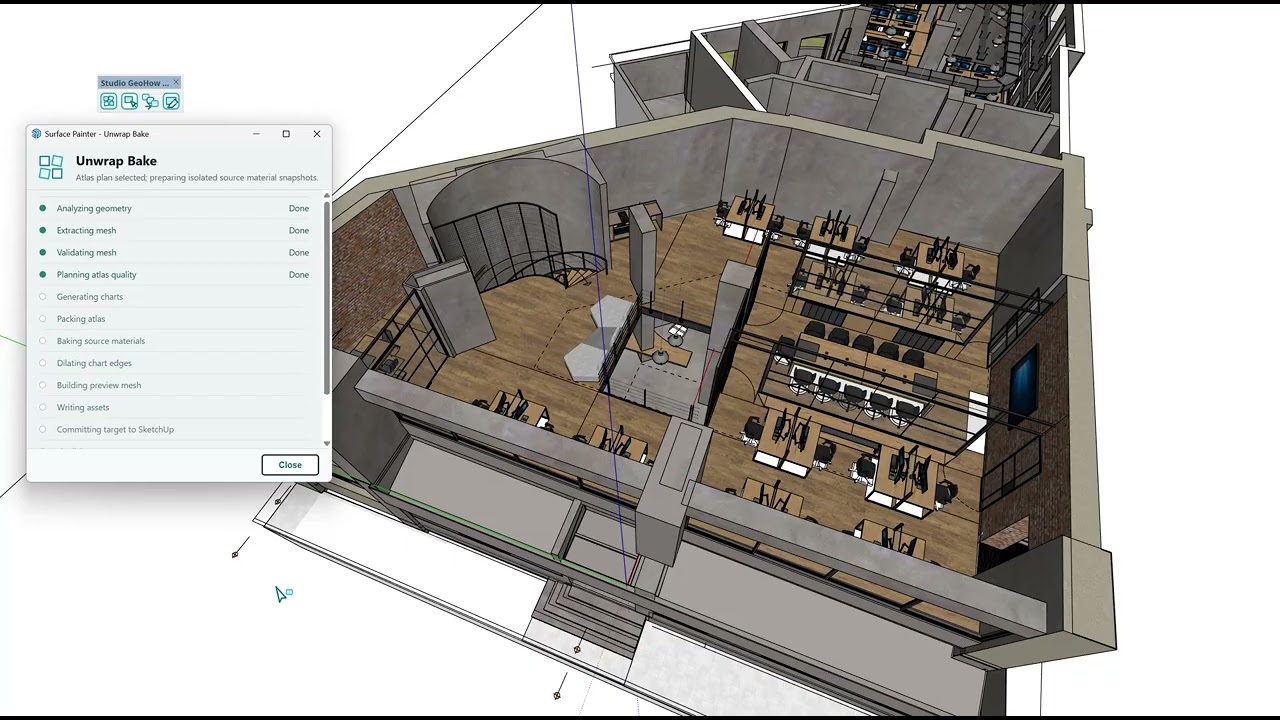
You start by selecting the geometry you want to work on and baking it for Surface Painter.
There are different ways of preparing the geometry depending on the surface. Simpler surfaces can use the Standard workflow, while more complicated connected geometry can be Unwrapped.
Once the bake is finished, the Painter opens and the surface is ready to work on.
Painting directly on the model

From there you can paint textures only where you actually want them instead of having one material repeat uniformly across the entire surface.
This can be useful for adding things like dirt, weathering, stains, worn areas, material variation, or just breaking up textures that look too repetitive.
Different texture mapping modes

The Texture Brush currently has three different mapping modes:
-
Surface Tiled
-
Stroke Anchored
-
Stroke Direction
They each handle the texture differently depending on what you’re trying to paint.
There is also a Real-World sizing mode, so brush and texture scale can be based on actual measurements rather than only pixels.
Procedural Eraser

The eraser can remove painted areas while creating softer and more irregular edges.
It’s useful when you don’t want an erased area to look like it was cut out with a perfectly clean circular brush.
Stamp Tool

The Stamp tool lets you place a texture or image onto a specific part of the surface.
It can also work across connected geometry, so the stamp doesn’t have to stop just because the surface turns a corner.
More complicated geometry

A lot of the work on Surface Painter has gone into making it useful beyond simple walls and flat faces.
This example is a surface made from roughly 2,000 connected faces, baked with the Unwrap workflow and then painted normally inside Surface Painter.
Applying the finished result

Once you’re happy with the result, you can Apply it back to the SketchUp model.
We wanted this part to stay straightforward, so there isn’t a complicated export process at the end. You paint, make your changes, and Apply the result back onto the model.
A few other things already included
Surface Painter also currently has things like:
-
Layers
-
Undo / Redo
-
Persistent History
-
Multi-target painting
-
Real-World texture sizing
-
Different brush controls
-
And more
The painting data and related assets are kept with the SketchUp project, so you can save the model, come back later and continue working on it.
I’d really like to hear what people think
I’m mainly interested in whether this looks useful for the way people actually use SketchUp.
A few things I’d be curious about:
-
Would you use something like this in your own workflow?
-
What kind of models or surfaces would you use it on?
-
Is there anything about the workflow that looks confusing?
-
Is there something you would naturally expect a surface-painting tool to do that seems to be missing?
-
Which part of it looks the most useful to you?
-
Are there things you currently leave SketchUp to do in Photoshop, Substance, Blender, or another program that you would rather handle directly inside SketchUp?
We mostly work with architecture and visualization, so that has naturally influenced how Surface Painter has developed, but I’d be really interested to hear how people doing other types of SketchUp work might use it as well.
And the first release definitely isn’t meant to be the finish line. We plan to keep working on Surface Painter after release, improving the existing tools and adding more over time. Feedback from people actually using SketchUp will be a big help in deciding what deserves attention next.
Any feedback is appreciated.