Ah, in that case YES, i indeed stand corrected.
Right, then this extension isnt for me.
I did try Open Cust List but one cannot set the lengths of raw timber, as purchased from the yard, or at least - i cannot!
Is there an extension for cut list/BoM that may help me?
From memory “builder” will allow you to set up custom lengths of timber that can be saved, When you run the extension on your components it will fit them into the parameters you have set up but I think the width/thickness of the components must match the section. It will tell you how many lengths of each section you need and tell you how to cut each piece to achieve your component lengths, done via tables. I don’t think there is a graphic display of the pieces. It also gives a percentage of waste efficiency.
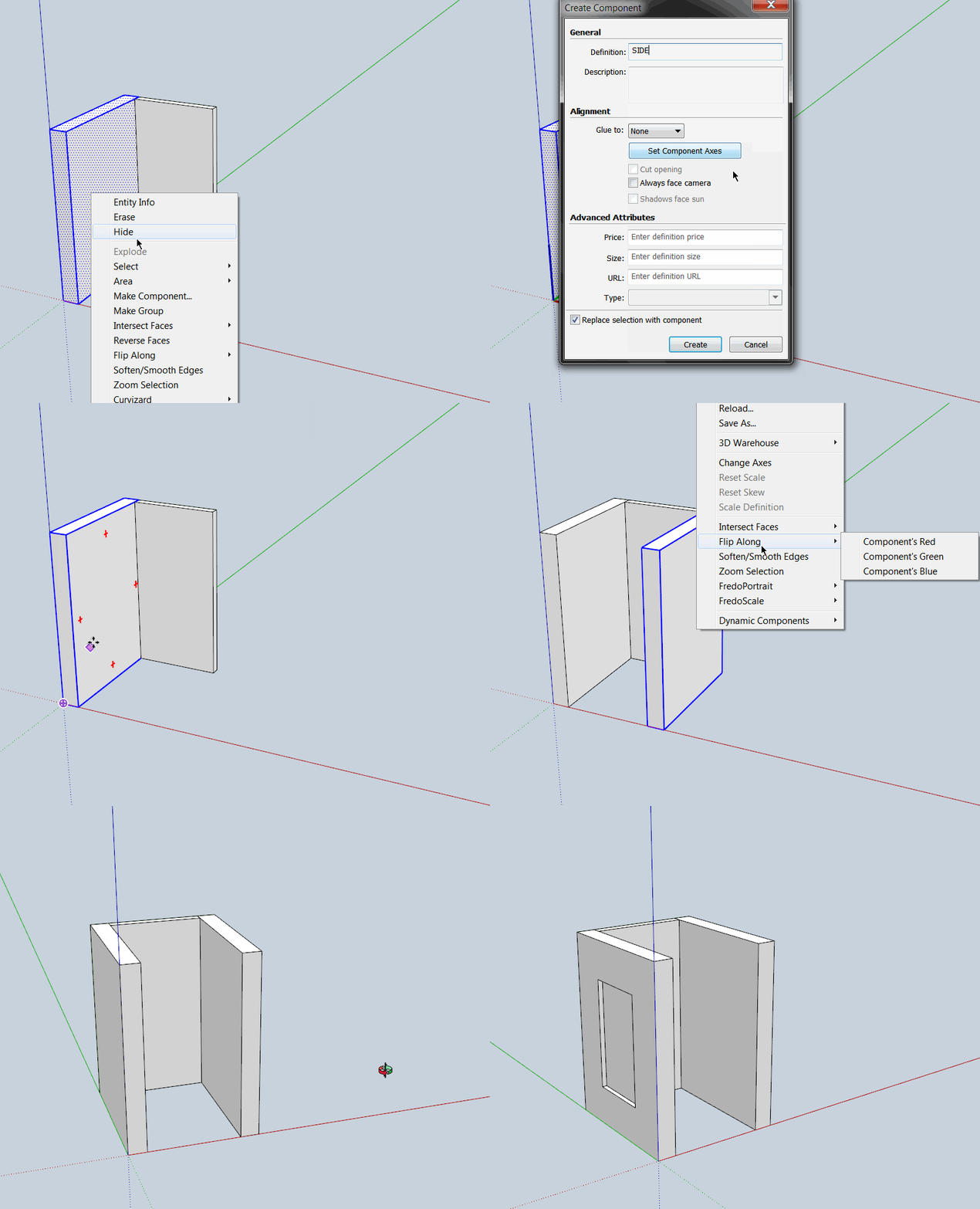
It’s pretty much unrelated to getting a good cutlist and won’t show up in there, but simply a basic technique that will give say left and right panels of the same component definition. Good for modeling symmetrical items such as furniture.
When you create a component unless you “set the axis” upon creation the “component axis” will be set to that of the model axis. You can see this “component axis” by double clicking into component edit after creating the component.
I then copy the left “SIDE” component to the right side as I want it to be the same. Trouble is, if you add detail to the outside of the left, the detail is added to the inside of the right. The right component needs flipping, in this case along the component red axis as that is the symmetry required.
After the flipping, you can see the red axis of both components now run to the center of the cabinet. I can add detail to the outside of the left and it is applied to the outside of the right as intended. Flipping isn’t always needed but very useful when it is.