Yes. The main thing is that Bool Tools 2 respects the "component-ness of components. The native Solid Tools convert components they modify into groups.
I used to have it installed when I had the free SU 2017. With my SU Pro 2023, I didn’t load it and used the Solid Tools. I don’t like how Solid Tools is so fussy about something being “solid”. Even when the Solid Inspector2 says it’s okay, Solid Tools keeps saying it’s not solid. If BoolTools2 is more forgiving, that works for me. I’ve reloaded it. Thanks All!
I got sidetracked by paying work but I’ve made a little more progress.


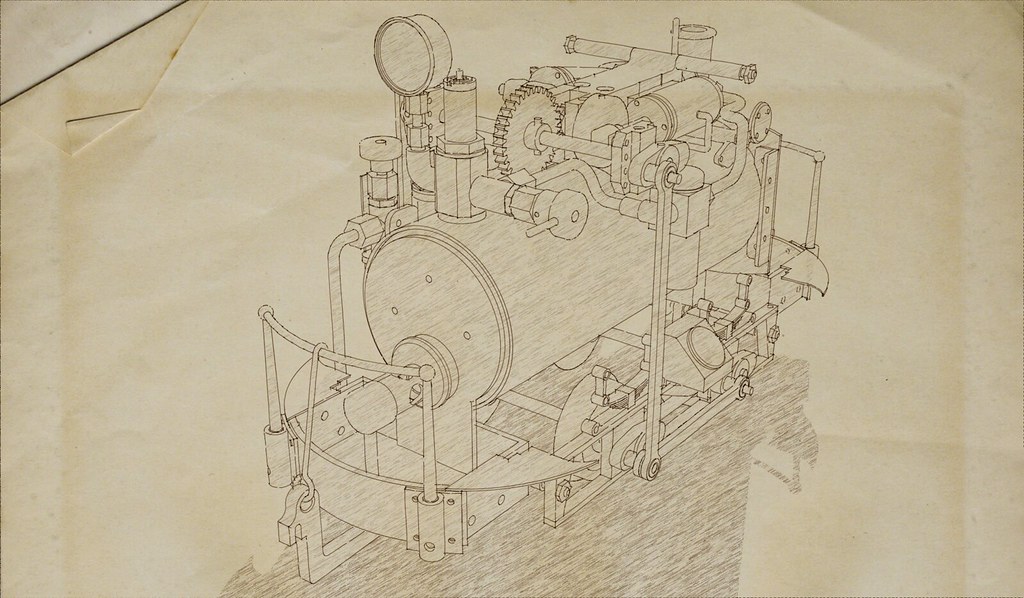
The physical model is a funny oscillator steam engine. No idea if the real one was but I doubt it.
11 Likes
I’m calling this one finished. Only missing some screws and rivets.


And a couple views with the covers and side plates removed.

15 Likes
Excellent ! Your sketchy line styles are fantastic. 
Thank you sir.
I saw a post that says, “Help DaveR”. I’m willing to but it doesn’t look like you need much help ;^).
4 Likes
Those darn paying work! 
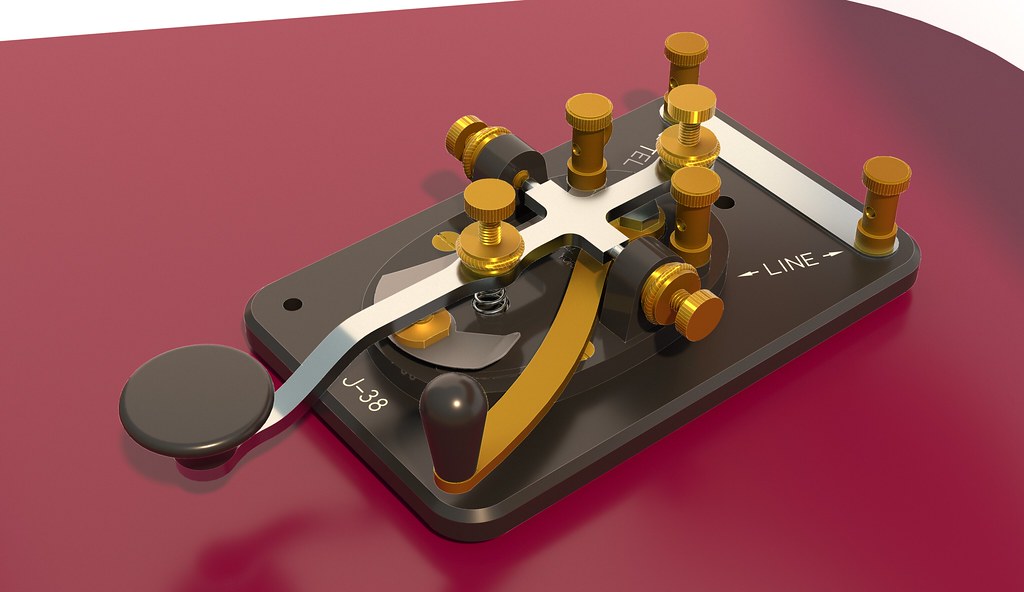
Screwing around with Vray while waiting for a car to be delivered.
14 Likes
Nice
Thank you sir.
…- . .-. -.-- / -. … -.-. . (having to say something else for it to print)
1 Like
Can you briefly explain how you put the grip bumps on the knobs?
Specifically the non-strait ones. Or something that looks like a diamond pattern? I see stuff like that often in your models.
Dunno how @DaveR does it but I came up with a diamond knurling method that looks really great, but brings my laptop to a complete standstill.
1 Like
Based in part on last chat, I’d say there are some white line drawing elements laid over the image? Just a hint of line drawing in a photorealistic image?
2 Likes
I’d love to know how @DaveR creates that text in the image.
Specifically, “J-38”, “TEL”, and “<-LINE->”. Surely that isn’t manually drawn as linework. Because if so, ye gods!
1 Like
Although I have modeled knurling for other models, in this one it’s just edges drawn around the circumference of the knobs. I’ve meant to go back and model the knurling along with the other fine detail on the binding post components but haven’t gotten around to it yet.
@RTCool is basically correct. I made a Hidden Line export from the SketchUp model and inverted it so white lines on black. That is combined with the rendering using an additive layer in an image editor. That way the lines aren’t white. They take on the color underneath.
@anon91144253, as for the text, I hunted around and found a font that is very close to the one used for that text on the real key. I then used 3D Text although it is flat there. I did have to draw the arrows. It doesn’t show in this image but there is some raised text on the oval cast metal base using the same font.
The key I referred to for this model was made by Lionel so I also reproduced the logo from the time period. It shows up as raised on the oval base and recessed as one of the ejector pin marks on the bottom of the Bakelite rectangular base.
3 Likes


Pre-1915 spring loaded grease cup.
8 Likes
Dave, does your PC struggle with the knurling at all? I created the same (or very similar) pattern for one of my components and it turned everything into grandma’s slide show of her trip to Israel.
How did you wrap it without getting weird banding and/or striations, and other nasties? My pattern was pretty solid, but it did not like being wrapped!