going to try this quick
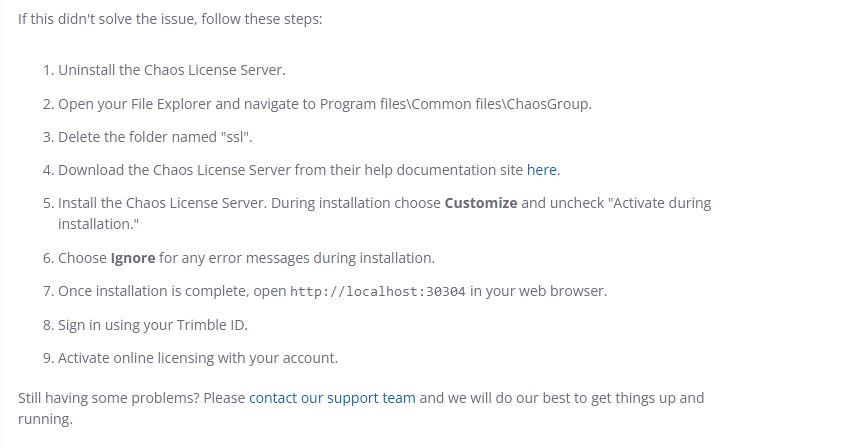

my subscription ends in june … boggle
It’s slightly out of date - that folder won’t be there.
I’d certainly uninstall every single chaos/v-ray thing you can find in the control panel
chaos license server
chaos cosmos
chaos unified login
V-Ray for SketchUp.
plus any others
Check the windows firewall area afterwards - I’d be curious to know if they still show there (as you had one of them listed twice)
Check
C:\Program Files\Common Files\ChaosGroup and delete anything you find
same for
C:\Program Files\Chaos Group
reboot
download the latest installer
right click and choose “run as administrator”
1 Like
I went through all the steps…
Interesting, I think I was able to delete Chaos from all folders. However, it WAS/is showing up on the firewall list

That’s not really got anything to do with the problems at this point, the software that V-Ray needs to work isn’t working correctly.
Interesting it is still showing.
If you press ctrl+shift+esc
click to sort it by name
can you see anything from chaos running?

There are a couple of log files you can look at. The file vrlsupervisor.log in particular might contain useful hints
You’ll find them at:
C:\Users\Kellie\AppData\Roaming\Chaos\VRLService\logs
What version of the license service are you on, currently?
Hamburger menu on the right in localhost:30304 > about
version cgls_win_6.0.0

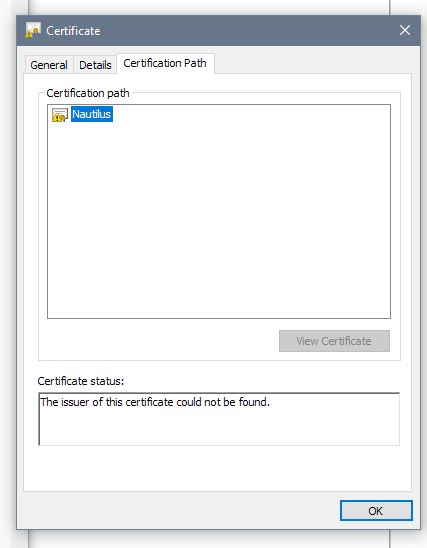
Kellie, that waring isn’t actually a failure. I see the same thing on my computer.
If you are willing, you are welcome to PM your log files to me and I’ll take a look. The first 20 or so lines of the user.log.xxxxxxxxx appear to contain all of the start-up information. We might also hope it will contain a clue about to the source of the failure.
1 Like
I will reach out tomorrow if this next fix fails - support responded… Probably a canned response

Hi kellie1!
I was wondering if you finally have found a solution for this issue?
I have exactly the same…
Thanks!
Nobody has found a solution?