I am very frustrated by the Protractor that works only on the 3 axis. Is there a way to rotate freely object ?
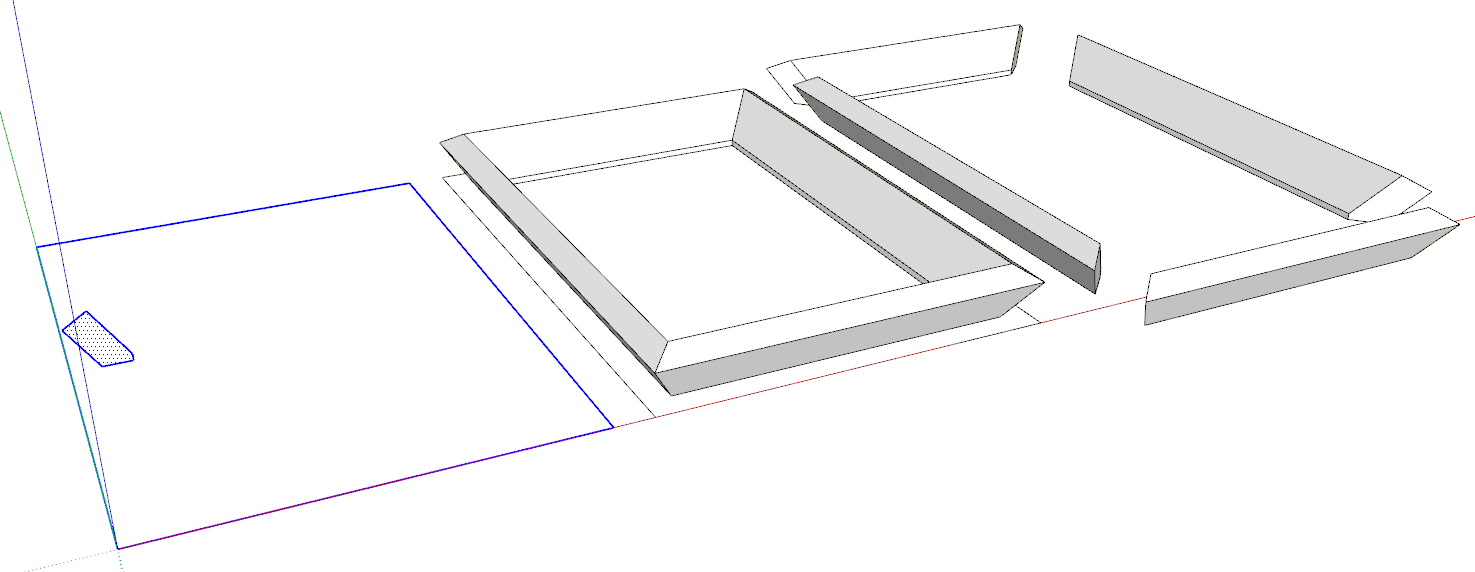
I have beams with double angle cuts that I want to join by their ends…
Use the angled cut as the reference for setting the rotation axis.

When I click to a link on the right and then the arrow in the video window, it’s the Arc tool running again and again…

I want to use a framing with 1" x 2".
The diamond has the golden ratio.
The 10 diamonds form a wonderful dome.
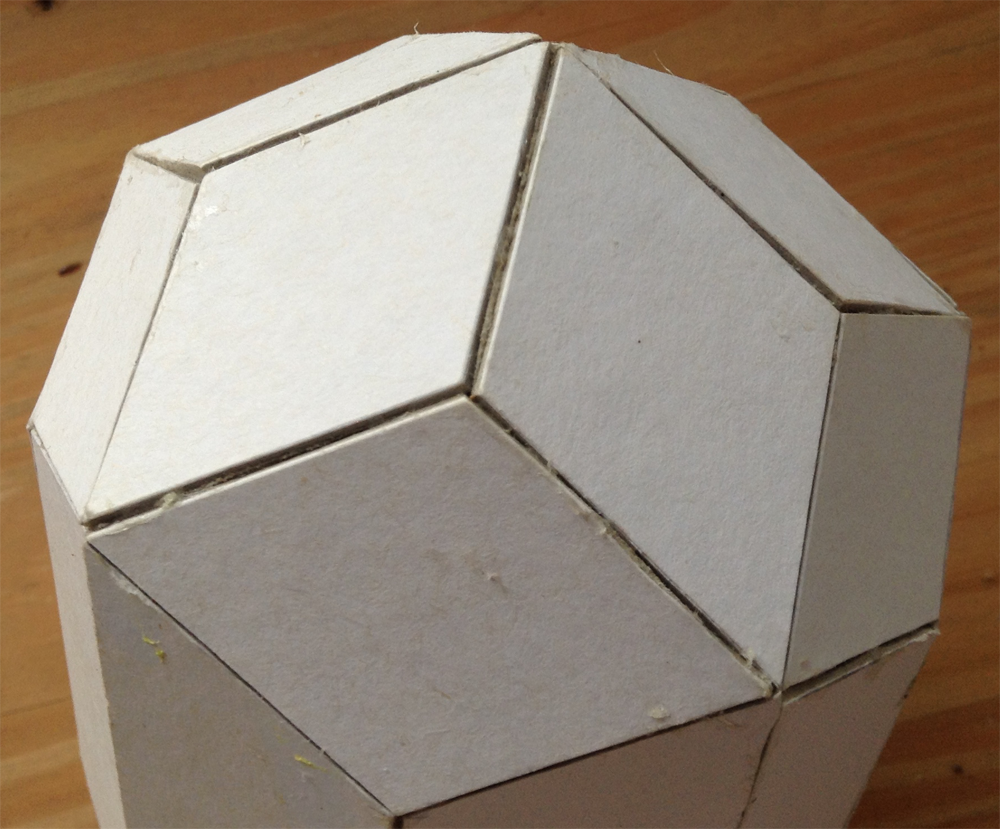
At the top, there is 5 vertical diamonds, under which fit 5 horizontal same diamonds.
Designing with lines was easy for me, but with 1 x 2 ou 2 x 4" is tougher for my beginner level.
Since the diamonds frames must fit perfectly together, the 1 x 2 must have an angle… wich I calculate to be 58.3838°. So, one end of the beam is cut at 36° and 58.3838°.
But, I would like to have all the angles of the joints (2 angles for each 2 joints).
The diamond frame use only 2 pieces of wood (that are doubled).
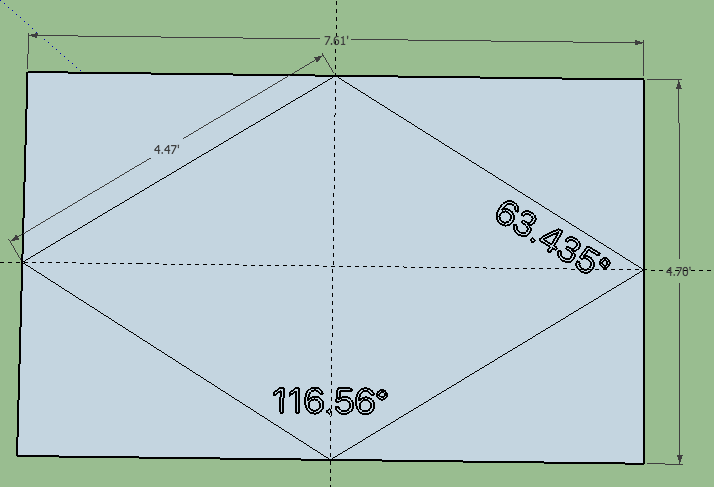
Dimensions of the diamond : total length 7.608 ft; width 4.702 ft (7.608 / 4.702 = 1.618); sides 4.472 ft.
1" x 2" frame
I think my calculation of angles were wrong…
I’m trying to get clear in my head what you are making from the 1x2 or 2x4 - solid pieces to fit together, or edges round some sheet material to make the individual diamonds?
I’ve drawn some diamonds with the short diagonal of unit length, and the long diagonal in the golden ratio to it - is that the starting point?

I want to build a dome with only golden diamonds (that use only 2 parts to be cut).
Since the first one will be only covered by plastic, i will use only 1" x 2".
I needed the perfect angles of cut, since the diamonds must fit perfectly together.
I want to produce the diamonds separately and not build the dome with a unique framing.
So, each edge is doubled.
Yeah, the starting point was the measures I gave. But, it is totally different to dray a wire design than a one with frames.

Well, from a 2D geometrical perspective, it gives angles of 63.435° and 116.56°.
What you did John is a good start. But, the difficult part is to “extrude” the diamonds at the depth of the material used for the framing. Since the angles between the diamonds are unknown, it is not easy to assemble them together… but, I finally found the trick to do it.


Well, you may succeed the extrusions… But, what i did is built directly the frame. So, I’ve start with a 1"x 2" x 4.472’. I create one, did the cuts at one end (that I knew the angles by geometry). Then i doubled it and flip it.
The joining of the 2 bevel cuts was the worse to realise… since the are 2 rotations and one is not at all compatible with the rotation tool…
Thanks - I got to the same result just drawing the axes of the diamond in the right ratios.
Did you know that you can align the rotation tool along any axis (i mean any arbitrary line) by dragging it along that axis?
Another point - the protractor tool works the same way.
Draw perpendiculars to an edge. Then measure the angle between them with the protractor tool: looks like this:

And for what it is worth, here’s the model:
Diamond dome.skp (99.4 KB)
This might help if you want to bevel the meeting edges of the diamonds.
Interesting! No time for more tonight (1am in UK). May return to this tomorrow
I am very surprised that SketchUp blocks the not so old version…

Try opening the attached edited version. I saved the file to be compatible with SU 2015.
Diamond dome-v2015.skp (91.8 KB)