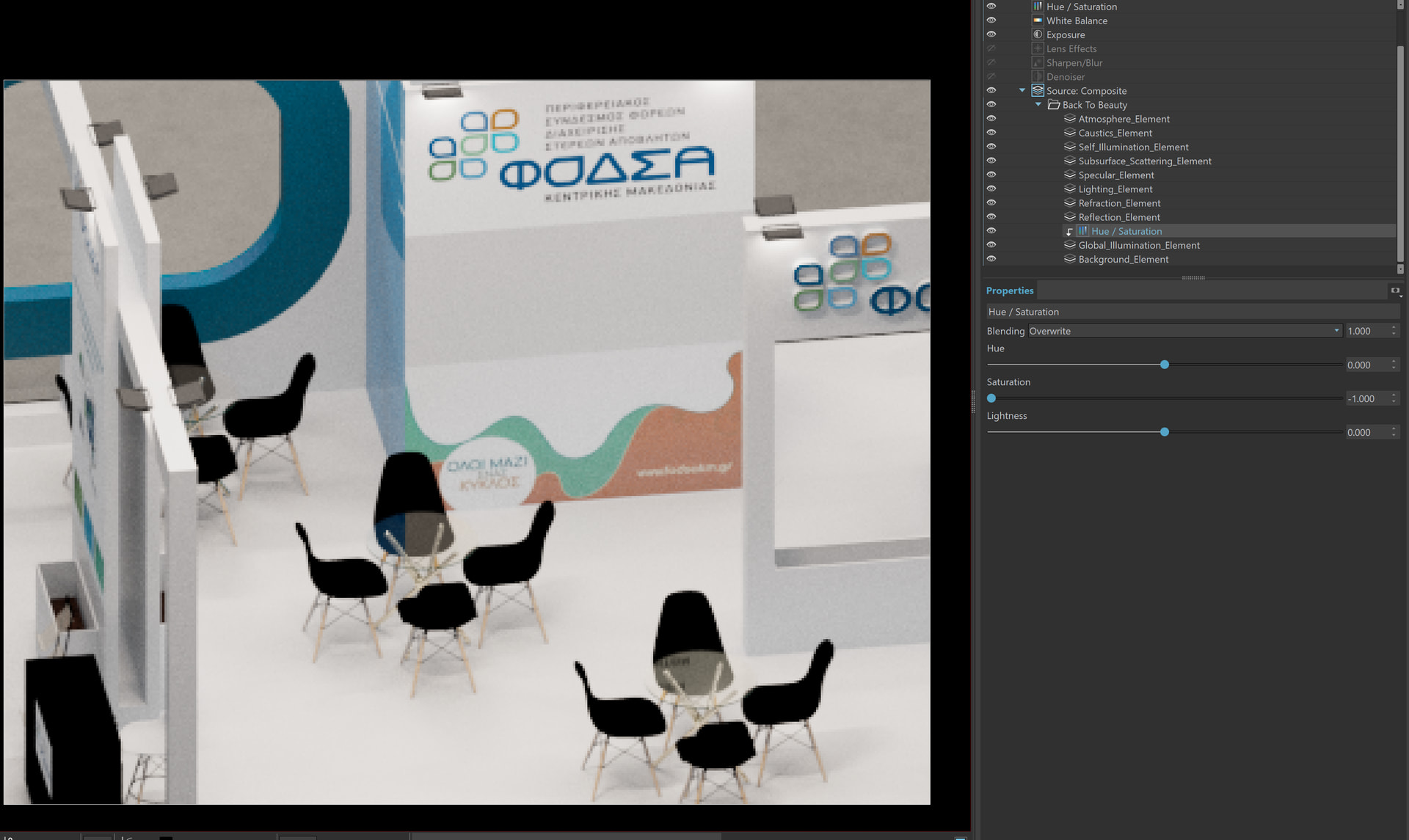
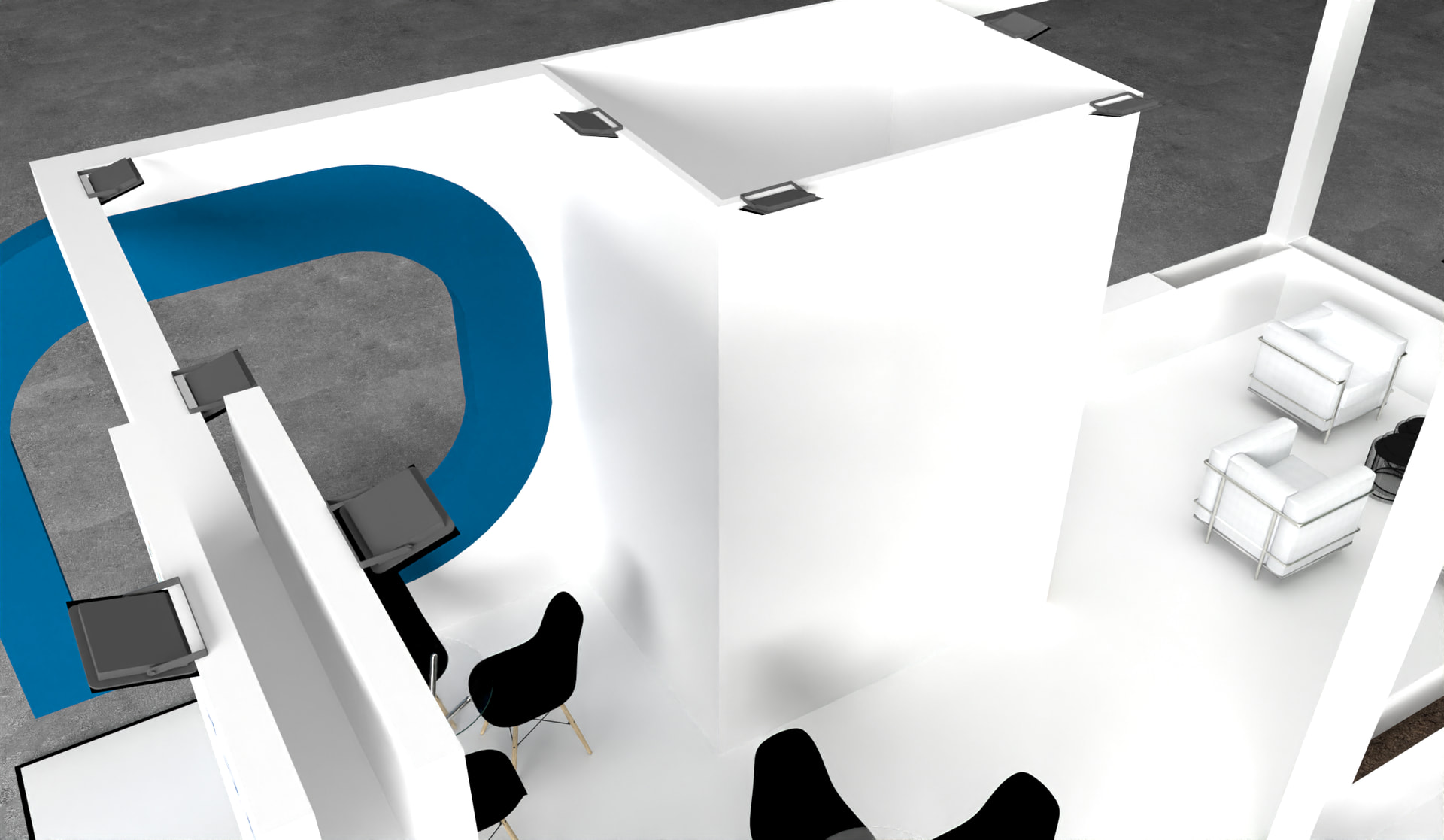
i don’t know what’s happening, Very often i use pngs as textures for my renders in VRAY and never had a problem with that, now every image i bring in my model its glowing, with light. Why tho? i tried every option setting, nothing seems to turn it off.
All you can do really do is change the PNG graphics to be less saturated or change the other materials to reflect less.
note : the white material called white-smoke from SketchUp is partially metallic , which makes the reflection unnatural. This is caused by an naive SketchUp choice with how they configured the photorealistic materials.
I did have a better look at this, I honestly don’t think there is anything really wrong as such here, you can tweak lights and materials as long as you want, but the colour bouncing onto a white surface ultimately is accurate and normal.
You could entirely turn off global illumination, which will reduce the accuracy of lighting somewhat, perhaps that would be a better outcome for you if those colours are a bother.
another is that you could enable the back to beuaty render element, then reduce the saturation on the global illumination layer only - essentially making the global illumination component monochrome, but keeping other elements in tact
You might find it useful to spend a little time looking at the effects of lighting and colored objects in the real world. It’s easier to see if the surface is water or snow but it happens with nearly all surfaces. The plywood is the same piece in these two photos but it looks redder in the first image because of the light reflected from the boxcar.
I think Adam has given you some good options and you should follow those first. Another possibility would be to add the images to the render in post processing as I did with this quick render. I made no changes to your render settings.
I exported an image of just the signage and then replaced those textures with the white color for the render. A few seconds to combine the images and done.
Good solution Dave. To add on to this, if one sets the signage layer to something like ‘multiply’ in post-production app like Photoshop, those shadows will come back.
And not that you need more options here but if you can always render out a ‘Random Material ID’ channel to use to quick-select the floor…and then desaturate as desired in post-processing.
thank you, for all the help and the tips. global illumination worked like magic, i dont see it affect my lights. Question tho, if i need a a simple white colour what do i use?
The colors we see on surfaces are actually a balance of reflected and absorbed energy. Because no real-world material is a perfect reflector, you should avoid setting your Diffuse brightness to 100%. I always start by aim for a maximum value of 0.9 on the HSV scale. For bitmapped textures, you can achieve this by ‘clamping’ the white point using gain and offset settings to ensure your materials behave naturally under digital light.
Some guidelines here
Material
Suggested HSV Value (V)
Note
Pure Snow
0.85 – 0.90
The brightest thing in nature.
White Paper / Paint
0.75 – 0.85
Even “bright white” paint is usually around 0.80.
Light Concrete
0.40 – 0.60
Mid-tones provide the best shadow definition.
Charcoal / Asphalt
0.05 – 0.10
Never use 0.0; even black objects reflect some light.
Once your scene is “working” using light correctly you’ll have lots of leeway to make adjustments to exposure and contrast etc in the post processing phase and the image will retain a cohesive natural look in the same what that a photo of the room would.
Of course you don’t have to be super rigid with those values, but I always try hard to keep within those guidelines- I’ll adjust them and break away from them a little if there is an artistic need to , but certainly keeping them in my mind helps.
Greetings fellow Exhibit designer. While I am newer to SketchUp, I have been using V-Ray for many years in other 3D applications, and I am surprised the others did not offer the proper solution to you here. Maybe it has to do with the way we fake these conceptual environments vs creating truly reality based renderings? White is often needed due to branding and when combined with bright color graphics that cannot be changed, color bleed is a real problem.
There’s a couple of ways to deal with this.
1- If you look on the Chaos V-Ray Documentation you will find the Material Override Options. You want the GI Material Override to reduce your color bleed for any material you find bleeding the white too much.
Here only for quick example, I took your Material7 which is the blue graphic, added the Override GI linked back to your white flooring material M00_Soft_Cloud.
It now renders that corner without a blue color bleed from that graphic:
If you do this for each graphic that bleeds too much onto the white it will remove the color bleed. However, this is not realistic, so you should try to do it more subtly. For example, you could make a duplicate material of your blue graphic and reduce it’s Saturation by say 50-70%. Now make this de saturated duplicate, the Override GI for your blue graphic and you can reduce the color bleed with some nuanced control. This option can be useful if you only have one or a few of overly color washed materials contributing to the problem.
OR
2- It is also possible to adjust how much a material receives GI when using ONLY the CPU engine with the Wrapper material. So in this version you will adjust your white floor material M00_Soft_Cloud by putting it in a Wrapper material and reducing the GI it receives.
Unfortunately this advanced material Wrapper option only works with the CPU rendering engine as far as I know, so it may not be that useful to you, but at least you have the option if you need it.
Hi fellow designer thank you so much for taking the time and helping me, giving me tips. Iam a interior designer that recently left my old job (designing rooms and furniture) to a new one where we design exhibition stands, so i never encountered these types of problems before.
I was trying to follow the first option you recement myself, but i literally cant find where the override tab is. Could you give me some more guidance please?