Hello,
I’m working on a school architecture project and I’m having trouble modeling the roof of a house.
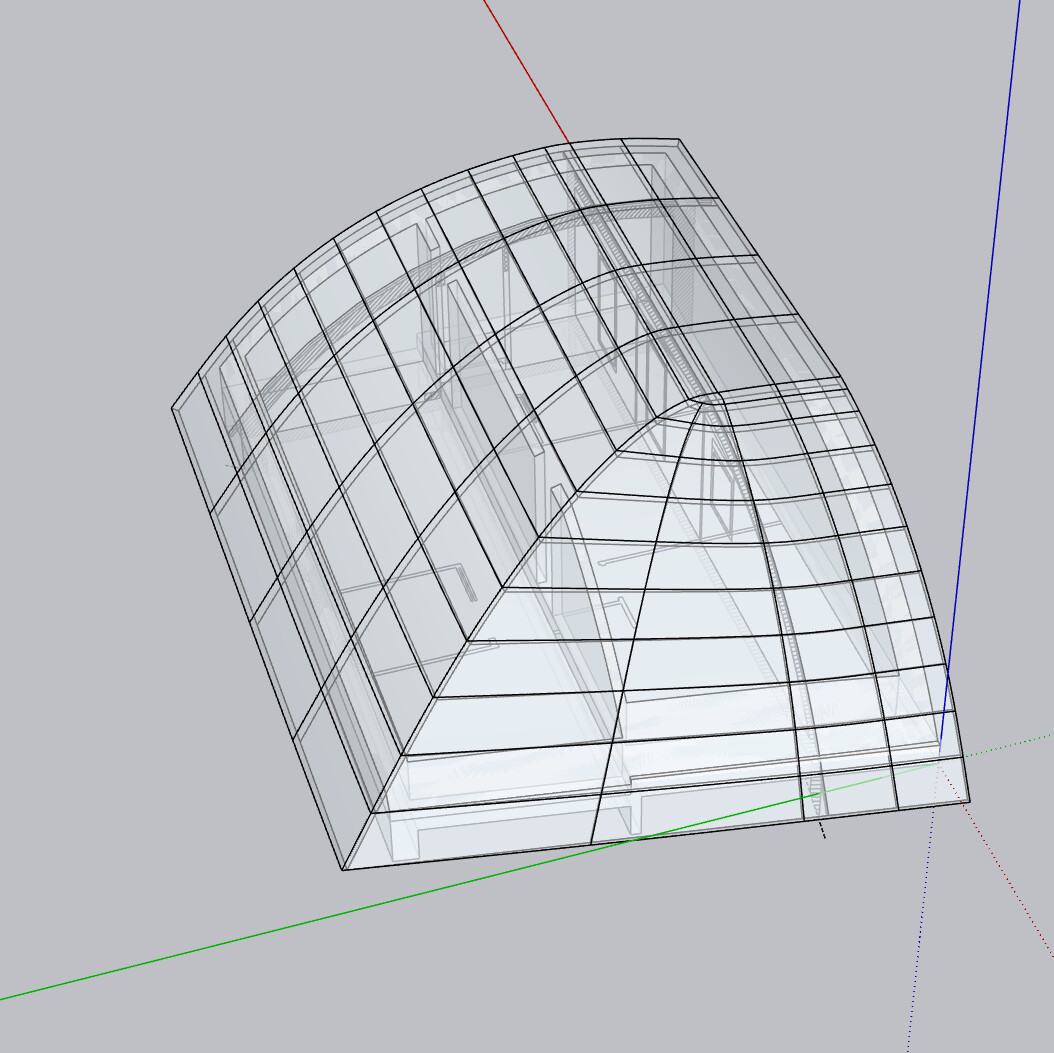
The roof is curved, and it joins together on both sides, creating a 3D rounded shape. I can’t manage to reproduce this correctly in SketchUp.
I’ve already tried several methods (Follow Me, arcs, simple extrusions), but none of them give me the correct geometry.
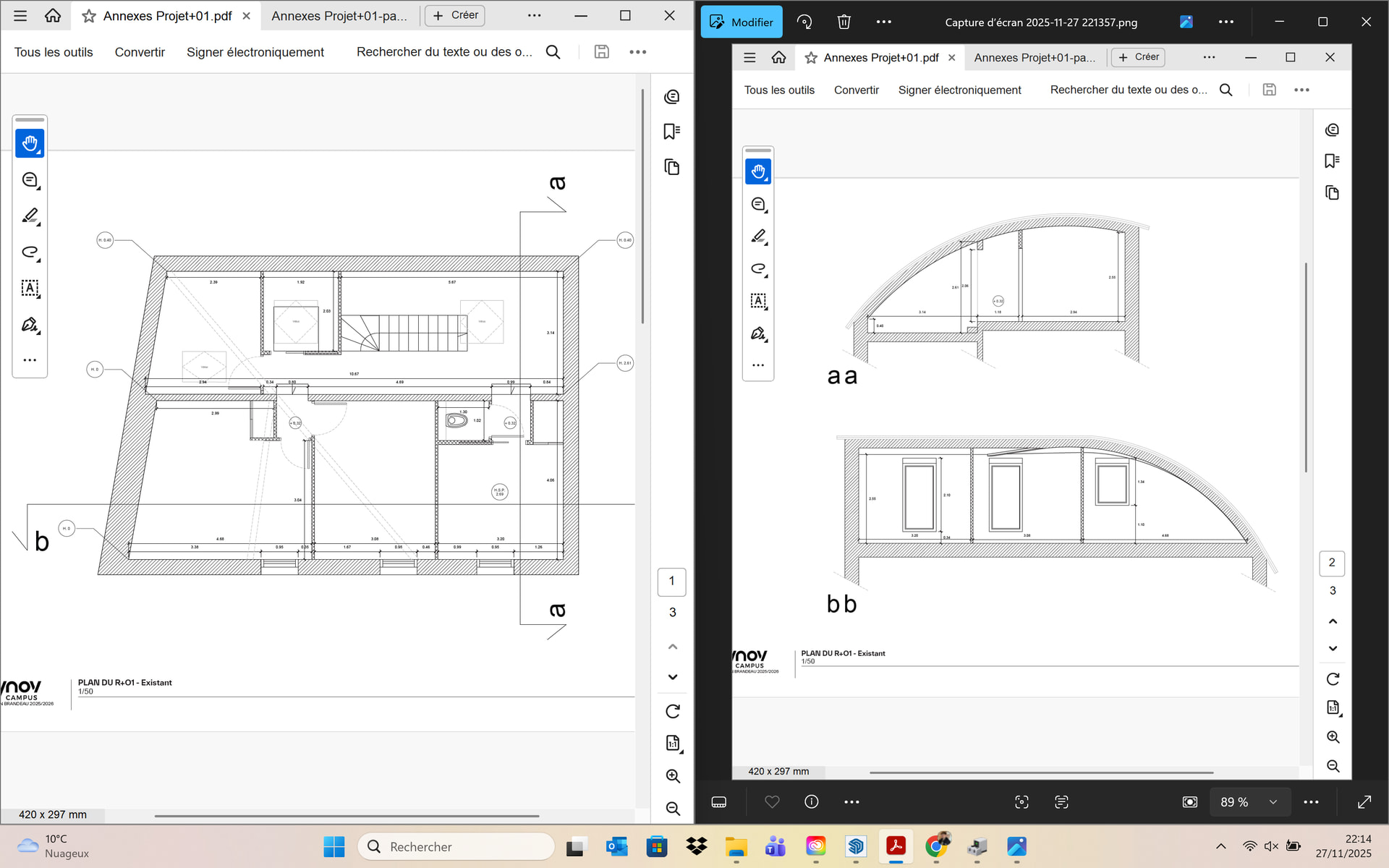
I’ve attached a plan/PDF of the project showing the building and the roof shape.
Could someone explain the best way to model this kind of curved roof?
Should I use Follow Me, Intersect Faces, or do I need a plugin like Curviloft?
around 25 min there is a whole part about the roof.
you could do that. but with a curved roof.
model your walls taller than needed.
model your roof on the side (the arch) longer than needed.
place the roof at the correct location, intersect stuff, delete extra stuff.
you could also use solid tools. I would. same as above but grouping separately the walls and the roof, then using a various assortment of intersection, union, substraction… different ways to go at it.
hanks for your advice! I’ve tried modeling the walls and roof as you suggested, but I’m stuck on the junction: the roof needs to meet exactly at the intersection of the walls, and I’m not sure how to connect them precisely. Do you have any method or tool you’d recommend for this?
Can you share the Pdf or cad drawings, I tried to make blueprints out of the screenshots you shared but I can’t tell the dimensions and the scale is different for every section and the floor plan. If you have elevations and top roof plan that would be a lot of help, With only sections and floorplan is doable but probably the result won’t be as accurate than having more information
I deleted my other account to be able to get the discount on sketchup new license. I don’t mind being a basic member or a sage, I just like to help people with the software I love if I have time to do it.
I was planning to do a tutorial if I get to make the accurate roof, I always am up for a good modeling challenge.
Yes, of course — I can share the files.
I have the full PDF set with the plans, sections, and dimensions, including the elevations. I will attach them in my next reply so you can download everything easily.
you know you didn’t have to create a new forum account right ? you could simply have changed your password / identification system and voila. a forum account does not HAVE to be linked to a trimble account.
also, you didn’t HAVE to delete your old trimble account. but you do you…
follow me could work if both curves are identical.
from there, you can intersect with straight walls, or use solid tools with them.
if both curves are different, you can treat it with solid tools.
I have a pair of curved ceilings, use them to divide. and clean all the extra bits.
then I can merge them.
and from there, back to the intersect or solid tool method with the walls.
I’ve done my fair share of vaulted ceilings in architecture school, all the monasteries and stuff. it’s all just a matter of making simple solid groups and intersect / divide / union
Thank you so much for your help and for the tutorial you shared — it honestly saves me! I was completely stuck, and your explanations made everything much clearer.
Now it makes much more sense! Your explanations really helped me understand the process better.
Thank you again for taking the time to clarify everything.
I really appreciate the time you took to guide me. Thank you again!
I realised I missed a video in there after the first one. I’ll add it
this method works with pretty much any roof shape.
instead of the solid tool, you could also explode the 2 roof groups, select them and intersect them with themselves. then grab the eraser and erase away
Why? I’m not using cr@cked software, I’m still paying for the software, I rarely complain about software development, I actually like the way the program is being developed but if something is wrong I have the right to say it. I hope this response means you will never stick your nose into other people’s business
Mr. Michael I apologize for my response, I’ve been through a lot of stress but that’s not justification for my behavior, it’s not my intention to be rude all the time and that’s something I work and pray everyday to become a better person, I’m really sorry for my inappropriate behavior I feel really bad cause I really want to become the best person I can be in every aspect of my life and I don’t have to let the devil to take control of me under any circumstance.
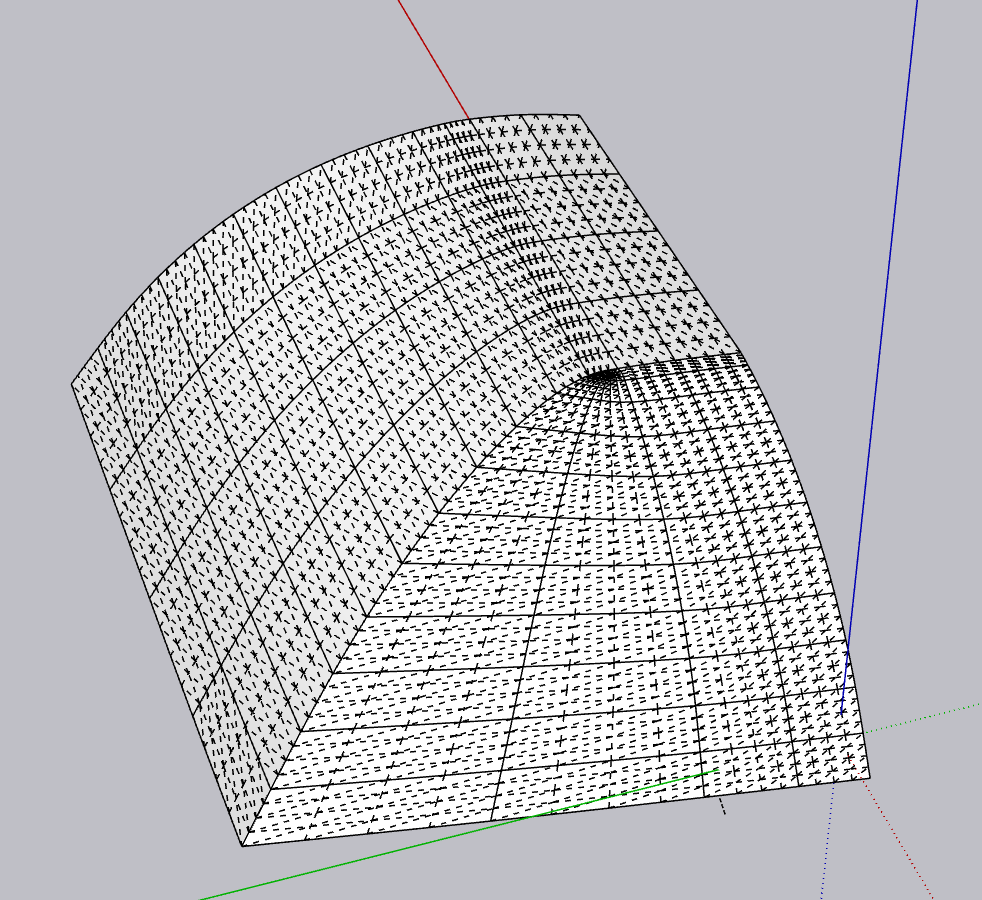
I know its solved but just to show that there are a lot more than one way to do something on SketchUp and Quad Face modeling is one of my favorite modeling methods I created a low poly version of the roof and applied subD to make it smoother. It´s not the best way for beginners, and since Pierre made the tutorial I´m sharing just some screenshots and the model of the roof so you can check a bit more in deep how i modeled it. If you want to learn how to do quad face modeling it´s necessary to have some plugins, I use SubD, Quadface tools and Vertex tools from thom thom, but there are other plugins that can do the same like artisan, the problem I have with it is that version 2 doesn´t offer a perpetual license and version 1 is not supported on newer versions of sketchup.


 after the first one. I’ll add it