Excellent question. I have been giving this some additional thought and I will try to introduce and algorithm which will deal with this specific situation.
1 Like
Well I had to completely rewrite my board trimming algorithm but I think I’m on to something here. First look at a small deck with sides 2 and 4 with the overhang removed:

The point being is that you will be able to select which sides have an overhang and which sides do not, simply by keying in the deck sides that you want the overhang removed. Should be fairly straight forward.
Now I just need to make additional logic statements to handle what happens with trim bands and its overhang (Trim Overhang). There are two overhang parameters, technically there should probably only be one, but I wanted more granular control for the designer.
1 Like

A couple more examples, one with the trim removed against the wall and one with it included:


A lot of permutations here, with most of them worked out but if you start mixing and matching things in ways I have not anticipated there still may be a few issues, still testing…
The trim band adds a whole new level of complexity, which makes for some fun coding. Now I have some asking for a double trim band option, the menu has already exploded with parameters. 
1 Like

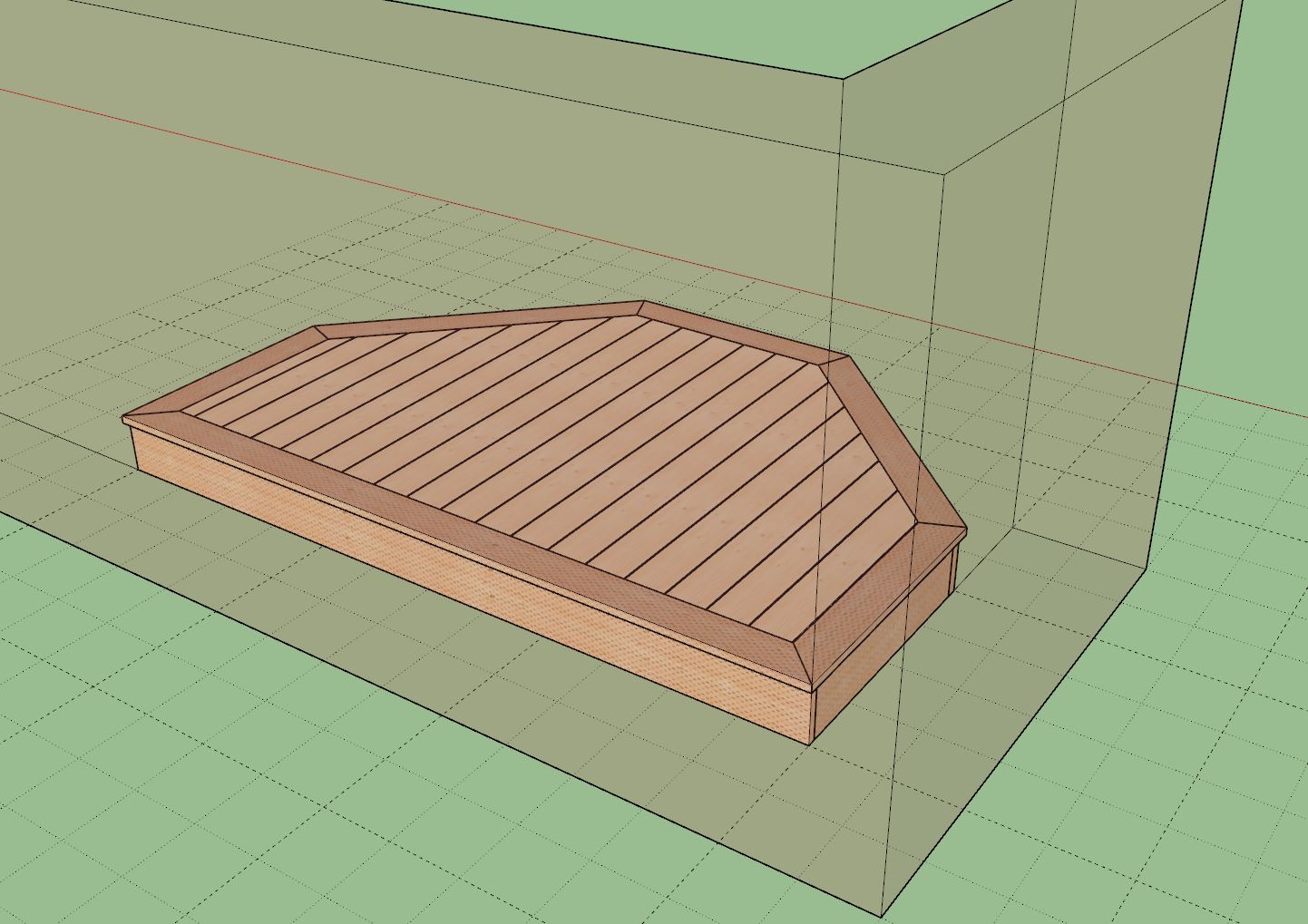
First look at a double trim band:
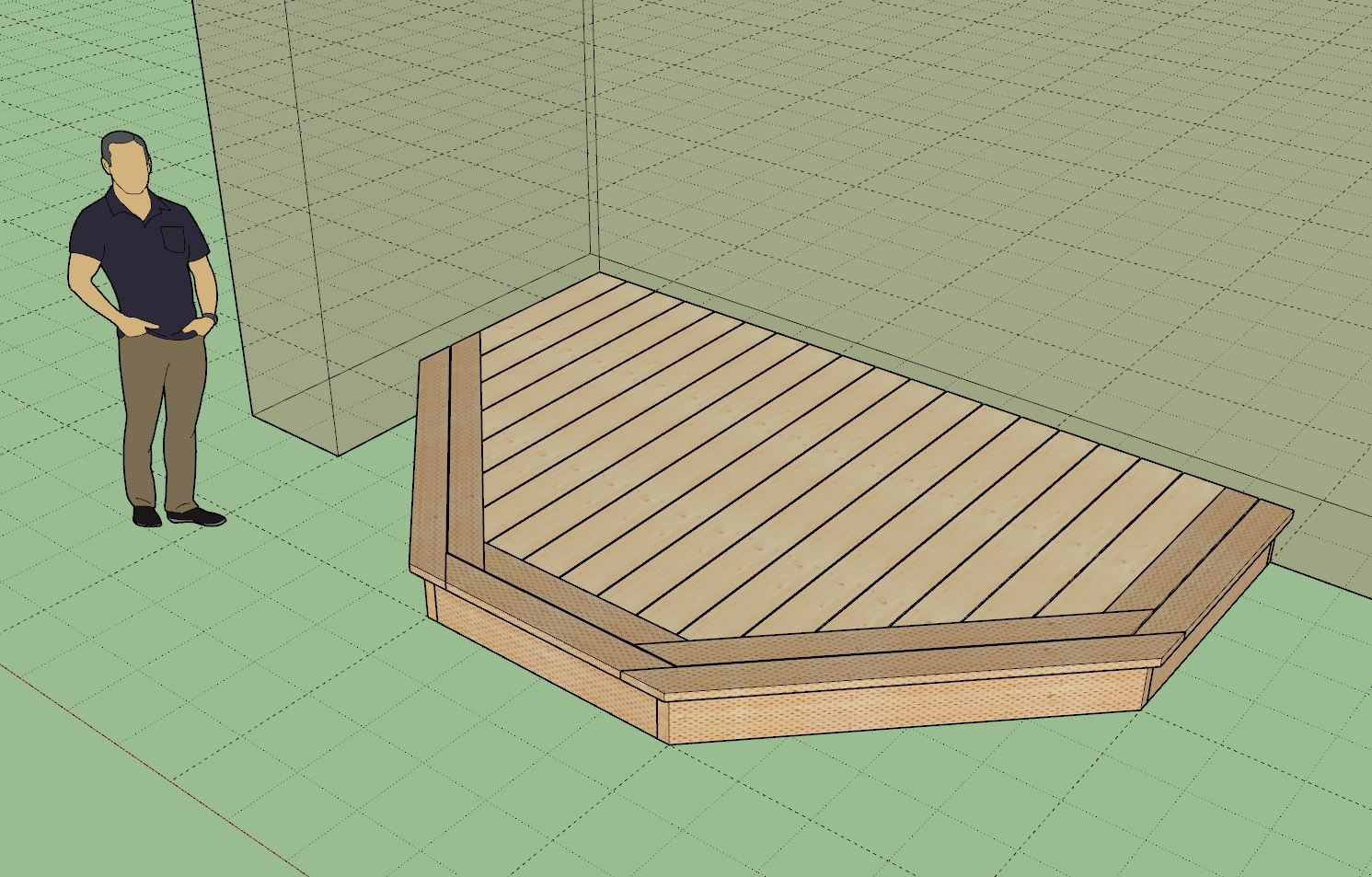
I think I’ve finally sorted out all of the issues with the trim band and deck board trimming with all of these overhangs and specific side customizations. You can essentially remove the overhang and/or trim on any side(s) of a deck, ensuring maximum flexibility.
I was really burning the midnight oil last night to figure it all out. The problem with coding, especially coding these complex algorithms is that sometimes it takes intense concentration and focus to solve the problem and once you are making headway it is very detrimental to stop and take a break. If you do, then you have to re-focus and you almost always lose your train of thought.
2 Likes
Version 0.9.9h - 10.21.2024
- Enabled custom overhangs for decks.
- Enabled double trim band for decks.
- Fixed a number of minor bugs related to custom (removal) trim bands and overhangs.
P.S.
Somehow the upload or file was corrupted when I first uploaded it to my server. Please try it again now (5:59PM MST).
1 Like
Tutorial 13 - Custom Deck Board Overhang (9:09 min.)

As a former coder, I completely relate.
1 Like
Version 0.9.9i - 10.22.2024
- Added the following layers/tags to the global settings and deck module.

Two different floor assemblies adjacent and forming one deck. Where they contact I’ve removed the overhangs, wrap and trim (on one assembly) using the new features recently added. Maybe there is enough functionality now to actually create some real decks.

A slight, four day detour, now back to work on the floor opening tool, this next one should be challenging but if I can make it work as I’ve envisioned it should be well worth the time spent.
2 Likes
Please be aware that the plugin is still in BETA (testing) phase and I am constantly adding new parameters to the attribute library (ie. database) of the floor assemblies. As such the floor presets will also have new parameters added and previous floor presets will not work with the latest versions if any additional parameters have been added.
I recognize that this is an inconvenience to some but in the interest of everyone and higher quality and leaner code I am not concerning myself with backward compatibility until I reach Version 1.0.0 of the extension. With each new release, please delete any floor presets you may have created and then create new ones.
3 Likes
I will be adding two additional parameters to the deck wrap:
1.) Wrap Vertical Offset: A positive or negative value can offset the wrap up or down.
2.) Wrap Air Gap: This parameter puts and air gap between the deck rim joist and the wrap, typically used where siding or some other form of skirting is inserted behind the wrap board.


Again, this update is per customer request, please keep those ideas and feedback flowing, it only makes the plugin better and more powerful.
I also just realized that the wrap option should probably not just be confined to decks and could have other applications where you want some trim wrapping around a floor/flat roof. I will need to make some modifications in this regard.
2 Likes
Version 0.9.9j - 10.25.2024
- Added a vertical offset parameter for deck fascia/wrap.
- Added an air gap parameter for deck fascia/wrap.
- Changed the deck “wrap” to deck "fascia in the menus.
- Enabled deck/floor fascia independent of floor sheathing or deck boards.

3 Likes
First look at the floor covering tool or flooring tool:


Honestly I’m not even sure what direction to fully take this tool yet but I’m sure as I use it a bit, it will come to me.
Currently I have it setup so that there is the flooring (carpet, tile or hardwood) and then there is one possible layer of underlayment. I can always add a bunch more as needed or even make the number dynamic, we will see what the designers want and what his needed.
Just putting it through its paces a bit and seeing what I can and can’t do with it.
2 Likes
Version 0.9.9k - 10.30.2024
- Added floor coverings with an underlayment option.
- Added the floor coverings toolbar with the following five items: Draw, Move, Edit, Regen and Delete.


2 Likes
The thing is, finish flooring generally fills in between the walls. It seems to me the Wall module is where the information is about where the finish floor goes and what it’s shape is. Not sure what you do with that, just thinking out loud.
3 Likes
I second that, and was having the same thoughts. I imagine hovering over and area and it highlights, one click, brings up a menu, enter.
1 Like
Version 0.9.9l - 10.31.2024
- Fixed a bug with the floor covering tools (floor covering selection): Move, Edit, Regen and Delete.

1 Like
Correct, the walls determine where the floor coverings should be but in the end they are contained within the floor assembly. For now it is all manual but there may be some way to automate the creation of the “rooms”. As you can see from the video above the exact perimeter of any specific room may be custom or complicated by openings, so automation might not be as easy as one might think at first glance.
1 Like
I am so pumped I put the time in learning these plug ins! Works phenomenal !
1 Like