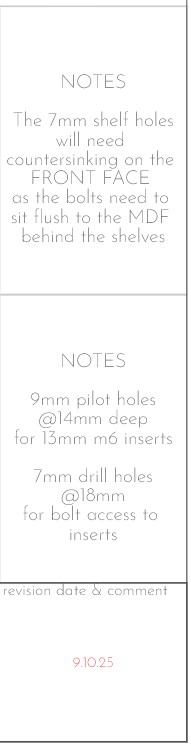
Wondering if anyone can work out why Layout is showing me the same fonts so wildly differently on my desktop (windows 11, 128GB RAM, 4090RTX) and on my laptop (windows 11 32GB RAM, 4080 laptop). This has been the case across Sketchup 2024, 25 & now 26 too.
It appears the line spacing is vastly bigger on the desktop, with no way to adjust it.
The font files have been installed from the exact same source folder (I even tried copying the files from my laptop fonts folder to my desktop in case there had been some corruption or some such). They show as the same in the text sidebar. FWIW the font is Josefin Sans Extralight.
If I open this on my mac laptop (m1) - with the same font files installed - it displays correctly.
Does anyone have any idea why this is happening? It’s very frustrating as I frequently jump between machines depending on sites and projects, and having my desktop and main machine unable to display my fonts correctly - or even fit in their text boxes - is a massive pain!
Yeah there are a few visible changes with the new graphics engine (smaller text boxes on dimensions, occasisionally slightly thicker line weights) but doesn’t seem to affect the text in any way!
Cheers for the suggestion though! (and btw checked out your website and absolutely loving all that timberwork!)
Is it bolded after export? I believe it uses classic engine to render the PDF… so if you can live with looking at weird fonts it is worth it (IMHO) for the speed increases.
Hmmm, so I installed SU Layout 26 on my windows laptop and it displays the font with the same spacings as the desktop (ie wrong). Layout 25 displays the font and spacings fine. WTF?
Layout 25 on windows laptop shows the font spacing correctly. Layout 26 shows it incorrectly.
Layout 25 & 26 on the desktop show it incorrectly.
Anyone from team Sketchup have thoughts why this may be happening?