Hello everyone I’m (“the_Dusty”) with sawdust on legs, a hands-on woodworker. I run a small personal woodworking shop where I’ve been building boxes, mostly for wildlife and educational purposes, and I’m now expanding into outdoor wooden projects.
I took drafting back in high school, back when it was all desk, paper, and pencil. These days, I’m working from a Dell laptop (no touchscreen), so I’m looking for software that’s mouse-and-keyboard friendly and lets me draw in inches and feet. SketchUp was recommended for its precision and flexibility, and I’m hoping it’ll help me visualize and refine my builds.
One of my priorities is animal safety, especially when finishing wooden furniture, box outdoor boxes or other wildlife shelters. I also want to teach my grandchildren the craft before I pass along my shop tools, so I’m looking for something that’s not just powerful, but also intuitive enough to help me create guides and visuals they can learn from.
I’d appreciate any advice on:
• Which version of SketchUp works best for a non-touchscreen Dell laptop
• Tips for drawing wooden boxes with realistic wood textures
• How to label dimensions clearly in imperial units
• Any beginner-friendly tutorials or templates for woodworking
Thanks in advance for the warm welcome and guidance. Looking forward to learning from this community and sharing a few squirrel box stories along the way.
Warm regards,
SketchUp for Desktop would be my recommendation. That will require a Pro or Studio subscription but it gives you access to a lot of tools you can’t use with the web-based versions. This includes extensions that can make modeling much easier. If you want cutlists from your models there are extensions for that.
In addition you would have access to LayOut for creating shop drawings and full size printed patterns and the ability to create file types for CNC toolpaths and other exports.
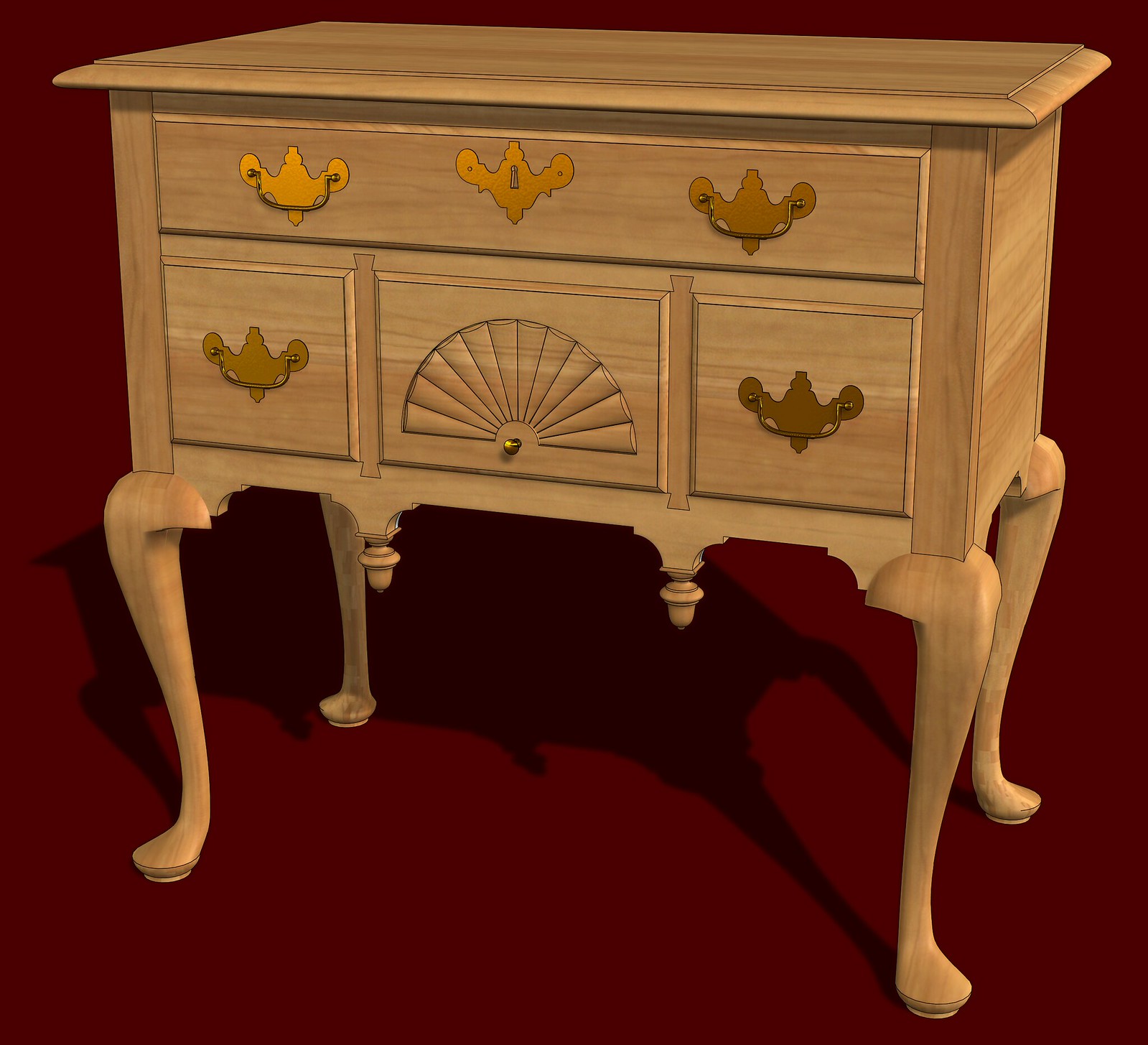
There are a variety of wood grain materials available from the 3D Warehouse and texture images from numerous other sources that can be imported into SketchUp to use on your models. I make my own wood textures from images of full length boards (typically between 6 and 14 feet long) so that I can get more realistic textures without the repetition common in may wood grain materials. This uses some cherry textures I made.
And a pine table, again using some pine textures I made.
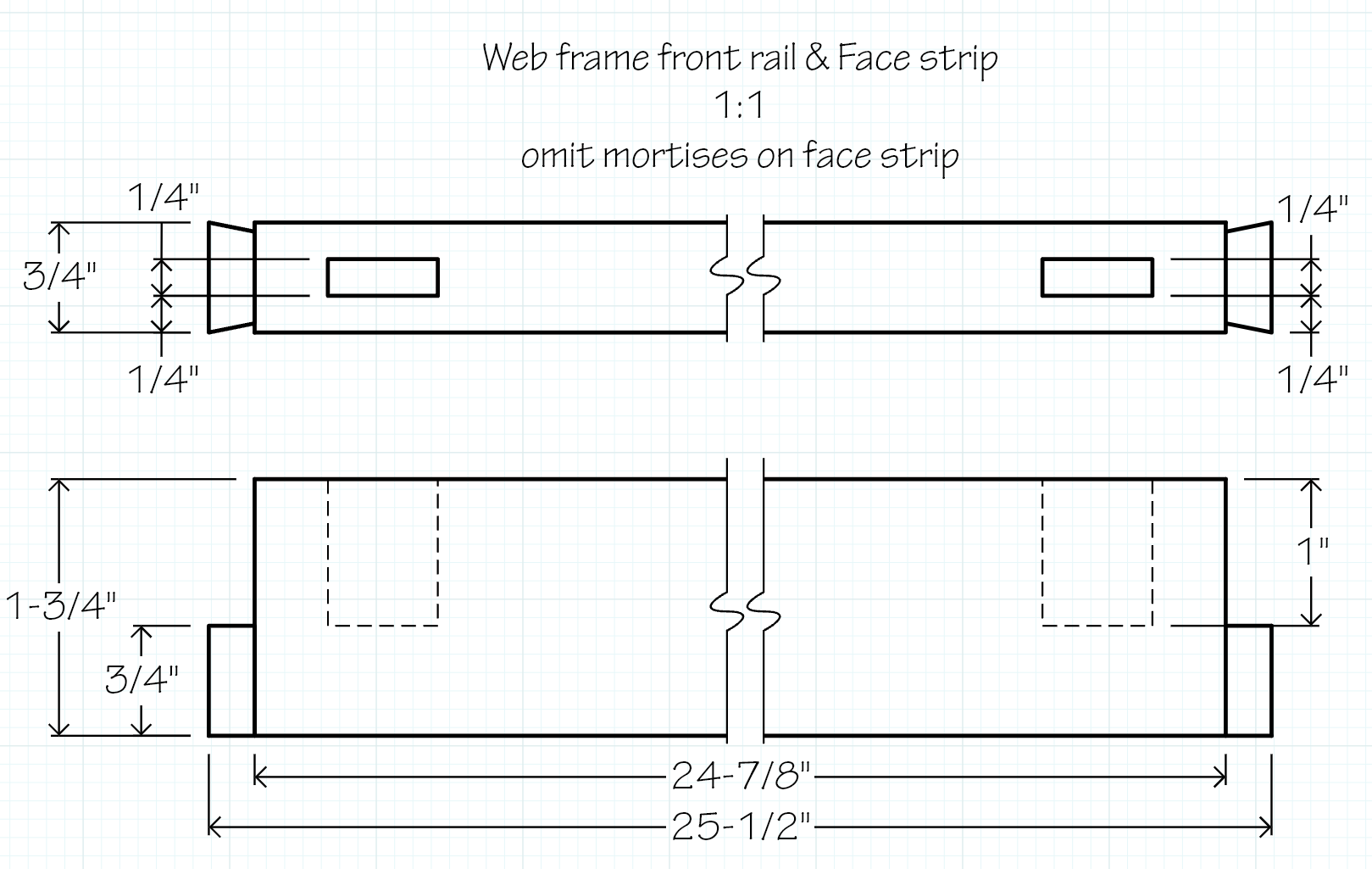
Dimensioning is a whole subject but I do that in LayOut. It’s easier to make nicer looking, more professional dimensions. Example from shop drawings I made for a Shaker-style chest designed by Christian Becksvoort:
If you haven’t gone through the tutorials at learn.sketchup.com do that first. As for templates, they are just SketchUp files as a starting point for creating your model. You can start with the Woodworking template supplied with SketchUp if you want and then edit it to make it your own as you learn what you need.
Welcome Dusty. As DaveR comments, getting a handle on the basics is essential, even if you are accustomed to 3D modelling programs. To give you an idea of the absolute basics and provide an overview of how SU works, Aaron, one of the best modellers at Trimble, released this video today.
Thanks, and I understand there is a limited time. My question is what more than a Lap-Top, would one need and how large is the software is to be installed? I’m a Windows -11, No touch screen. The question is cost per-year? as a few things I review as well as reviews which I cannot find on any of the software?
Appreciate the insights shared so far. I’m still getting my bearings with SketchUp and had a few follow-up questions I hope someone can help with.
I’ve been doing woodworking off and on for years, mostly building what was needed at the time. I retired back in 2007, and these days it’s about passing on what I’ve learned to my grandchildren before I hand over the shop tools. My woodworking isn’t fine furniture, but it’s honest and practical. I’ve built a lot of boxes, including squirrel boxes and wildlife shelters, where safety and durability matter.
I took drafting in high school, (1968) back when it was all paper, pencil, and a steady hand. These days, my hand has a soft shake going on, so I’m looking for a way to follow and teach from drawings I can no longer do manually. That’s what led me to SketchUp.
A few questions I’d love help with:
Does SketchUp print out drawings with dimensions and labels, or is that something I’d need to add manually?
2, Can it generate text labels and notes directly in the drawing, or is that something folks add after exporting?
I’m working from a Windows 11 Dell laptop (no touchscreen)—what else would I need to run SketchUp smoothly?
How large is the software install, and does it run well on a basic laptop setup?
What’s the cost per year, and is there a difference between the free version and the paid one that matters for woodworking?
I’ve looked for reviews and comparisons but haven’t found much that speaks to woodworking use—any links or personal experiences would be appreciated.
Thanks again to everyone for sharing your time and knowledge. I’m hoping to use this tool not just for myself, but to help teach the next generation, and maybe leave behind a few squirrel box stories while I’m at it.
Dimensions are not added automatically. You would need to add them in either SketchUp or LayOut. LayOut’s Dimension tool has more capability and will look better in the documentation.
Again, you can add labels and other annotations but it must be done manually. Either in SketchUp or LayOut and as with dimensions, LayOut’s Label tool offers more options and will make better looking labels. These are labels in the same document as the dimensioned drawing, above. The text is all automatic so I don’t have to type anything. I just put them in where I want them.
Probably nothing. Well, maybe a printer if you want to print out stuff to take to the shop. Most likely your computer will work just fine. Might need to consider the graphics card model. What is it?
Check out the SketchUp site for that information. Also compare what you get with each level. As for the difference between the free web-version and the desktop version, with the free version you are limited to the basic modeling tools (they are quite powerful for basic tools), there’s no option to use extensions and output file types are limited. No access to LayOut, either.
With a Pro subscription you get the desktop version as well as SketchUp Go (more fully-featured browser version and SketchUp for iPad), more export types, and LayOut among other things.
You’re quite welcome. That sounds like a great thing to do. I hope you can keep the next generation of squirrels engaged and interested. Best wishes on that front.
I think @Royce uses SketchUp Web (free) or SketchUp Go. By perusing his gallery you might get a feel of what can be produced at that subscription level.
Otherwise, many people like the SpaceMouse, which works with SketchUp for Desktop, available in the Pro subscription level: SpaceMouse product line by 3Dconnexion It’s by no means required though.
I really appreciate all the feedback and help getting a handle on things. As I mentioned earlier, I’m working from a Windows 11 laptop. My system shows “Hardware-accelerated GPU Scheduling” under advanced graphics settings, but the main SketchUp screen didn’t offer much clarity or guidance for what I was trying to do.
That said, the responses here in the forum have been far more helpful and informative than anything I found on my own—so thank you all for taking the time.
After a short review, I noticed the cost runs close to $70 a month, which is a bit outside my budget for personal use. I’m not doing high-end woodworking, just practical builds from my shop, and I’m trying to pass along what I’ve learned to my grandchildren before I hand over the tools.
I’m grateful for the kindness and expertise shared here. I may not be able to commit to the full software right now, but I’ll keep exploring and learning from this community. This will be my last visit, thanks to everyone’s feedback.



 Best wishes on that front.