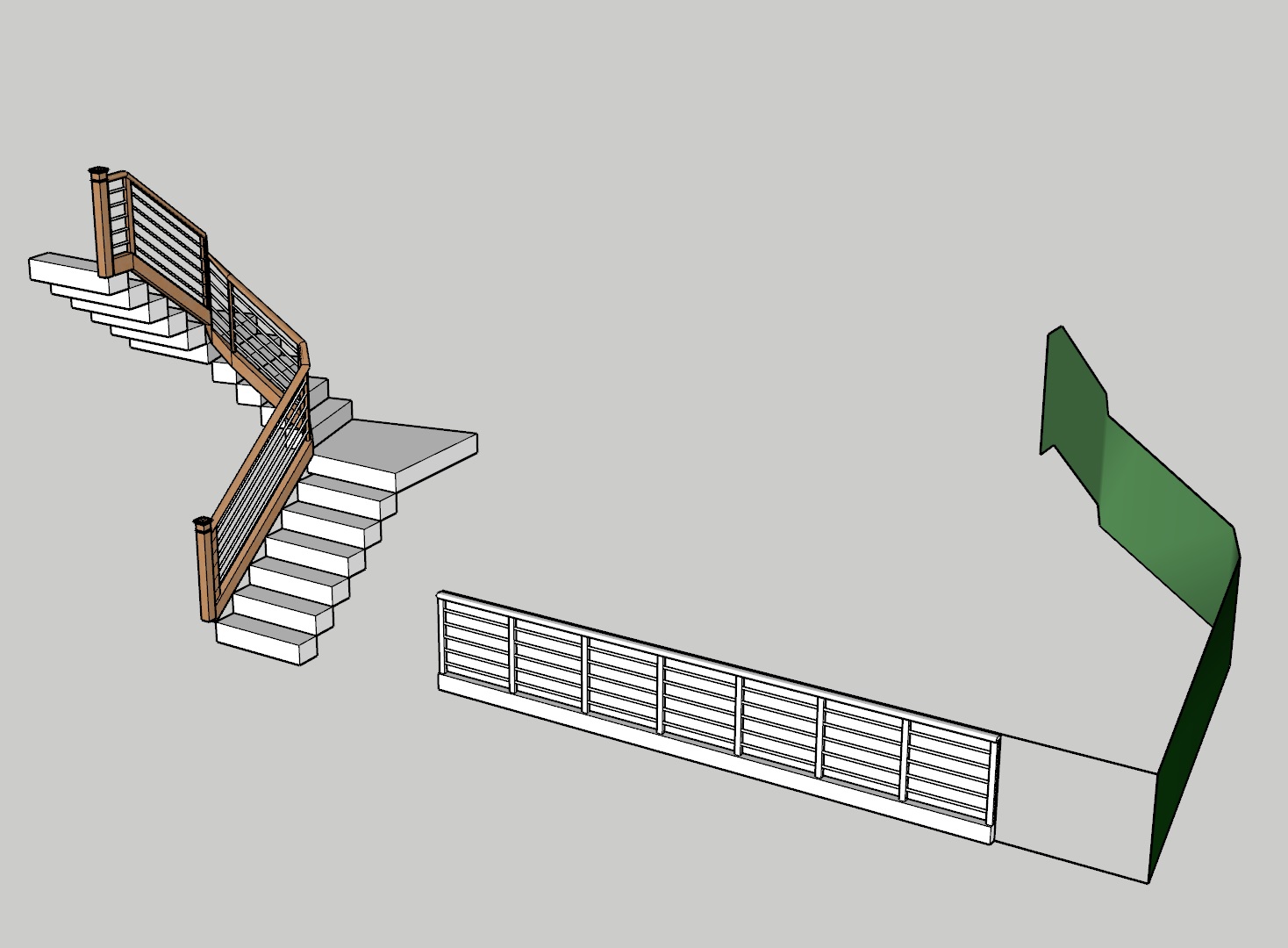
tried a simple experiment and still cant get it to work.
I have SU 2026 also tried on 2025
thanks for any help. Billy

Can you share the file? I can tell that you haven’t imposed grid, there’s no object to bend on the flat plane and the target is a solid object, it must be just a plane, on the image is impossible to know if the groups are made correctly. Did you read or watched tutorials about it before using it?
Thank you,
Been over all the different Flowify videos many times.
Here’s the model
Flowify Test.skp (286.3 KB)
Follow the tutorials carefully, it explains quite clearly what needs to be done and how.
again, I did it exactly like the video https://mail.google.com/mail/u/0/#inbox?projector=1,
3 separate groups as one group, then impose grid
again - no impose grid working
In order to make Flowify work, you need to make sure that they don’t just look like quads, but they actually are:
https://github.com/thomthom/quadface-tools/wiki/Overview#quadface-definition
If you create the “organic“ grid just using native sandbox tools, like you probably did, the diagonals of the grid “cells“ will be soft+smooth, but they will still have the “cast shadows” property checked.
That will cause Flowify to fail, regardless how good accurate you place the connection lines and regardless the fact that the grouping is correct.
You can easily fix that selecting all the sandbox geometry and running the command “convert sandbox quads to quadface quads” from the QuadFace Tools plugin.
Your "video "opens gmail.
Try this Video from the SketchUp essentials
Thank you Panixia,
https://github.com/thomthom/quadface-tools/wiki/Overview#quadface-definition
learned about this, got the quadface tools, which will be helpful in addition to the vertex tools
watched the video and tried it but still no grid yet
OK I just got it to work but Im not sure how. Now let me see if i can get it to work again!
thank you thank you thank you
Glad that it helped.
Additional tip: for better results on uneven grids like your stair example or on curved surfaces like your first example, I suggest to use the “unwrap 2d grid” functionality from Quadface Tools.
“Impose grid” is fine just for situations like your sandbox example.
Another tip. You don’t need to use the color identification from the quadface tools plugin, it has an overlay feature that will show you the quads tris and ngons with a lighter pastel tone but it doesn’t actually paint the faces, like the tool from the toolbar, if you uncheck the box on the overlays all the colors go back to default or the color/texture you’ve applied.
If you want to have a more predictive result you can split using zorro or whatever method you want the geometry you want to be created on the target plane on the same places where the grid was imposed, then select flowify without a cut. It also takes less time to create the geometry with this methodology.
Yeah definitely, the triangle is causing the algorithm to fail.
Think about the whole quad workflow as it was some sort of spreadsheet system such as an Xcel document.
It uses sort of rows and columns (loops and rings) in order to establish a predictable relationship between the polygons in the grid.
How can you manage a spreadsheet in which some of the grid cells are triangles? Of course that will lead to problems.
Did you try to use the “Unwrap UV grid” feature from QuadFace Tools? I use it all the times and never fails. Is way better than the basic “impose grid” feature IMHO.