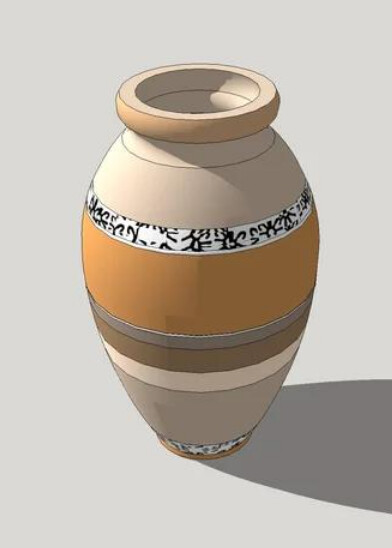
I am having a hard time trying to simulate some textures ( low embossing) on a vase. I work with Exhibition Design and I need sometimes to model some simulations of sculptures to present in my work. Doesn’t not to be the exact same or very realistic. Just the correct dimensions and some similarity of the object.
In the image, you can see the vase I modeled and the texture I want to apply.
The texture is applied to each segment of the round surface, so it is not working.
First you need to define limits for the texture on the object. I did that here by placing a couple of horizontal planes through the pot and using Intersect Faces>With Model. Once those rectangles have done their job they can be deleted.