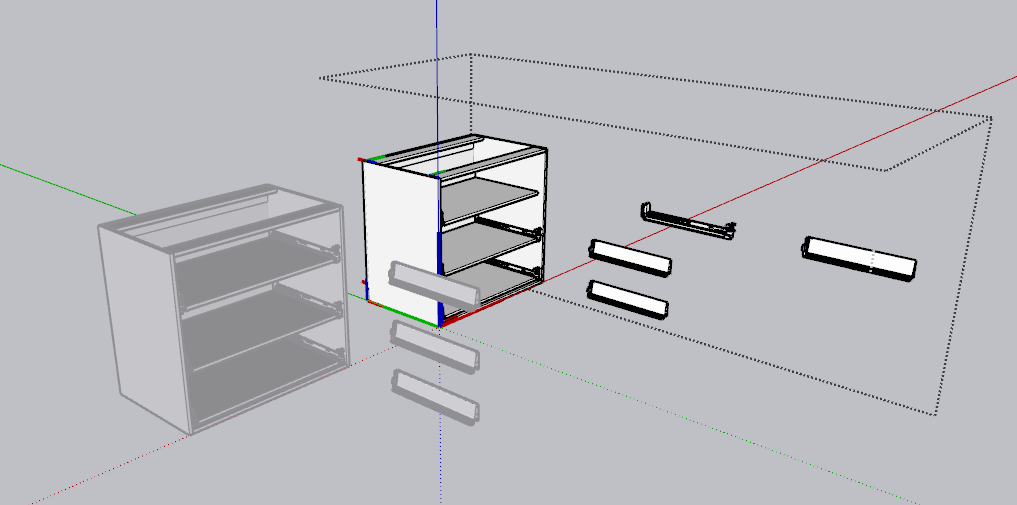
Hi All, wondering if someone could point me in the right direction. I have made some simple dynamic cupboard’s that work well if used individually, but when adding another dynamic cupboard, it starts to take size attributes from that other cupboard. Dynamic Test.skp (312.6 KB)
Hi There, so all was going well, changed all attributes to parent!, seemed to be working all right, until I changed a base cupboard width and it is using top unit sides? Wondering if you had a solution to this? Untitled 2.skp (800.7 KB)
Hi @vaughan004, your Dynamic Components are difficult for me to understand so I went back and tried to simplify a few things (from your first example .skp).
Matching Names. Here’s an example showing that I made names shorter and made the names the same in the Entity Info Definition, Outliner and Component Attributes:
Here you can see that I named the Component, “Base_Unit” in Entity Info. I used the “_” between the words in the name because that is easier -at least for me- to see/read in the Component Attributes panel and in the functions in the Attribute Panel. You can double click the component name in the Component Attributes panel to change the name:
This could be simplified more. For example, you could have a “Length_Modifier” that is “Sheathing_Thickness” multiplied by 2 in the parent. Like this: Length_Modifier =Sheathing_Thickness*2. Then that could go in the child component functions.
It’s up to you to arrange these things as you like but one possible advantage is that you can modify your componentsin the top level Parent Component Options instead of having to dig down into each child component.
That’s all I’ve got for now. Try to keep things as simple as possible.
Hi James, sorry to hassle, but I am having some success, but mainly failure. Attached are some cupboards that I saved, loaded the cupboards into a new SketchUp, working fine, load cupboard into existing drawing and it seems to get attributes from cupboards in the kitchen. Wondering if you are able to help? Base unit.skp (225.6 KB) Shave Kitchen1.skp (2.7 MB)
Hmm. I’m just going to go through step by step to see if I can find anything.
No, “DR_LHS!LenY” or “DR_RHS!LenY” in BU_TOP_BACK_RAIL child of 1_DOOR_BU#7:
Did you mean, “BU_LHS!LenY” and “BU_RHS!LenY”?
I’m going to call that, “Width_Modifier”, because you are subtracting the thickness of each side panel to get the length of the interior piece. I’m going to change that in the Component Attributes and I’ll add it to the Parent… Oh, and I’m changing the name from “1” to “One” (because I’m not sure how “1” in a name with be treated in the function:
I think the take-away from the above is to try to simplify. Use the Parent to control the children (variables in Parent).
Also, I increased the display precision in Window - > Model Info - > Units and I changed units to centimeters. I’m not sure if that would automatically change Display in Component Options on restart of if that could be manually entered but cm seems like a better working unit than mm for cabinets.
Don’t be discouraged by failure. Your cabinets are much nicer than anything I have drawn… so you’ll have to design my new ones once you have these DCs mastered ;^)!
Thanks for taking time out to help. What seems to be the biggest problem is saving these cupboards so that they don’t take on attributes of another cupboard. When that cupboard is used by itself, all the functions worked perfectly, it was only when used with other cupboards, that some of the functions turned red? So, to me it seems that if I make a cupboard using parts from an already made cupboard and then renaming them, they still seem to be attached to original cupboard. So, I have been taking an already built cupboard, opening it in a blank SketchUp, then doing changes, saving the component, and then using them with other cupboards. I haven’t done enough testing, but it seems to help.
I am swamped with getting drawings done, so will try some of your changes later in the week.
I think I understand this problem, but I am not sure how to fix it. For example, I can see that many of your components have copy numbers and also that it’s not only #1 or #2 appended, but #5 (higher numbers) and they are mixed within individual DCs. It would seem that a copy, of let’s say, “Antaro Pot and M Drawer Unit”, would have #1 only appended to it.
This may be the reason. I’m going to go through Antaro Pot and M Drawer Unit to see what I can make of it.
First, copy to new SU file and rename in Entity Info and Component Attributes (I do not know if spaces make a difference, but I’m going to remove them in case they do).
If you are going to use the same Base Unit, possibly implement a ‘location system’. For example, in a kitchen layout, have “Antaro_Pot_and_M_Drawer_Unit_NORTH_WALL” or “…ISLAND”.
If you need modifications to say, “…EAST_WALL” base unit, you could make the children unique as well and append the same “…EAST_WALL” to them. In this way you’ll have a more human readable list in your Outliner and DC panels. Nothing should break, as a name change in Component Attributes will replace the names in the Child functions.
Like this:
Then, in East Wall, select Slides (all 3 for the side) and Make Unique:
Notice that the slide in the original Antaro_Pot_and_M_Drawer_Unit are not renamed but the ones in the East Wall version now are.
Keep the original ‘pristine’ and saved in your components folder.
Good idea. But this unit is still broken. I suspect that is because you’re not renaming for consistency (names are different in DCs vs. Entity Info and this is breaking your functions).
basically always reuse and modify DCs within the same file, as working on them in a separate file increases the chance of conflict (a check on entities will show number in model, as editing will show others).
for SIZE you can use parent! formula if it has the same syntax, (parent!lenx + 9 ) but if you change one to parent!lenz/sin(ang) you must first make it unique other wise the others will update to the new definition on their redraw.
Position, Rotation, are not effected
Adding more custom attributes will effect the other instances on their redraw as well
On the concept of creating cabinets, would you consider the base component as a sheet, say “17mm Mel -ABS 1 Edge” ,colour material on 3 edges, initial common size, 900x600 but thickness set, saveas and return to new (or purged) to activate the instance updates (LHS side, top, rail…) another the same initial size and scale “3mm White Masonite” with thickness set at 0.3. etc
from the first, after nominating the report and common attributes, you copy, make unique, change size or shape, name, _name(via attribute inspector) and importantly right click scale definition, (initial scale factor should be 1, required if swapping)
This could be further organized. For example, I appended “Lower” and “Middle” to “ANTARO_BACK_HEIGHT”. That could be done for the slides, etc.
At any rate, this model is a bit better now with the component names being straightened out and all of the functions in Component Attributes working. I’ll return to this later… so we can get those cabinets delivered from South Africa to Minnesota, USA!
I think this should be saved as a DC. But now as @pcmoor points out, it seems that when you are working in your separate .skp you may be picking and choosing pieces, breaking functions.
By using a separate file you are unable to make the copied sub DC unique, which is required when changing the formula for any size attribute. So when you bring them together, although the parent and any level that contains a DC, automatically becomes unique, the lowest level does not, therefore the latest entry overrides the definition of that component.
@pcmoor Thank you for the info. Do you have any thoughts on best practices regarding naming and using custom variables in parents to control DCs?
Naming: Example one from Antaro, Slides vs. Drawer Backs. I changed the slides so that there is a left and right side slide for each drawer and each left or right side slide is the same for the 3 shelves. But for the drawer backs, I added “_BOTTOM” and “_Middle” (the top drawer was a different size and already had a different name). Also, the drawer bottoms (or “ANTARO_BASE” in the model) are the same.
Would you create a component for each drawer with a similar naming convention (e.g., "…_Top, …_Middle, “…_Bottom” appended to the end of each component name? Or would it be better to keep all drawer components identical?
Custom variable control at Parent level. Many of the components in this model have “Users can edit as a textbox” turned on. My first thought on this is that this is too much digging to get to the controls for the children components. In one example in this discussion, I created a variable, “Width_Modifier” on the Parent and then pointed to it rather than use =parent!W - Left_side - Right_side" which was sort of the norm in child components.
I would try to create a top level control panel with custom variables for widths, shelves and so on. But this may not be best practice in terms of how DCs actually work and you had mentioned something that made me think custom variables may not be correct in some cases (may be a misinterpretation on my part).
Oh - Scale. I’m not sure scale is the way to go. Seems inputting sizes via Parent level custom variables is the way to go. Avoid, use… use selectively?
For DCs every change in the size is a change in the scale, that s why its important to have the base ones initiated at 1.
I recommend using the instance name, it can be changed at any time and it does not have to be unique, the component definition should be the family name. (2door, 4drawer, pantry,…) its instance B1,or D1,
However to make it easier, you would use a ruby script to handle the method and population, a likely script would rename the subs with the parent instance prefix. Like LHS Side would become B1_LHS Side or maybe B1_LHS Side_750x540 if you want more data to show in outliner. Suggest the script simplifies and freezes the cabinet, a swap with its original definition will reactivate it if required, although the parent prefix will be lost.
I note Tag Dynamic Components inside parent Dynamic Components - SketchUp / Dynamic Components - SketchUp Community
where one could tag them with a script.
How you build and name is dependant on your take off / list / quantity methods
Hello Phillip, I attempted to create tags using the Ruby Console. This (Sketchup.active_model.tags = “This, That, The_Other”) seemed to work as verified by,
tags = model.tags
=> “This, That, The_Other”
But these tags did not appear in the Tags Panel and I was not able to assign a tag to a component via Ruby script. I suppose this means I can’t understand you yet. Thanks for your reply. Hopefully tomorrow brings better results!