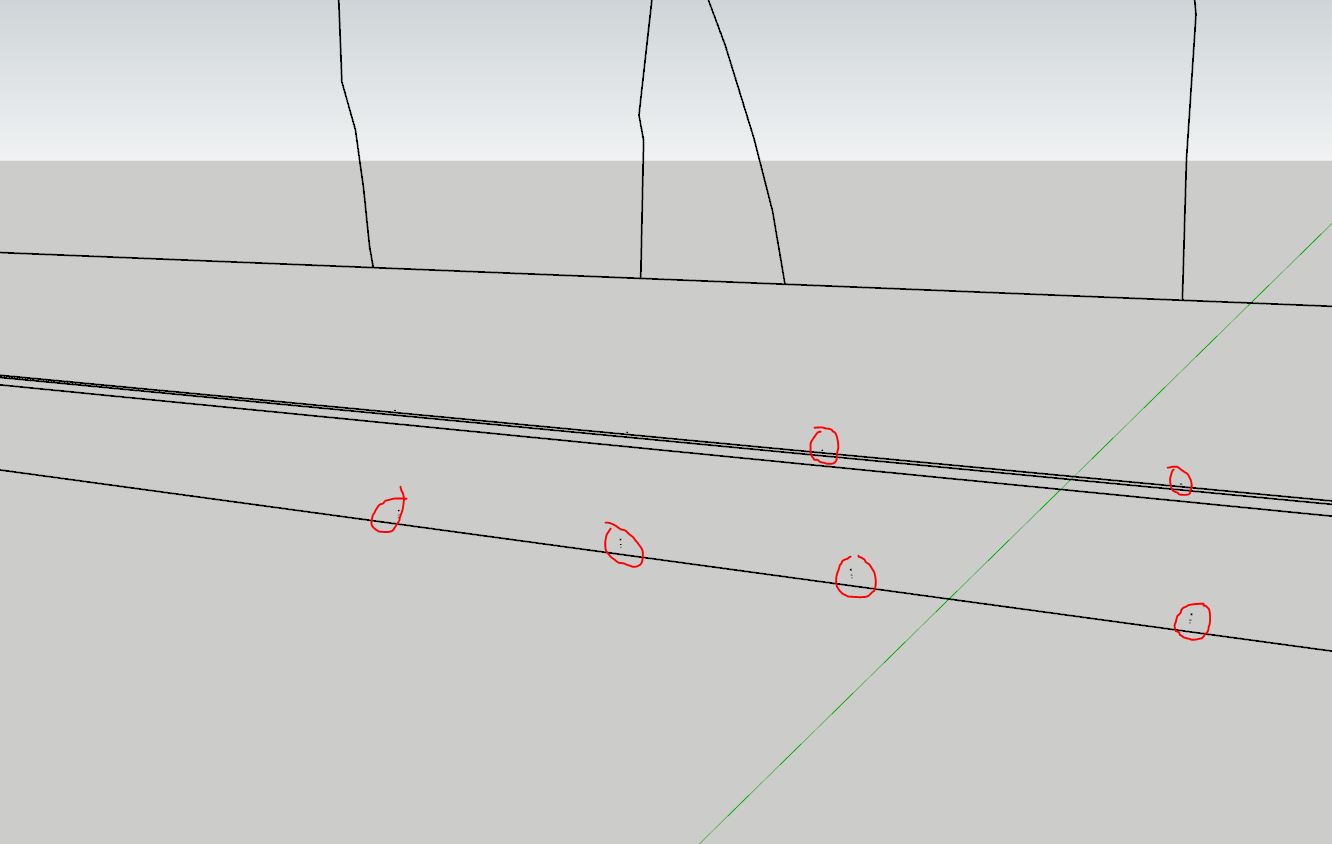
when printing on actual paper, it makes blobs here and there. It is very time consuming to clean everything up, and most of the time I even give up on several areas.
From what I’ve read, it’s far from being new, it seems to go back to 2014 version.
and at the time a workaround was to use sketchup 8 to export properly.
then another solution came up, saying that disactivating hardware acceleration would solve the problem.
this option is not available anymore. I tried disactivating fast feedback, no change.
layout IS NOT an option, some of the section cuts I have to export can take 3+ hours to export from sketchup, just switching the viewport in layout to anything else than raster would make it explode instantly.
I tried curic 2 cad, at least the quick export that is available for free but unfortunately, the problem is still there.
Something strange though : upon first launch, curic 2 cad tells to change parameters in export dxf options (it doesn’t show up anymore and there’s no link to it so I can’t reproduce the exact settings, but at least I know that profile lines and section lines have to be set on ‘wide line entities, only available from 2000 version and later) but everytime I chose to export to dxf or dwg, it reverts back to release 12 for which wide line entities is greyed out. Shouldn’t it remember export settings just like .jpg’s ?
I don’t know, that’s a good question though. I’m on a Mac so IIRC I have a different set of parameters (but it has been 2 months since I exported the last full set of drawings for detailing).
@curic4su might be able to drop in and answer how best to set it up.
Quick update to inform that I have not yet found a solution. I’m quite disappointed because as usual the main expected features from a professional software are not working properly and instead of fixing that, I feel like there is an urge to meet today’s trend to not miss the AI train.
Curic2cad features are very nice and it should be part of skerchup by the time (I mean come on, how hard it is to code that each layer should be exported to another one ?) but from the tests I ran it takes even longer to export anything.
I also tried scaling the model 100 times thinking it might be related to the fact that tiny faces created on rounded surfaces might be guilty with no luck at all
again, some might see me as a an eccentric French firebrand but I’m just trying to be honest while willing to make my daily life tool better
I created a model of a very small portion that looks a bit like what is in your images and exported it to DWG. Did you change anything in the export settings? Or maybe it has to do with the complexity of the model?
I used SU 2022 and those artifacts don’t appear.
Hello mihai ! I believe I tried every different possible settings. And the options dialog is nonsense since if you press default for any DWG version it changes almost everything up even if you never used the function.
Your model seems to have much less faces for rounded elements. I’ll try to purge my model until it is sharable despite the confidential aspect while still being problematic.
Yes, probably the number of objects in the model somehow influences the export. I used SUbD to increase the number of edges and round what I had drawn and the export is still correct.
Don’t share the model if it’s confidential. Maybe when you have a random model, you have the same errors.
yesterday I downloaded a model of a theater and inserted that curved wall plus a section and exported the dwg. The resulting drawing is the expected one, without artifacts.
I have now also tested with the three chairs copied 29 times in the slope, and with 59 copies in a straight line. Each time the dwg file is correctly created.
All this with SketchUp 2022.
In your file, I saw a few very small lines, but if I reduce the unnecessary number of segments of those railing curves, the export is correct, without other artifacts.
yes I know my railings are overdetailed (that’s the risk working with a point cloud as an underlay) Unfortunately, my main model contains many other detailed objects that I can’t simplify.
I’m then rather unsatisfied. thanks for trying anyway
I used a section cut in the point cloud to see the profile and used the freehand tools (I know, bad idea, but it was way quicker than struggling with arcs that are too easily not sticking to faces and forcing tangency