I use to take a jpg file in a folder and just drag & drop it in Sketchup but now the icon still indicate that its not possible
If you go into File>Import and select the image how does it indicate the image will be used? As an image, a texture, or new Matched Photo?

As a image, with the file menu its working , but i dont know why the drag & Drop dont work anymore. May be i should shut down window and see if its working after a reboot.
I come back to you, i will try it
It works for me so maybe a restart on your end is needed.
1 Like
It still not working…funny, i have a way to do it from the menu but still, its pretty weird how some stuff can interact with others this way
Looks like you’re trying to put the image on an existing image. Try zooming out so you can drop the image into empty space and then drag in the image.
1 Like
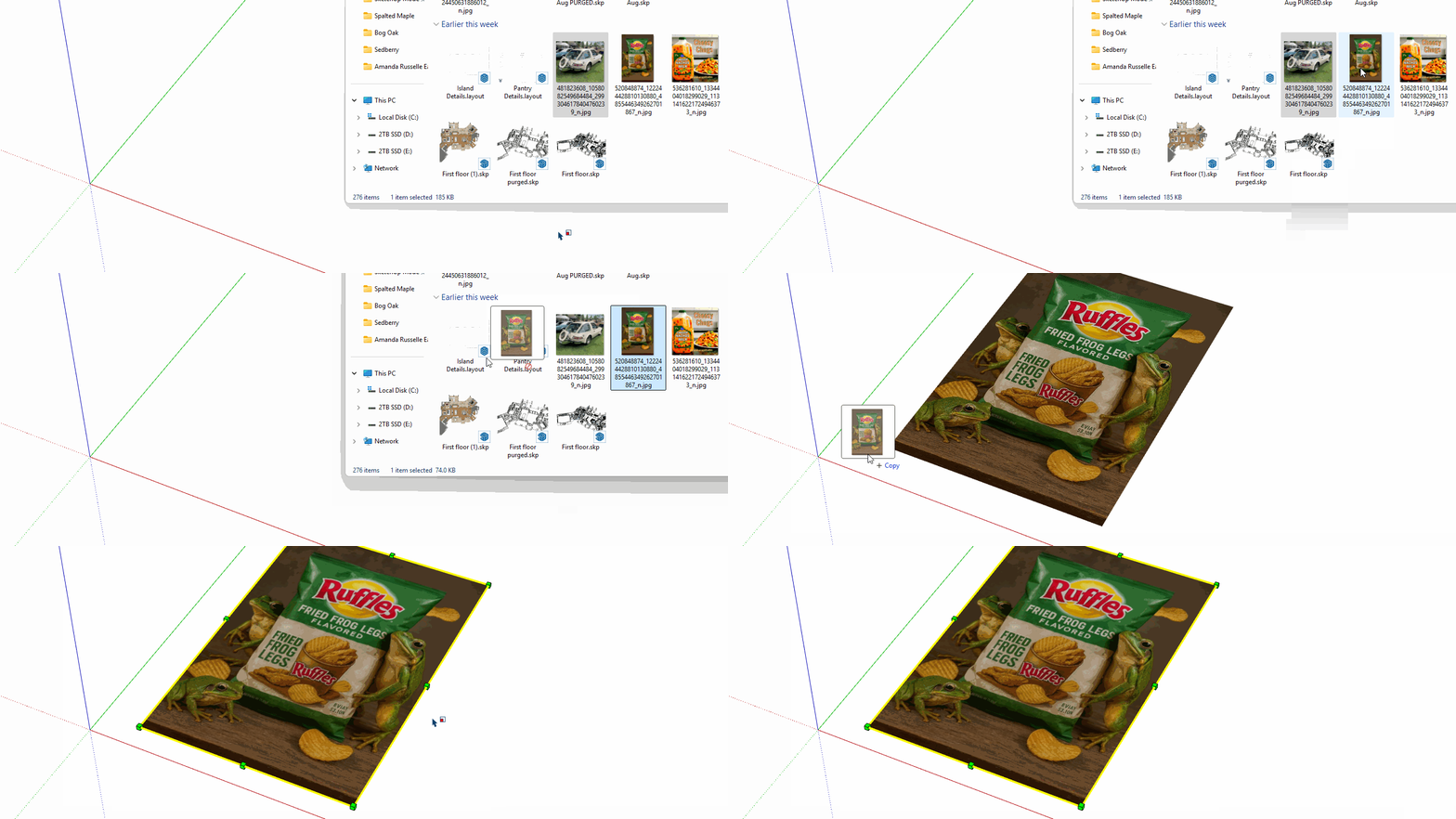
Yes, I understand that it seems like that, but no, it’s just that when I recorded the video sequence, my SketchUp file with this image had already been imported from the Import menu, but in addition, it’s no longer an image but a texture (I exploded it to work on it).
It doesn’t work with a blank file either.
I can’t duplicate this in SketchUp 2025 on my PC. I have no issue dragging an image in and dropping it. Maybe @colin has some input or knows of other reports of this happening.
Can you share the image? Maybe it’s something with the file?
This is what I get.

What happens if you draw a rectangle and then try to drag the image in and place it on the face?
I’m not sure, but I have the impression that it’s coming from a plugin installed on my SketchUp. I’ve been experiencing some rather strange behavior in SketchUp lately. I tried to fix it by installing 2024, but it didn’t work.
I found some information about a clean install of SketchUp. I did it to clean 2024 and 2025, and I simply reinstalled 2025. I tested 2025 without plugins; it worked fine. This morning, I installed my most-used plugins to get back to my usual workflow, and then I had this little drag-and-drop problem.
I’ll leave you a screenshot of my installed plugins to see if there’s a known one causing problems.

This is what is supposed to append to and be used to append on my pc.
Same thing the icon on drag&Drop still say that i can’t
Funnily enough, I tried this earlier and it didn’t work for me. I’d just get a little “no entry” sign.
But I just tried again and it was ok.
Are you in the Windows preview program, as your profile suggests? If so, weird things can happen. I am speaking from experience from having been in the Win 10 preview program.
Otherwise:
Disable half of the extensions, restart SU. Still have the issue? Disable half of the remaining extensions, restart SU. If the issue persists, enable the disabled extensions and disable the others. Restart SU. Continue on this path until you have narrowed down to the one causing the issue.
3 Likes
Drag-n-Drop won’t work between applications that have different ‘security levels’.
If you have set the SketchUp.exe application’s Properties > Compatibility mode to ‘Run a Administrator’ then a lower-level Windows-Explorer can no longer effect SketchUp.
Sometimes users reset this to stop SketchUp running into ‘permissions’ issues and thereby display weird unpredictable problems like settings not saving properly. If it’s set to run as admin then unset it !
The correct way to fix these problems is to Run the SketchUp Installer’s exe file by right-clicking its icon and in the context-menu choosing ‘Run as administrator’ - this fixes the permissions properly. You don’t need to uninstalled/reinstall SketchUp to do this. If you close SketchUp, choose the installer’s exe file’s icon and use the right-click context-menu, choosing ‘Run as administrator’, and then pick ‘Repair’ when prompted, after you restart SketchUp the Drag-n-Drop should work OK and any other permission issues should have been fixed.
3 Likes
I’ll try disabling some plugins to see what happens and if that fixes the problem.
Regarding the Windows 10 preview program, I don’t know what it is, I’ll see what it is. And if so, fix everything.
Thanks for the advice, I’ll get back to you.
Your image works on my end with drag-n-drop from the desktop. Win 11 Pro 23H2 and I did NOT right-click install as admin on my 2025 SU install. I can even drag-n-drop from a network folder. Something else going on here sir.
1 Like
Same.
A big thank you, that fixed the drag & drop problem.
Not the first time, though. I did as you told me to, restart the Sketchup installer in administrator mode and select the repair option, but it didn’t work. I then went to the application’s properties and the compatibility tab, and in the settings, the Run this program as an administrator option was checked. Removing it worked.
Thanks.

1 Like