I was working on a drawing when the screen went completely white. I can click on the toolbar to select a tool, but I can’t use it in the drawing. I’ve looked on this platform for ways to fix it, but I’ve had no luck.
Are you still using SketchUp 2021?
What happens if you start a new SketchUp model? Can you then do anything in it with the drawing tools?
I’m using 2025, and I don’t know where to update the version I’m using.
If I start a new drawing or open another project, it works perfectly fine.
Click on the K in the brown circle at the top right of the forum screen. Then the person icon, Preferences, and Profile. Update and correct the information, scroll to the bottom of the page, and click Save.
So you’ve got something wrong with that SketchUp file. Some different possibilities come to mind. Share the file. Likely we can fix it for you.
Done.
Here you go.
Russells-Georga-BR~.skp (384.0 KB)
Thanks for fixing your profile.
You’ve shared the backup, not your working file. Note the ~ in the file name. When I open that file I see this in the middle of the screen.

You should be keeping the model close to the origin. Currently you have it more than 75 feet from there.
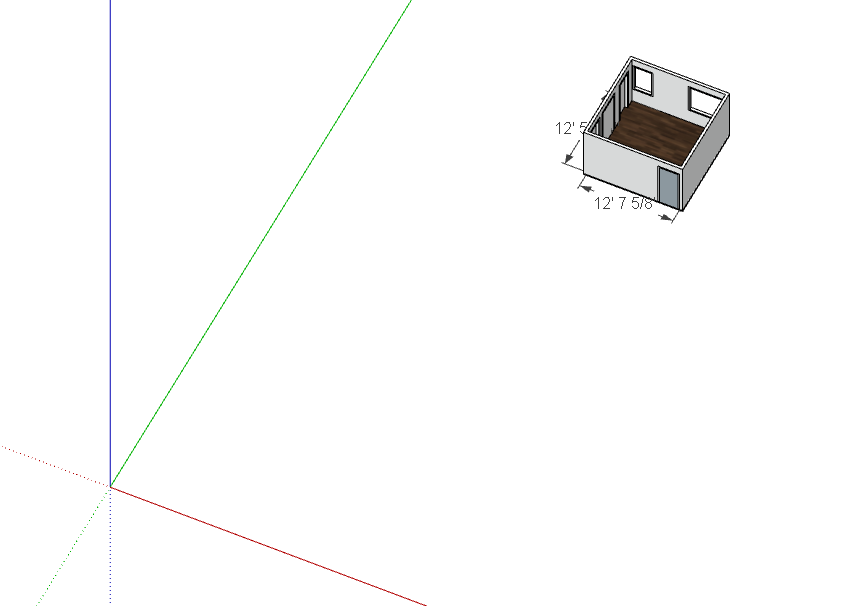
Share the actual working file, without the ~ in the filename.
Wops… sorry about that. So I just tried to upload the actual file, but I can’t because it’s saying the file is too big.
Upload it to DropBox and share the link.
Hitting Zoom Extents shows this:

You should be doing your modeling with the Camera set to Perspective. Having it set to Parallel Projection makes it easy to get the camera placed badly while modeling.
I also fixed incorrect tag usage. ALL edges and faces should be created and remain untagged.

And I purged unused stuff. No need to be hoarding all those components and materials.

I’ll upload it to DropBox and share the fixed model.
Wow… amazing! Thank you!
You’re welcome.