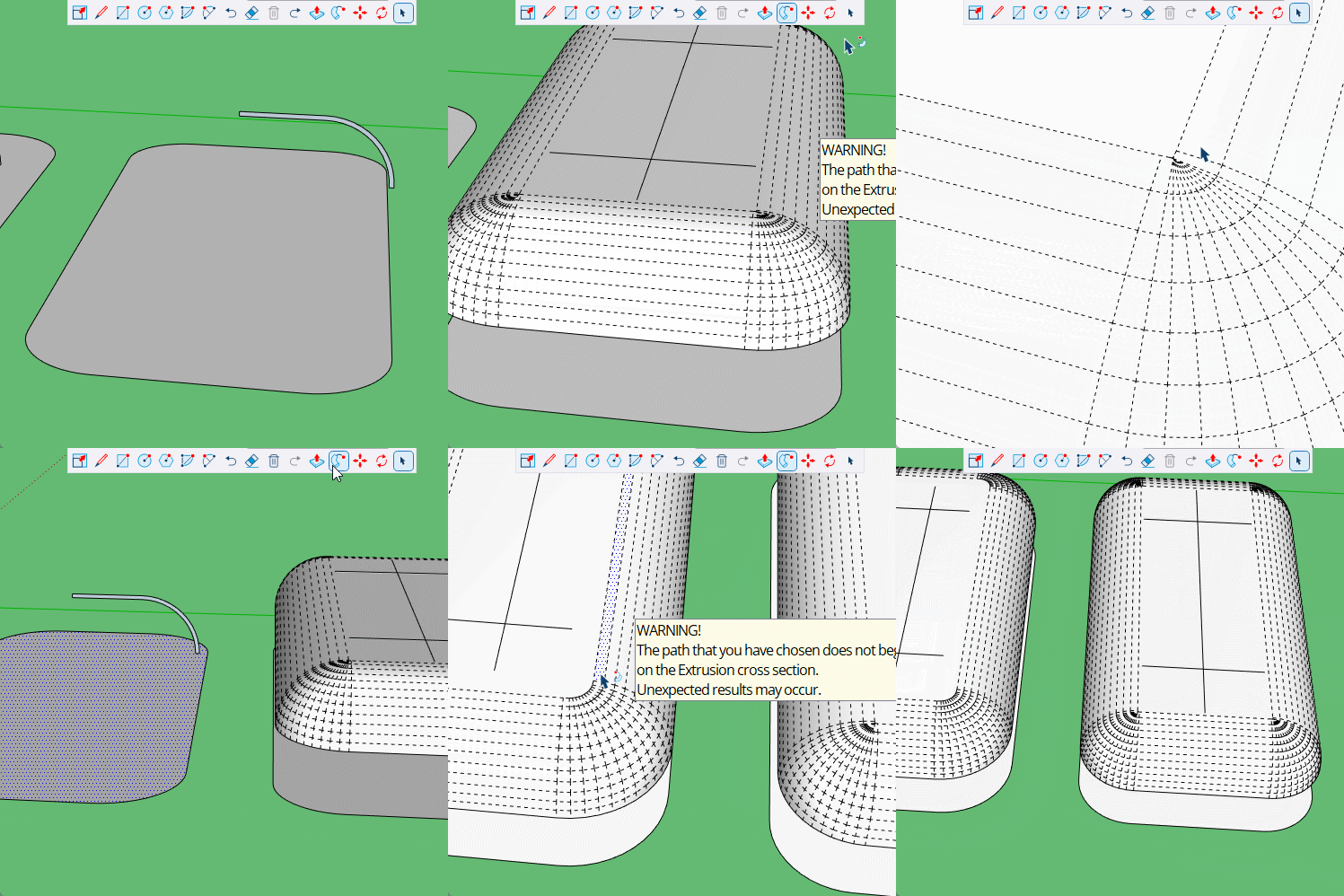
I have experimented with various methods of modelling this shape. It is roof piece to a vehicle.
I have tried using the follow me tool with a quarter circle face - and then using solid tools to cut a smaller version out of the resulting shape.
I have tried using the follow me tool with the correct section shape as a face.
Both these methods create gaps and prevent the resulting model from being recognised as a solid.
The model you see is created by making extrusions from a quarter circle for the 4 straight sides and then making a quarter sphere that is connected in the corners with solid tools. And then again making a smaller version to cut out the interior.
This method creates a solid but (no matter how accurately I create and join the separate elements) the joins between the quarter spheres and the other shapes, always have inaccuracies that have knock on effects with the rest of the model that connects with the roof.
I have attached an image here. As a new user I am not permitted to add more images. The join error is like a kink in the line suggesting that the corner pieces are slightly smaller than the sides - even though both pieces have been created with the same radius.
I used RoundCorner and JointPushPull Thickener to create 2 solids, and then the solid tools to subtract a 20mm smaller version from the original. This is similar to how I’ve modeled Airstream shells for clients (but I use SubD).
I don’t use Follow Me often - but I suspect the intersection of where the curves come around is causing issues as it cannot create a face without causing the strange intersections.
Hopefully someone with more knowledge about what is happening here will come along and take a deeper look.
As Anssi just said, If the radius of the path is the same as or smaller than the profile you will get an overlap that causes issues. Note how the hidden geometry works with a larger radius.