I find that if a model is open and the app is left unused for a while (10 mins or so) or navigated away from SketchUp will have reverted to the splash screen or pulling the app up again without me having closed it. When that happens it also hasn’t saved any of the changes on the model.
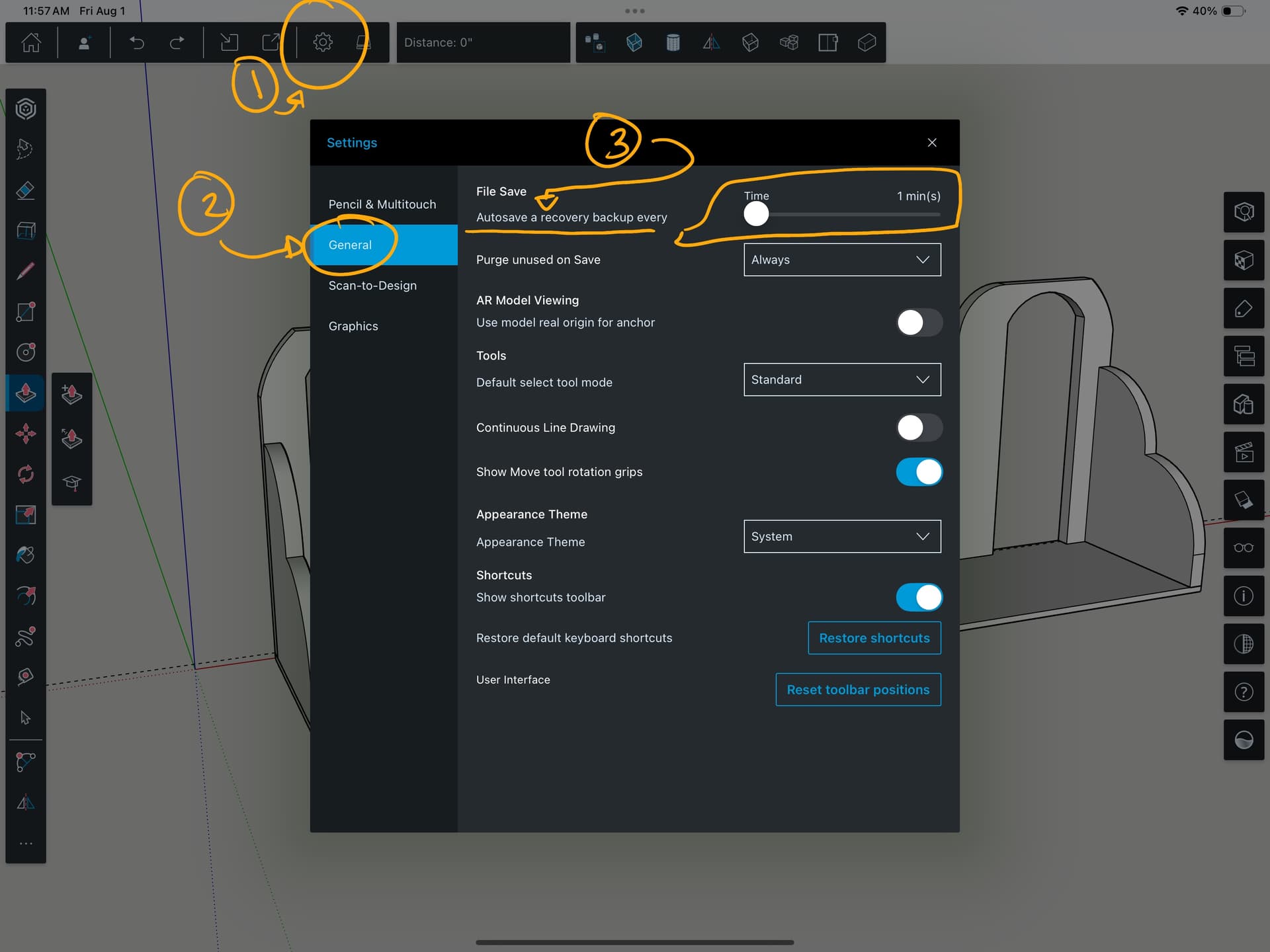
Why does it not just keep the model open? And if it’s going to do that is there an Autosave function that can be activated. I can’t find one.
Thank you. I had the bar all the way to the right thinking it was an on off option and because it’s a colour rather than greyed out I assumed it was on.
Should have worn better glasses.
I’m a compulsive saver. I have mine set to one minute and I hit that little save icon before doing anything that might be considered strenuous to the iPad. It takes half a second to spin and I move on.
I also have mine set to purge anything not physically in the model upon save. I crash mine a LOT, not through any fault of the program but because some of the time I am specifically trying to test its limits.