Internal copies and their sizes have always been a problem with DCs and generate report, you can use OpenCutList to resolve this issue. Plus, it has other advantages.
Some have resorted to exploding the parent so as to list the DC generated copies in the report generator
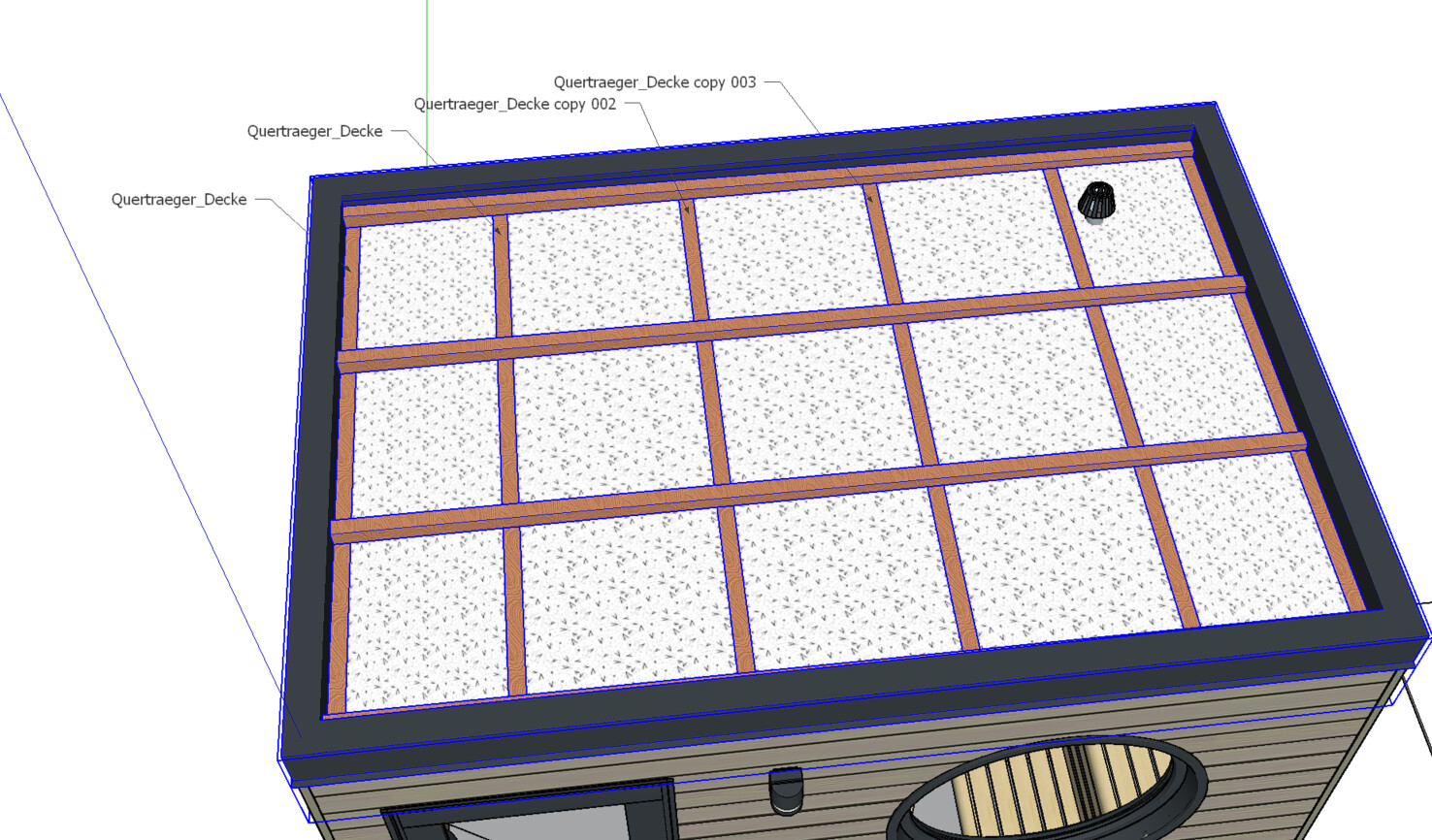
Here the file. My problem/ task: I have dynamic components, so when changing the length, also the number of girders change. Leaving the component as it is, the report gives me the component and the quantity. when I de-dc-fy it (app from Eneroth), it counts wrong. But sometimes it is necessary, when the ceyling/ flooring needs to be individually modified…
And Opencutlist is great, but as I have files with sometimes complex components (e.g. wWindow with dyn. size & opening direction & type of glazing) these parameters will not be counted by OCL, even if OCL in my opinion is one of the greatest plugins here…
I’m trying to understand the issue you’re facing, and I’ve attempted to formalize it:
I exported using the report template “Mengenbericht Gesamt & Definitionsblock”, which requires all model elements (Entire Model).
→ Only one component with the Definition Name “Quertraeger_Decke” appears.
If I modify the report template by choosing “Current Selection” and select everything at all levels (using an extension, not just Ctrl+A), the report shows 9 instances, all named (Entity Name): “Quertraeger_Decke”.
→ The odd thing is that they do not appear that way in the reports.
You’ll find here an Excel file that contains these two exports. I’ve added a third sheet with an export generated by Find And Report, where the 8 instances are clearly listed.
Indeed Find And Report can be a solution to the practical problem you are encountering with SKP Generate Report. Find And Report is (among other things) a kind of extended version of SKP Generate Report. It allows you to export information from any SketchUp entity, not just component instances. An edge or a single face can be exported, identifying it via custom attributes if necessary. It also allows you to work directly in Excel format (on Windows) or in all csv formats (on Windows and Mac). This can be useful for opening the csv directly in Excel, as certain regional settings mean that Excel only recognises csv files with a semicolon as a separator, and there is also the definition of the decimal point, which can be a comma. FAR also has search functions within the model, but I won’t describe everything here.
Now, using Find And Report or OCL can help, but it does not answer the initial question of whether there is a bug with SKP Generate Report. I am also curious to know why this tool reports the model components in this way. Perhaps someone has an answer?


 I am also curious to know why this tool reports the model components in this way. Perhaps someone has an answer?