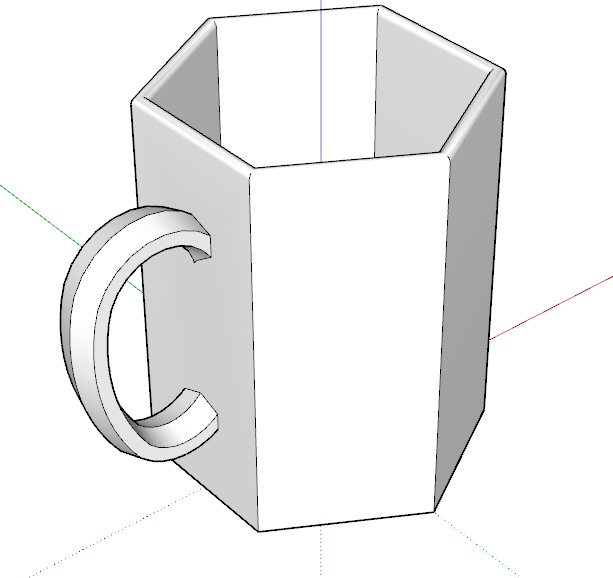
Hi there. Newbie here. I’m a teacher who is tutoring a student, and one of his subjects is 3d design. We’re trying to print a cup from the 3d warehouse, but it keeps saying model errors: Your model is not manifold. It appears there are some holes, but I’m not sure how to fix them. Can anyone help explain what I should do? STL attached. Thanks for your help! 3dcup3.stl (32.6 KB)
I am fairly sure this file was not designed to be printed… it has a lot of backwards faces and overlapping geometry. Just becuse it is on 3DWarehouse does not mean it was created to be printed.
On that STL there are reversed faces, there are small holes in a bunch of places and the components that make up the cup on the whole are not solid.
You probably need to learn to use SketchUp for solid modelling SketchUp Campus
, or find a model designed to be printed in the first place - the 3D warehouse isn’t really the place for that.
Here I’ve fixed the incorrect face orientation. All blue backfaces must face the print media and the white ones must face air. I’ve redrew the cup itself so there are no holes and so the bottom has thickness.
Thank you so much for your quick response and help! You are awesome! We were just doing a mini cup, about 3-4 inches. Do you think that will print okay on my printer? I have a Ender Max 3 Neo. I’ve only printed bigger things on my printer.
Hi there. Thank you so much for your help. The size is:
7.9 cm from edge of handle to other side, 6 cm side to size horizontally, and vertically 7.5 cm.
Take a look at this version of the model and compare it to the original. It has the corrections I indicated previously.
I modeled it as if millimeters are meters to avoid issues with tiny faces. If the attached .stl is imported into the slicer with mm as the units it should be the right size. You can see in slicer here it is 75mm tall.
Hii @DaveR
I am an architecture student but i am a newbie I have my submission this week and i am unable to 3d print due to manifold errors in my model. It would be great if you could help me with it
@yogyatag :
First thing to do is download Solid Inspector². You can find it here: SketchUp Plugins | PluginStore | SketchUcation
It’s an extension that helps you identify and solve things that prevent your model from being Solid…




 I have my submission this week and i am unable to 3d print due to manifold errors in my model. It would be great if you could help me with it