We need some information about your system: OS, graphics card, any plugins installed, did you submit bugsplat reports?
Typically your type of crash happens from a deficiency with the graphics driver or some plugin. Test the driver. In SU, go to Window > Preferences > OpenGL and disable hardware acceleration. Restart SU. If the crashing stops, try updating the driver from the manufacturer’s website.
I would hesitate to call it a bug or a feature, merely a fact of SU life.
Sketchup was originally designed to make buildings so it is comfortable at mid size modelling. Anything too big or too small and it can run into problems.
There is a small faces limit once you get down to segment sizes of around one millimeter, faces will fail to form. But tiny faces can exist, so create them larger and scale down when finished.
One handy way to do this it make your geometry a component, make a second instance of the component and scale that by 10 or 100 etc, edit the big version and when complete delete it and the small version will retain the edits.
You’re bumping into the limits of the undrlying code when geometry gets too small for some of the tools to work properly. While the shortest edge could be 10 mm, some of the edges from the Follow Me modeling operation would be shorter.
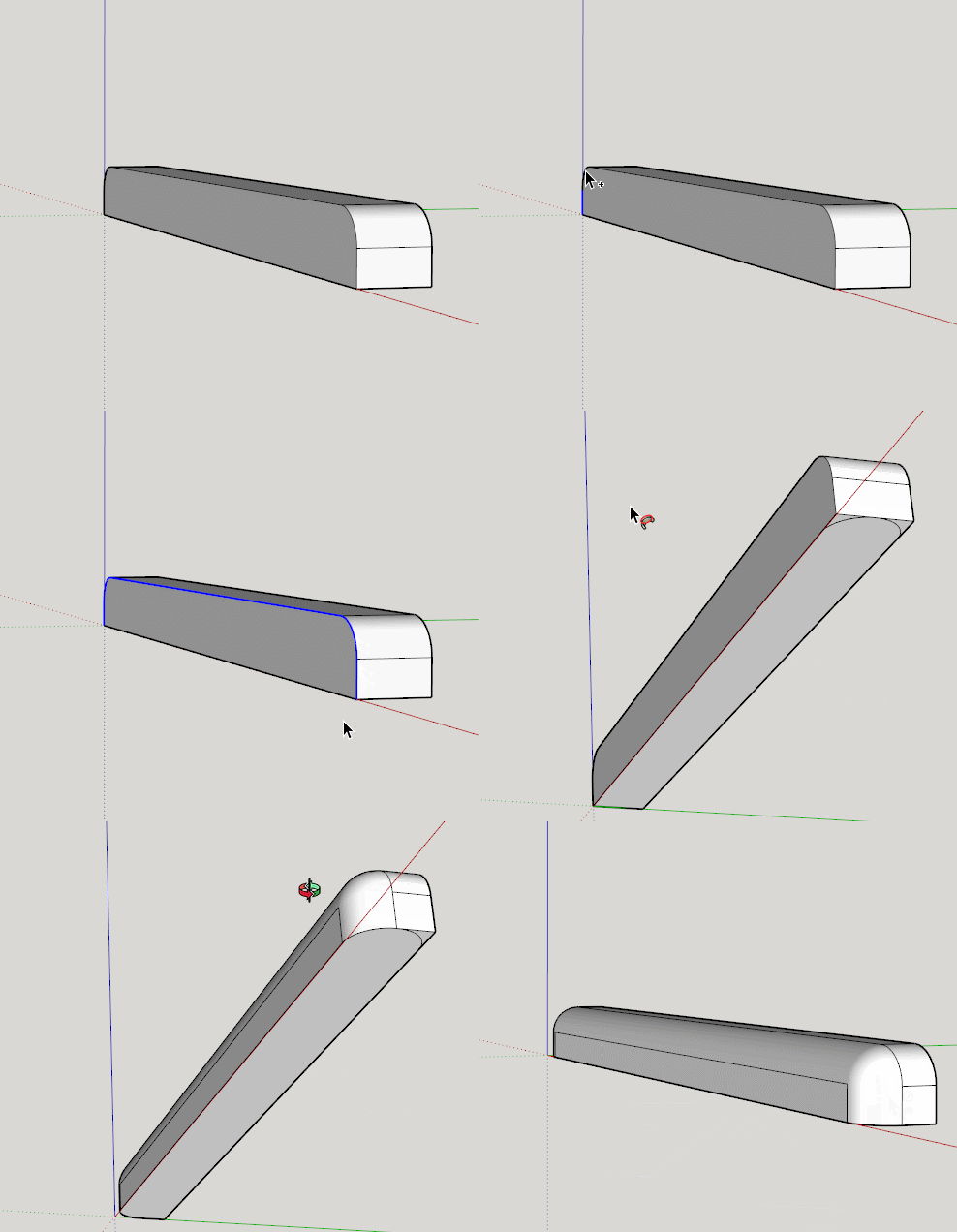
Also be sure to try pre-selecting the path as Box showed, then switch to the Follow Me tool and click on the extruding face. The results often are better then dragging the extruding face with the Follow Me tool.
Note that you will get some unclean geometry when the fillet radius and the corner radius of the path are identical. The corner radius snould be larger - or, use Fredo’s RoundCorner extension (free download from SketchUcation).