I’m using Sketchup Pro ver: 24.0 and TwinMotion ver: 2025.1.1 as well as 2023.2.3 on Mac. I have proper Datasmith plugin downloaded and running but just can’t seem to get the Direct Link working. I can run TwinMotion with Directlink with Rhino and ArchiCad with no problems but for some reason It’s not working on Sketchup. Also the udatasmith file export is not working as well.
TwinMotion found the Sketchup direct link once but after opening the file the link broke and I lost the file.
Have any of you found similar problems with Sketchup to TwinMotion linking? If you have any tips would greatly appreciate. I’m able to give additional information if needed.
I see it works differently on mac, and that you have to go through the extension manager to install it.
Do you have troubles on windows or mac ?
In any case, you may try the newer datasmith extension (that is also compatible with sketchup 2025) that is not listed on the page I linked, they did not update.
Allright. I tried the Datasmith from the link you provided. I tried both 25 and 24 versions on both TwinMotion 23 and 25. I could get the plugin to work from Sketchups end (downloaded the plugin from extension warehouse and the datasmith toolbar is showing)
Still TwinMotion can’t find the direct link. Can it be something to do with the ketchup styles etc which I have on when I try to sync from Sketchup so it would find the link in TwinMotion. Just trying to think if there is something simple I’m missing, since earlier TwinMotion found the link for a second…
I don’t get it, you say you installed it from extension warehouse… to install the new version, you have to unpack the zip from my link and install the .rbz file through the extension manager (and then restart sketchup - did you do that ?)
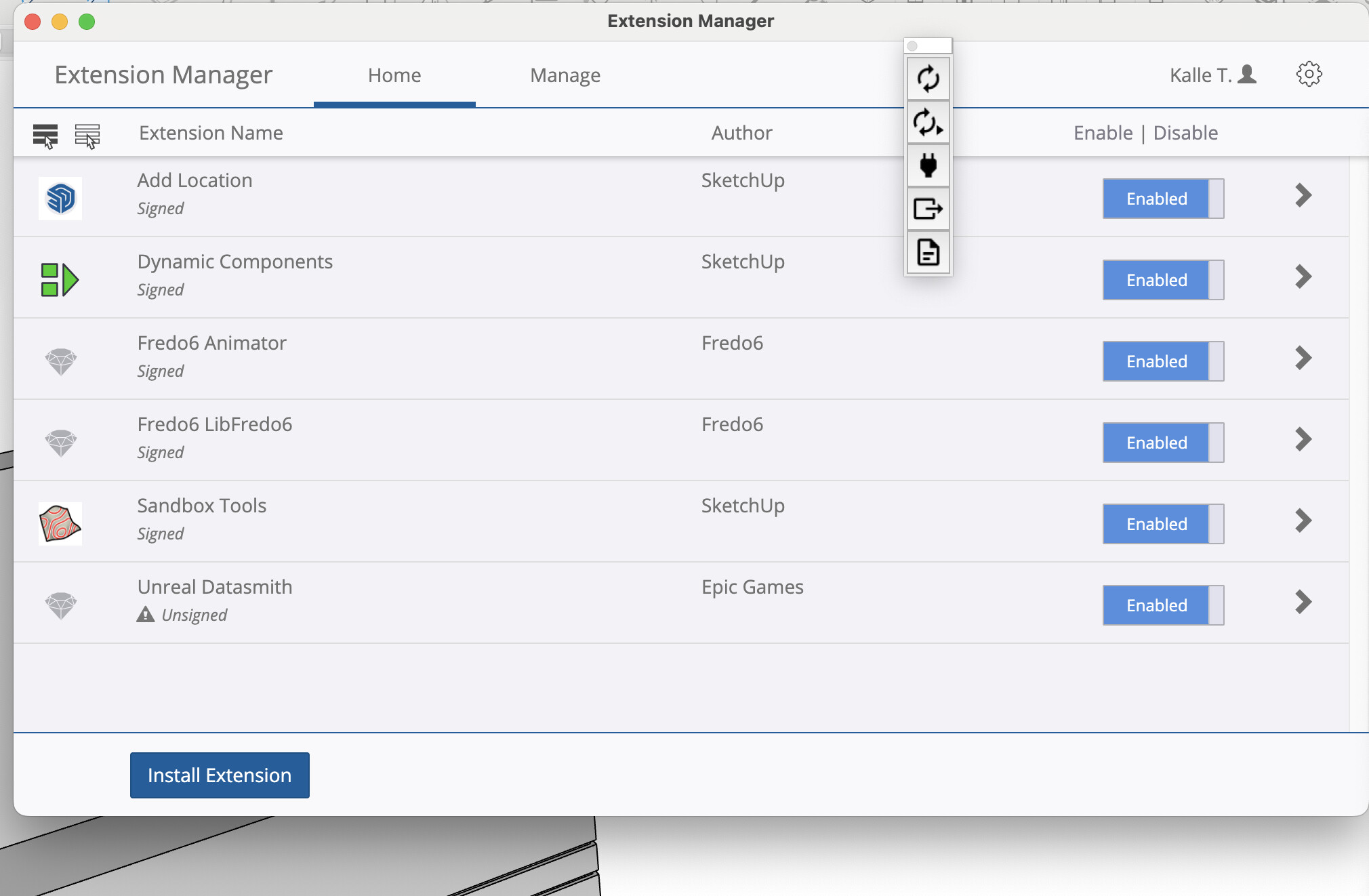
My apologies for the unclear response. Yes I did download it from the website and unpacked the zip to get the right version of DataSmith. After that I installed it through the Extension Manager not Extension Warehouse as I previously said, sorry for that!
I feel like I’m doing everything right. Couple of screenshots below
that is weird. When i’m on the twinmotion import dialog, as soon as sketchup starts, the “no source available” automatically turns into sketchup on my side… I’m not on mac so I can’t help you any further
If you can’t find a solution, remember that twinmotion can also import .skp files ! and should the model be modified, you just have to save/overwrite it and reload in TM.
I ignore datasmith pluggin completely, haven’t used it it years since TM gained the ability to import ,skp directly. Use the import function from within TM and navigate to your .skp file in your directory, select options and import. If you make changes to the skp you can update the reference from the same place from within TM.
That’s helpful, Thanks! Just didn’t want to give up since I couldn’t find the reason for direct link to not work, but if it is basically useless I won’t bother myself with it Have a nice one!
I was wondering if I was missing something in this conversation. The datasmith plugin is no longer required. TM reads SU natively. At least this is case on Windows machines.



 Have a nice one!
 100 percent.