I signed up for SketchUp Campus and enrolled for two courses (Fundamentals and Landscape). I started lesson 1 of both successfully.
Today (a day after signing up) I wanted to continue with my lessons but cannot sign-in. When I click on SIGN IN the following message is returned in the Chrome browser address bar:
https://learn.sketchup.com/?kind=validation&message=Validation+failed%3A+Email+has+already+been+taken
There is no other obvious way of getting back to my dashboard with enrolled courses.
Are you trying to sign in or sign up as with a new account?
Is it possible you aren’t using the same password as you did before?

Anyone else using Sketchup Campus? ANyone else having trouble to SIGN IN? Anyone out there from Sketchup that can help me get back to Campus and continue with my courses?
Have you cleared your browser caches and cookies?
I just tried signing in and I have no problem.
Hi DaveR,
I appreciate your efforts to try and help. I cleared the browser’s cache and cookies. After that, at least I got a chance to enter my credentials at the SIGN IN page. However, once again, it was not successful.
At what URL are you signing in? I am trying to SIGN IN from this URL: https://learn.sketchup.com/
I also have an account under the same email address with different passwords for Sketchup Forum and at Trimble. I can now also not sign in there that is why I reply by email.
It is as if Sketchup is trying to create a new account for me with the same email address (although I am SIGNing IN and not create new account) and then comes back with the message: “Validation failed 3A Email has already been taken”.
Is there a way to delete all my accounts at Sketchup / Trimble and start again ?
Thanks
Johan Rothmann
Password managers tend to confuse the sign Up address with the Sign In address.
Best to type in manually learn.sketchup.com in the adress bar and use the password instead of using the password manager to go to the site.
I don’t get an opportunity to enter the password, whether it is manually or from password manager: after I click on SIGN IN, the next event is just the “Validation failed 3A Email has already been taken” message that appears in the browser’s address bar.
Try to open an ‘incognito’ tab or ‘private’ and type learn.sketchup.com
Thanks Mike - I did that and could enter my email address and password. The password was rejected, but I could request a RESET Password which I did. With the new credentials I was redirected to https://identity.trimble.com/trimble-identity/identity/login/ where the new password was accepted.
Then the following appeared - no option to get to Sketchup Campus:
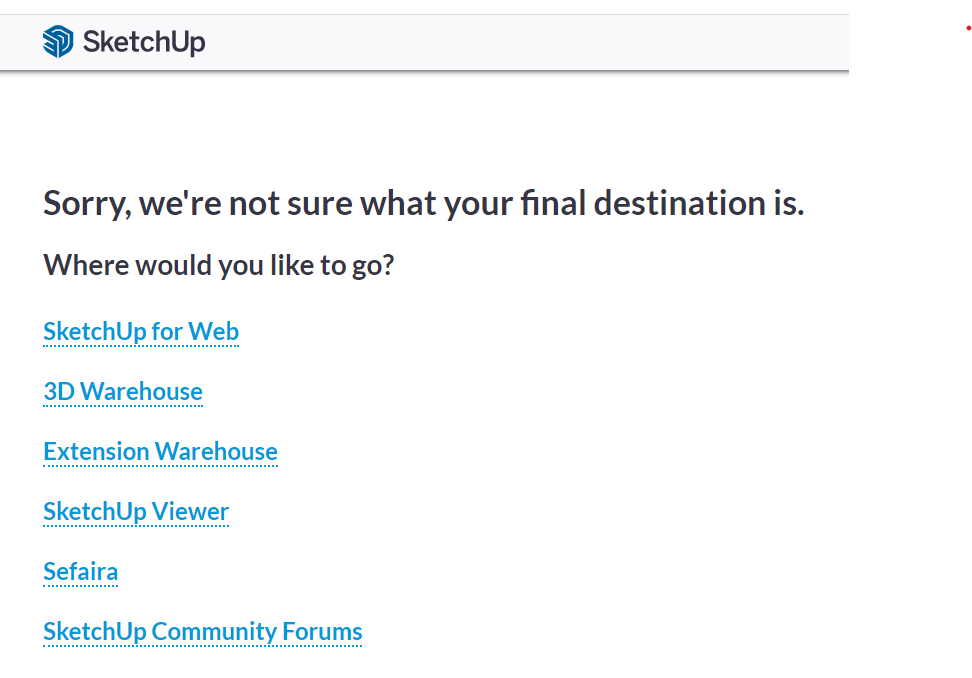
How do I get to Sketchup Campus from here?
Just type learn.sketchup.com again in the address bar and you should be fine
I’m afraid not - it just would not accept my credentials.
But I did find a stupid work around:
I go to the learn sketchup com URL as you indicate (my reply would not allow me to enter URL here)
Scroll down and click on any available course to enroll.
When prompted to Create a new account, I click on “I already have an account”
When I now enter my credentials, it is accepted and I can SIGN IN.
Clearly Trimble need to fix something around the confusing different SIGN IN URL’s
Thank you for your efforts to help - much appreciated.
Hey Johan,
I’m glad you found the work-around. I’m aware of this issue on Campus, and I really don’t know why it persists. On my personal account, I have to do the same, sign in from an enrolled course, not the main page. I’m hoping we’ll get this fixed in the near future, but in the interim, signing in from a course page should continue to work for you.
Cheers!
Thanks very much for posting this, had exactly the same problem today.
Cheers
I’m having the same problem. Has this ever been resolved? I can’t use the workaround either. I get the “Validation failed” address in the browser bar no matter where I enter the login information.
