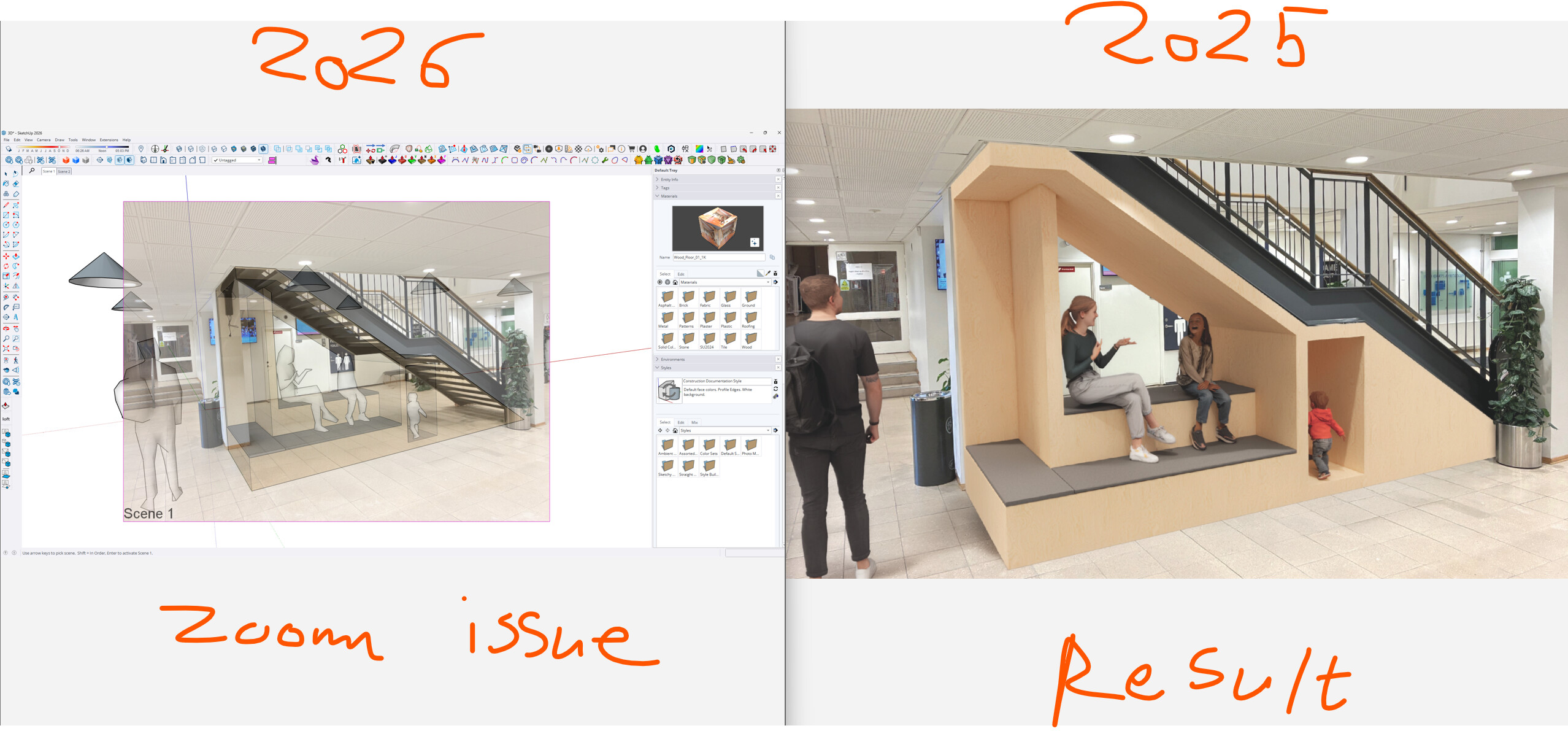
I suddenly found a great and easy workaround to fix to the Sketchup Photo Match issue with the rendering software Enscape.
In Sketchup 2025 under the “Camera” section – there is this feature called “Image Igloo”.
After setting up the “Photo Match”, then make sure you Sync view with Enscape.
Select the “Image Igloo” or press “I” on the keyboard. (In order to use this feature you odly need two scenes?)
Make sure your rendering resolution match the photo you are going to use.
Export to a transparent .png file – That’s it.
When adding the Enscape rendering as a new layer in photoshop it will match perfectly.
BUT the problem now is the “Image Igloo” feature is changed in Sketchup 2026 and zooming out a bit, which is problematic to the workflow.
Wishes:
-
Make the match photo work with Enscape without using the image igloo feature.
-
Roll back the zooming out with Image Igloo.