I use Stream Deck for easy shortcut setups. They have the hardware version and have just released Virtual Devices. I can have any number of devices for any software and assign them to a keyboard shortcut to populate at the mouse pointer.
This is a very practical device upgrade that has removed the need for similar SketchUp plugins or massive button setups on a mouse.
In setting up virtual devices and looking to for instances of SketchUp I have found something confusing.
On the mac, each year release is stored as an application in this format:
SketchUp 2022
SketchUp 2024
SketchUp 2025
SketchUp 2026
and so on.
These are folders with the application links inside.
Each folder has: Sketchup & LayOut.
In the StreamDeck virtual device I want to select each instance of SketchUp and give it a button. I also want to assign the tools inside each version to their own buttons.
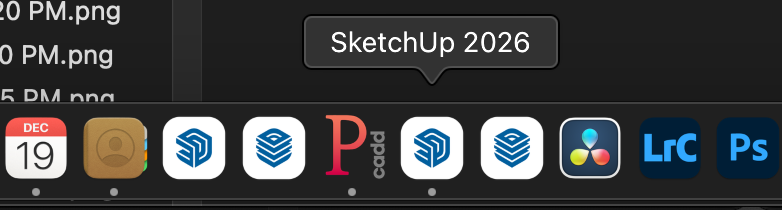
The problem arises when I try to search for SketchUp inside StreamDeck.
Instead of getting SketchUp 2022/SketchUp and so on, I only get a list of the applications:
SketchUp
SketchUp
SketchUp
SketchUp
This causes about 15 minutes of struggle per button trying to find the correct year.
What I was wondering is if there is a way to have the year release added to the application name as well as the folder so the applications are easier to find.
On PC, you can rename streamdeck shortcuts/icons to whatever you want in the title line where you set them up.
Separately, when you use the “open application” icon in streamdeck under the system tab of the stream deck menu, it DOES show different versions of SKP and when you add that app, it, by default, inserts the correct icon and the title is “Sketchup (year)”. I just tested this.
Not seeing that behavior at all on the Mac.
I can rename for sure. But picking the SKP version does not bring in the year. Probably another Mac difference again.
At least that narrows it down to just a Mac feature request maybe.
The problem is that the actual SketchUp app has for a very long time been named simply “SketchUp”. You have to look at the enclosing folder name to find out the version year. Perhaps you could create a link or alias that includes the year and point the stream deck at that (I don’t have one, so can’t try this myself).
When I install versions on my Mac, I rename them with the release year ( and beta in those cases). If you do that, does it pass through to the StreamDeck software? I would think so, but I don’t have one to test.
the “send to layout” button and menu only works if both layout and the folder haven’t changed names. I don’t use it so I’m fine changing the names. I think that only changing SU (not LO) is fine too.
you can also simply make a new icon. Mine are quite discrete, I’ve seen someone simply do a white square with 25 or 26 in blue on it. he knows it’s his SU versions.
you just have to re update your icons on every SU updates, but they aren’t that frequent in the first place.