hi i’ve been having trouble opening my Sketchup file. i tried to open but it says “unexpected file format”. Can anyone please help me?
I get a message indicating the file has failed integrity checks and cannot be opened?
Where have you been saving the file while you were working on it?
What version of SketchUp are you actually using? Your profile implies you are using SketchUp Free which is the web based version. Is that right? What operating system? You answered that question when you set up your profile as “2023” but that doesn’t identify an operating system. Please correct your forum profile.
If you are actually using SketchUp 2023 Pro on Windows, there should be a .skb backup file in the same directory as the .skp. Share the .skb file.
hi @DaveR. Yes, i’ve been getting that message too. I tried to change the extension for the SKB file to SKP, it says “unexpected file format”.
The file is saved on an internal hard drive.
i am using Sketchup 2023. I have made some mistakes while creating my profile. I am using Windows 11 as my operating system.
Here is the link to the SKB file
I was able to open the .skb after renaming it. I’m guessing you aren’t using the latest version of SketchUp 2023. If you were I expect you’d have been able to open it, too.
I did see incorrect tag usage which I fixed.

And loads of unused stuff. Don’t hoard stuff you don’t need.

That reduced the file size by better than 85%.
Here’s the file.
king houseskb recovered.skp (7.7 MB)
Thanks for fixing your profile.
thank you for fixing! but when i try to open, it says “This does not appear to be a Sketchup model!”. What does that mean?
Are you trying to open the the file I shared?
It opens fine for me. Try updating your SketchUp installation to the current version. Sign in to the website with your subscription e-mail and password and then download it from sketchup.com/download/all When you install the latest version, right click on the installer and choose Run as administrator. If you are presented with the option choose Repair.
will try that. thank you, Dave!
hi dave. i have another file that says failed integrity checks. The SKB file also said the same thing. i have started a new topic about this. would appreciate the help.
Here is the link to the other topic:
i have same issue (unexpected file), could u please fix it for me
here is my file gym & spa.skp - Google Drive
There’s a bad group in the model.

Your profile shows you are have a Pro subscription and are using SketchUp 2023. Update to SketchUp 2025 and you’ll be able to open it. Since you must have a current subscription to use SU 2023 you can update to SketchUp 2025 at no additional charge.
Also take a moment to fix incorrect tag usage …
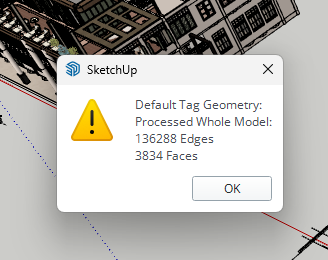
… and purge unused content from the model.

You could also reduce the excessively large materials.

Then you should be in good shape.
thankyou Dave! my file already fixed by using skp 2024