Very nice! I messed with it a little and it looks like a bug with the deck railing where changing railing direction to right doesnt off set the Ballisters correctly.
The left and right parameter actually doesn’t do anything yet. I’m still a bit undecided what I want to do with that parameter, for now it is in the menu but I may remove it if I don’t implement it.
It is useful if someone draws from the wrong direction and want to reverse the “inside” to “outside” But a redraw is easy enough. Any plans for an inclined railing for stairs?
I hadn’t really considered that since the stair tool has its own built in handrail system.


A bit of Fun
After spending a few hours experimenting with the railing module, I had an idea to try creating stone balustrades using the custom component option Nathaniel provided.
This is what I’ve come up with — have a look at the images and let me know what you think.
It also highlights where the thumbnail previews become really useful, especially when creating different combinations of balusters.
So many possibilities, made so easy!


Many thanks Nathaniel.
No, many thanks to you for helping me work the kinks out of the stair and railing modules, and providing me with countless tips, bugs and corrections that have only made these two tools actually usable and more robust.
I still have a few more fires to put out and some monkeys to get off my back but I think there is now some light at the end of this two year long tunnel.
Those stone balustrades are seriously impressive. Maybe it is just my working class roots but I did not foresee the railing module providing these sorts of high end architectural accoutrements.
It’s an absolute delight to use all of your plugins.
They are intuitive, thoughtfully designed, and packed with detail. The parametric functionality makes it easy for users to experiment with designs, explore different ideas, and iterate effortlessly. Your approach to suggestions, along with the speed of implementation, is genuinely appreciated.
I also really enjoy testing software and being able to see how these tools evolve.


Version 4.6.5b - 06.19.2026
- Added a “CABLE” baluster option for curved stair assemblies (circular and elliptical).


I think this now mostly completes the curved stair options. There may a few minor items that need attention but I think I’ve brought most of it up to par with the straight stair assemblies. The draw and edit menu may need a bit of attention.
I now need to add in the same glass and cable options into the railing tool, just as I did recently with the deck option. I’m also considering adding in an option to create true curved rail segments.
Please keep sending in your feedback or feature requests.
I don’t think cable railing options work that well with curved stairs. Nature doesn’t provide options for curved cables other than in a vertical plane. How will you deal with this?

So rods it is.
I imagined something like that. More for office circumstances.


Currently the railing tool operates similar to the polyline stemwall tool. You select a bunch of points which then create the segments that form the polyline. In order to add the possibility of “curved” segments into this algorithm I could add in a tool which allows the user to select internal segments within the polyline. In order for the segment to be switched to “curved” it would need to meet the following criteria:
1.) It cannot be a start or end segment.
2.) It cannot be colinear with either of its adjacent segments or neighbors.
3.) (Optional) Both adjacent segments must not be curved.
The upside with this type of algorithm is that the user does not need to enter in any radii, the curved segment would always be tangent to the two adjacent segments. Also the question as to which way to orient the arc coming off the two end points is deterministic (there are four possible arc placements otherwise for a given radius).
My only problem with this type of system is that it may be too limiting and even confusing to some, thoughts?
You end up with geometry like this (either a single arc or an S-shaped double arc).

The other issue is how to handle start and end segments that the user might want to set as curved.
Turns out there are many possible solutions to the problem when you go from a single arc to a Hermite biarc solution. Of course not all these solutions are useful, especially where they intersect or collide with other segments of the polyline. Quite the education on this topic between Wikipedia and ChatGPT yesterday. Here as some solutions to the biarc and single arc problem:
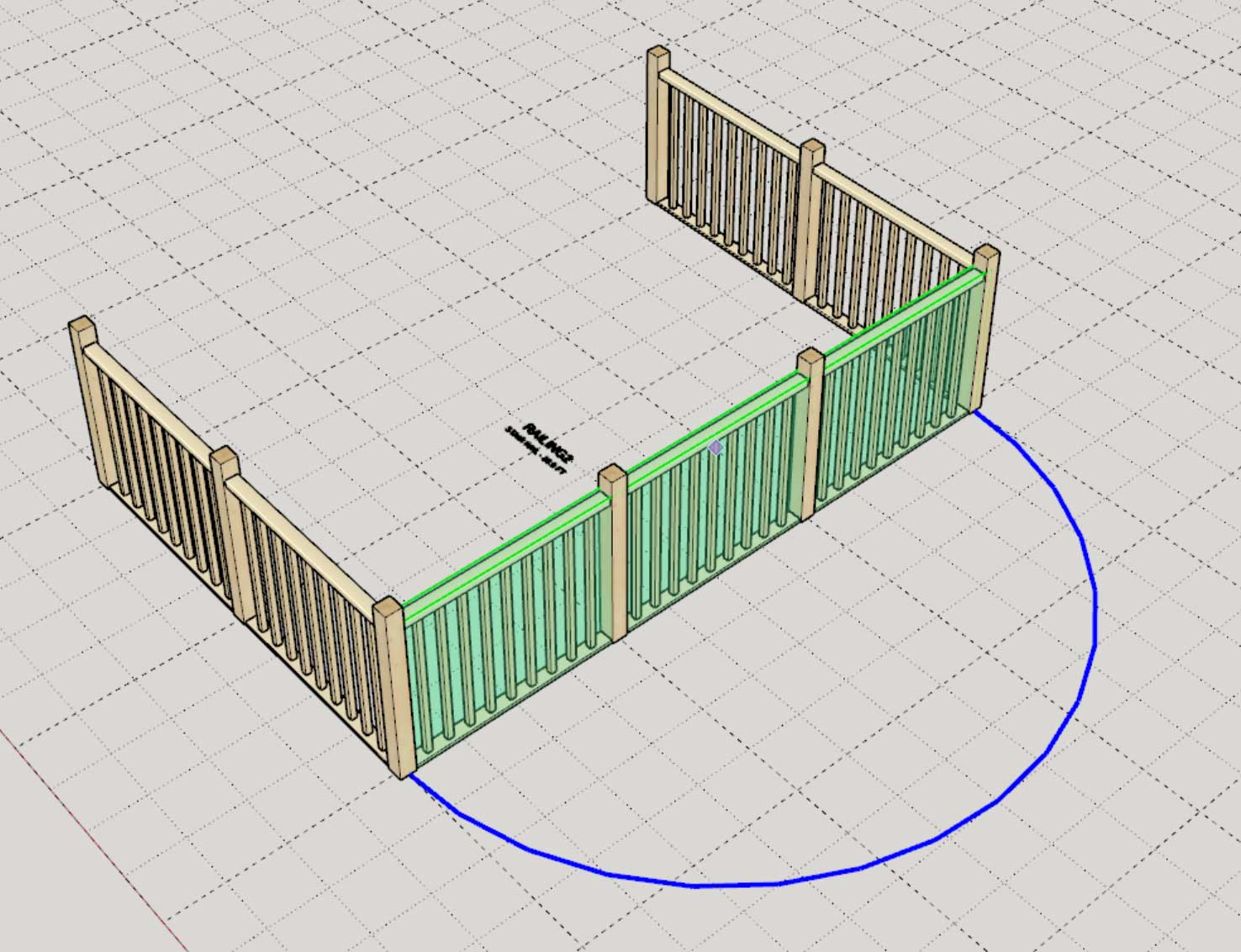


First look at some curved rails with PTP handrails and shoerail. I still need to work out how I want to handle handrail fittings on these curved segments for OTP handrails and intermediate posts.

This new ability to create curved portions of railing within a railing assembly is really only designed so that one can add “true” arcs into the railing polyline. This is not a standalone “I need a curved section of railing” railing tool. For that we actually need a new tool that does not draw a railing polyline, it just draws a single curve.
What I envision is a slightly simpler tool which allows one to simply pick a hodge podge of points and the tool cleanly passes a spline through them. To keep it simple the algorithm will use automatic phantom spline endpoints (the user does not need to worry about endpoint tangency). After doing a bit of research on splines I think the simplest and best spine variant to utilize would be the Centripetal Catmull-Rom spline.


Version 4.6.6 - 06.23.2026
- Added a Curved Segment option/tool for railing assemblies.
- Added a Spline Railing tool into the Stair Toolbar.
- Spline Railings enabled using a Centripetal Catmull-Rom spline algorithm with user selected start and end tangency points.


Tutorial 89: Curved Railing - (13.01 min)
