I’m running into an issue with LO 26 on a Mac that I did not seem to have earlier.
I have created a bunch of tables with drawing info, and formatted the column widths and row heights to fit my page layout and some other tweaks. Lately when I update the information in the table and for example add or remove a row under table reference options, all the lay-outing dissapears and the table looks messy again.
I tried checking/unchecking the ‘Import Excel Formatting’ option but that doesn’t change anything.
I also tried the option to first create and format the table in LO (as mentioned in this video https://www.youtube.com/watch?v=mRkAwyXDmIc), in the video the table remains the same after inserting the info, but with me it doesn’t unfortunately.
Yes the tables have changed in 26 and not for the better. The SU team is aware of some of the problems. I also have the table resizing columns when updating from the spread sheet. I dont use excel. It used to add rows if you added content in the spread sheet and not resize the columns automatically. Now you have to edit the range in the dialog in Layout and then it blows up the formatting. I have little success using the Spreadsheet formatting. This feature is useful but needs work.
Hey @colin , I was wondering if this is indeed a LO26 issue, or if it’s a local proablem that I could fix somehow. It takes a lot of time redoing already formatted tables…
I asked about this, and it seems we do have a fix for the issue. I can’t yet say when an update will be released, there other issues being worked on before that can be sent out. Me or someone who works on LayOut will come back to say when the update is online.
Hi Colin, thank you for getting back that quick. Naturally, I hope the update will be soon - I was happy to increase my work within LO with the latest improvements, but this issue unfortunately pretty much eclipses and neutralises all of those.
looking forward for an update as I see a much better performance in LO 2026 compared to former versions! But untill then I will continue with LO 25 or even 24 because updating all tables is really time consuming…
I would like to add another quirk since the last update. It used to be you could select cells in the table and change things like the font or font color, size ect. currently I have had to do it one cell at a time and have to edit into the text selecting all the characters and then can change color. Its very time consuming.
If the tables get a rework it would be a nice feature to have a simple =sum to add columns.
It seems to persist, unfortunately. In particular when I change the amount of rows of a linked table.
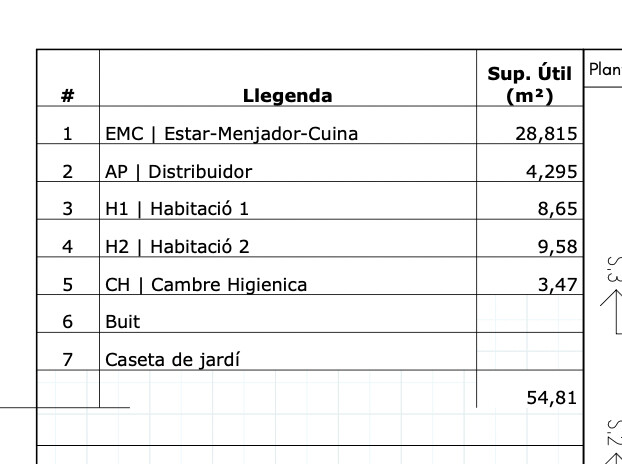
In the attached example the bottom rows are empty, which I would like to remove from the table. I would change the Cell Range from A4:C32 to A4:C30 for example. Previously, the table would not change its formatting, the rows would simply be removed. Now the whole formatting ‘resets’.
(Ticking or unticking the ‘import excel formatting’ checkbox does not have an effect.)
I updated to the latest version hoping this was resolved, but tables still seem to completely override column/row sizes when updating or adding new rows. Also the import excel formatting is always ticked by default - it would be good if it would automatically follow the setting when it was first imported. Hope to hear from you because these issues make tables almost impossible to work with.
I have never had success with using any of the spreadsheet formatting. I create my tables and format them using Layout then link and update only the data. For often used tables like schedules I create a version saved as a scrapbook and have a sample spreadsheet file that gets renamed and updated in the Layout Document Setup/Preferences.
My tables seem to work since the last release of Layout.
Thanks for your response, in your case, what happens when you update the table (without formatting) with a change in the amount of rows or columns?
Does the table keep your lay-out formatting or does it change? In my case if I do that, the whole table loses the sizing etc. (See before and after screenshot - just in case, I keep the import excel formatting off)
With my tables it will add row cells if the data is more than the template. If you have tables like yours that are “fixed”. I would create that table with all the rows and columns in layout how you want it to look and fit then create the spread sheet from that as long as you dont over run the number of rows (insert rows) it will fill in data from the spread sheet to empty fields without resizing the table.
What I get when i over run the scrapbook template is the last row formatting is applied to the next (new) fields. Then I just edit into the table and adjust the fill for those rows when using fill colors in the Layout styles tray otherwise it would just add the rows and i might have to resize the table. It usually resizes and i have to move it to not obscure anything below that table. I do have the cel range set to all. I think this lets the spread sheet control the data that is linked. A cel with no data doesnt affect the table. If you have empty rows that you want to delete I would do that in the Layout table.
I am trying different things in the version you have, and the latest internal version I have, and not yet seeing anything fail to work.
Is there a timecode in Tyson’s video that shows the action you do, that is not working? Or, can you give me simple steps, or an example file, that I can then see the issue?