Can someone please tell me how to remove/delete projects I’ve uploaded to Trimble Connect to share with clients? I was testing how this worked and decided I didn’t like it but now I’m not seeing any options to “delete” project. I only get “leave project” in the web portal and even when I click that I get an error:

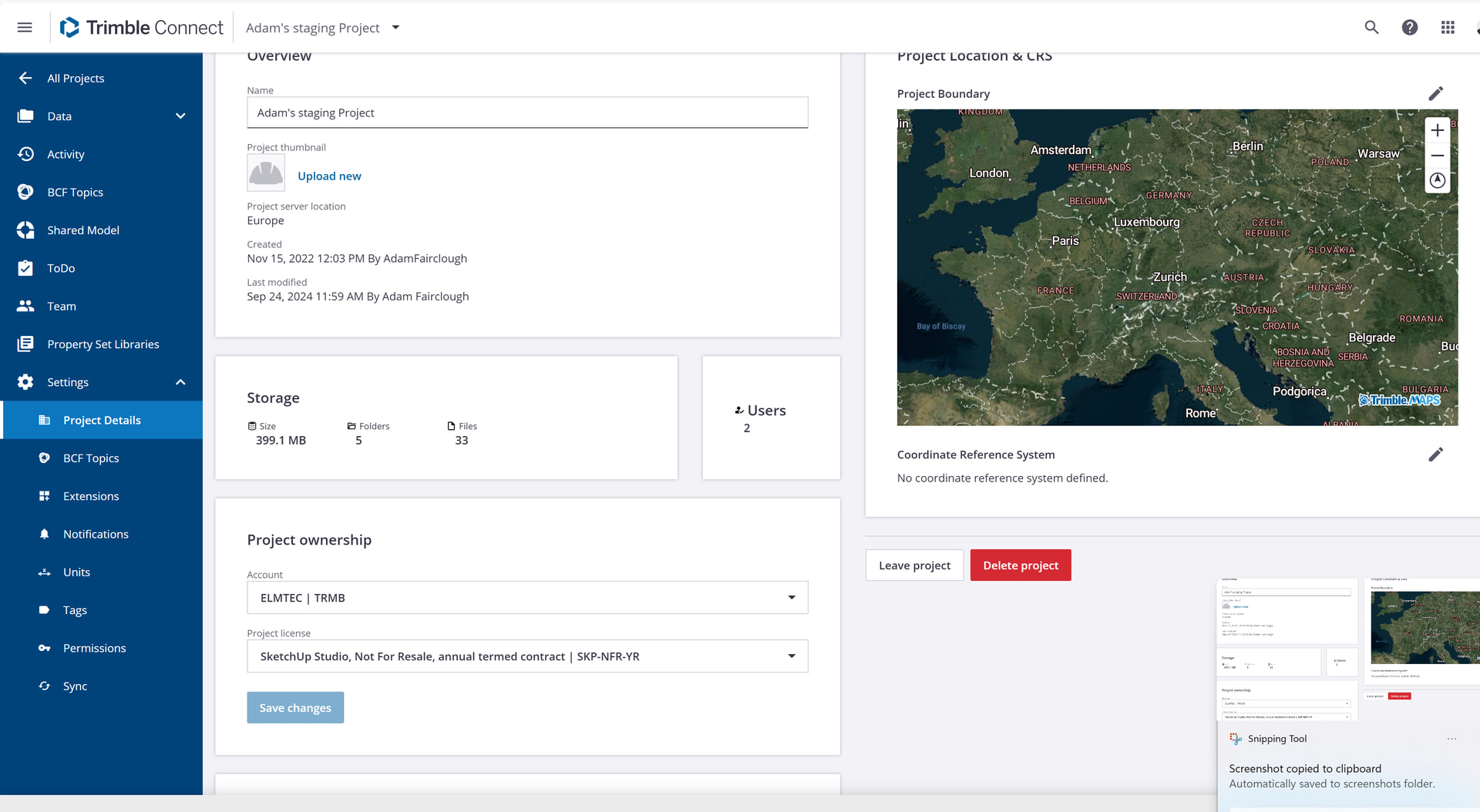
Where is the portal for this?
Adam told you:
You can launch Trimble Connect from File>Trimble Connect in SketchUp.
That’s the thing - when I go there I don’t get the sidebar that @Elmtec-Adam showed:

Click on the project you want to delete.
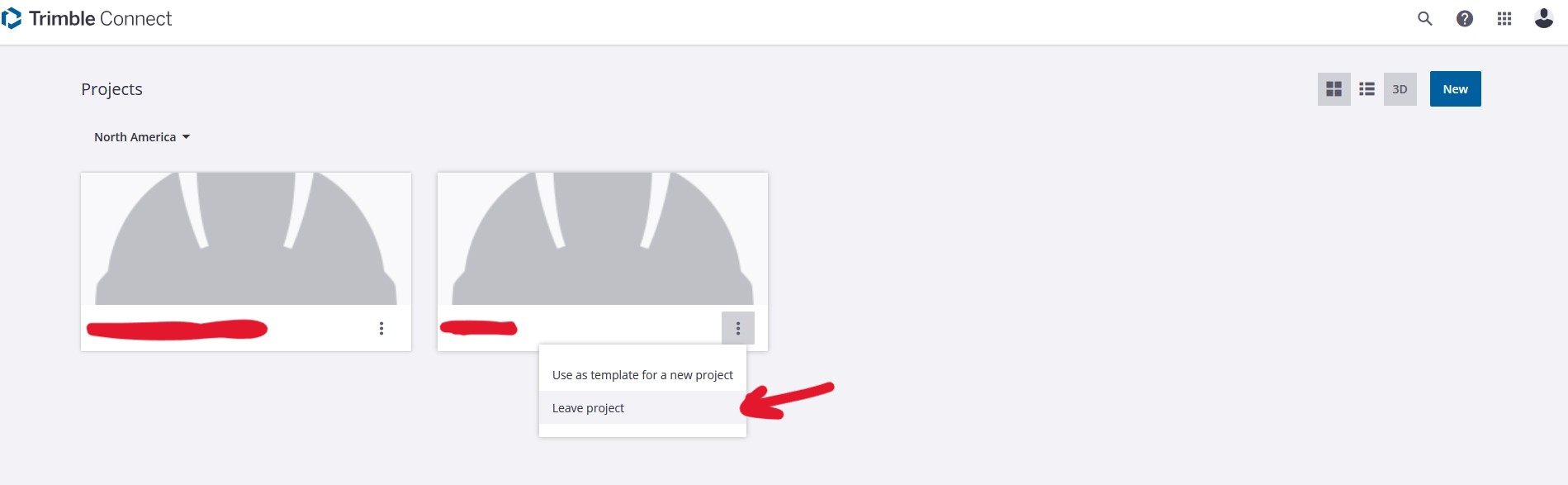
Open the project. And delete it, don’t leave the project.
Yes it does for me.
Are you still using SketchUp 2023 as your profile shows?
Your toolbar is collapsed… click on the gear icon on the bottom of the left side to get the menu Dave showed
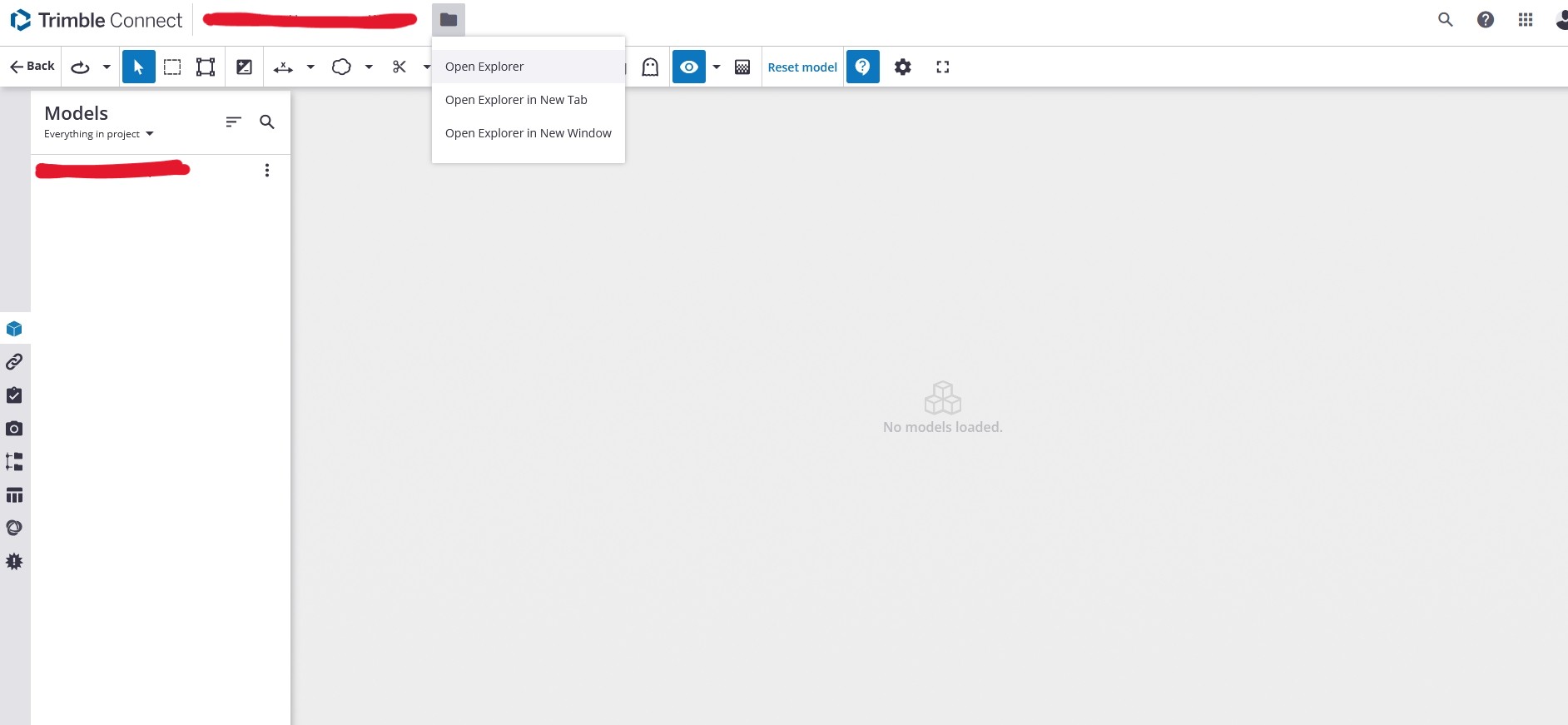
This is the view I get when I File → Trimble Connect → Launch Trimble Connect . As I had shown, I need to click on a project but then also Open Explorer on the top in order to get that toolbar @DaveR and @Elmtec-Adam had shown in their screen clips.Theirs seemed to load with that as default when they clicked on a project.

I’m never on the forum and will update - I’m on 2026 now.
Looks like you just hid your profile so that makes it harder for us to help you when you ask for assistance.
That implies that you’re looking at a different account that hasn’t had any projects added. Different email address for your SketchUp subscription?
Check this post: