oven knob ABS fit confirmed 1.2 1.skp (933.8 KB)
Hi Im using flowify to stamp 3d lettering into a curved surface. I have set up the three groups within a group, but it hasnt worked. Im suspecting its because I havent scaled the model up enough. Im using sketchup 2024
Considering how small the surface you want to apply the text to is and how little it is curved, you could just intersect the text directly.
If you want to curve the text, you can use one of the existing extensions.
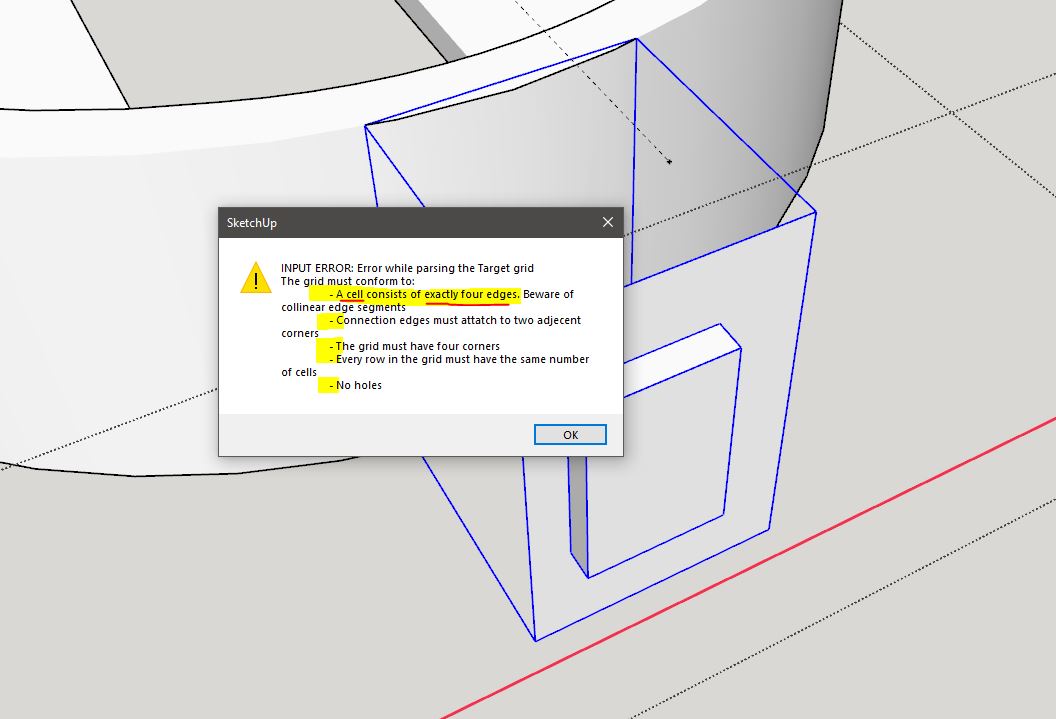
And if you still want to use Flowify, besides the fact that you need to work at a suitable scale, it helps if you have Edges visible and also open Endpoints. This way you will see that your surface is not only made up of quads, you have an extra vertex on one of the edges.
It could also help if you did not have the groups required for Flowify so nested.
Read the error message carefully and check that the model meets all the conditions.
How do you want to use flowify, I recommend you to watch some videos about how flowify works, I fixed a bit of your file cause it had some internal faces and reversed faces that prevent them to be a solid .
oven knob ABS fit confirmed 1.2 1.skp (125.1 KB)
Thank you very much! Yes I have been watching some videos as I go. I have accomplished it on practice pieces, but I know there are things that I dont know that Im messing up. Thank you for the assist. I intend to stamp 3d letters into that curved surface indicating Off, Hi, Med, and Low. I figured scale might be an issue, which is why I up-scaled it. Could you be more specific about what you fixed and where? I just want context so I can understand what you corrected.
I thought I had the three separate groups for the target lines, target face, and base face included in a group and thats what was required. Thank you for the correction. I had accomplished using flowify on some test pieces to get a feel for it. Obviously, I do not have the feel that I thought I did. Thank you again.