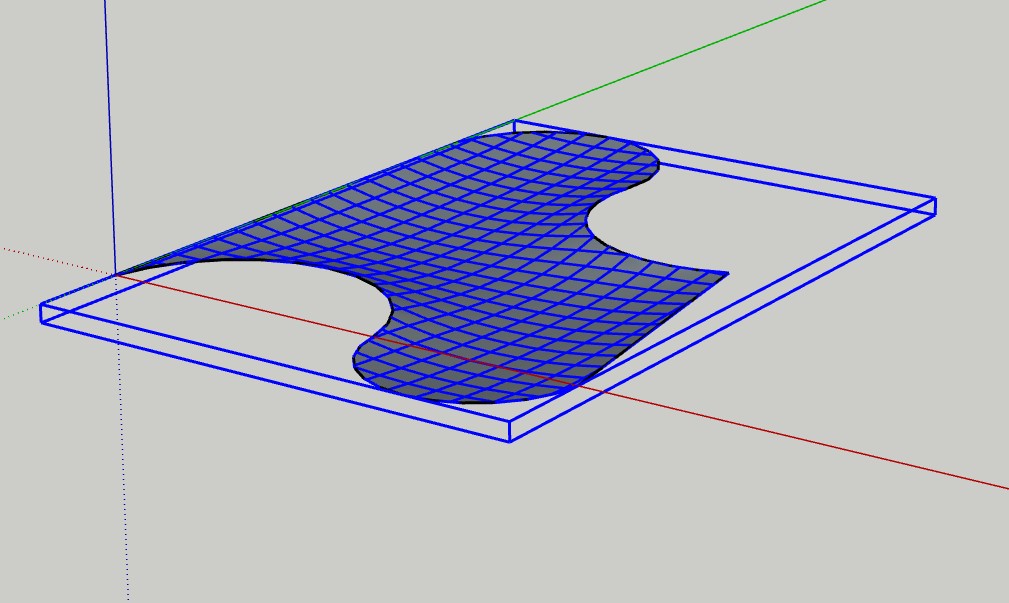
I thought this would be a great way to make cushions so I installed Soap Skin & Bubble, selected my edges and applied the soap skin, adjusted the mesh, clicked on Generate Bubble and this warning comes up, even though the geometry is clearly selected. When I click okay it just becomes a blank grouped geometry.
It did sort of work once but I had to put in outrageous numbers for pressure to make it do anything.
I tried disabling and reinstalling … shut down computer overnight, tried again today, fresh file, no luck.
I suspect you were selecting the group made by the extension along with the original edges.
Leave the original edges ungrouped. Select them and start SSB. Enter the number of subdiviisions and press Enter. Then, to give it some bulginess, use the other tools with just the group created by SSB selected. In this case I selected the third button on the toolbar and entered -100 to get the bulge here.
When I click on Generate Soap Bubble I get that pop up, I can make the mesh and set the parameters but as soon as I as it to generate a bubble it gives me the warning
Are you pressing Enter after activating the tool and setting the number of divisions? It’s actually pressing Enter for the number of divisions and Enter again to complete.
Keep in mind the sign when you add the pressure. Since the back faces are up, positive pressue will bow the surface downward and negative will go up. At some point you should correct the face oirentation so you don’t have exposed back faces.


 I really appreciate the help!