I’m seeking some advice from someone who has a 2019 i9 MacBook Pro.
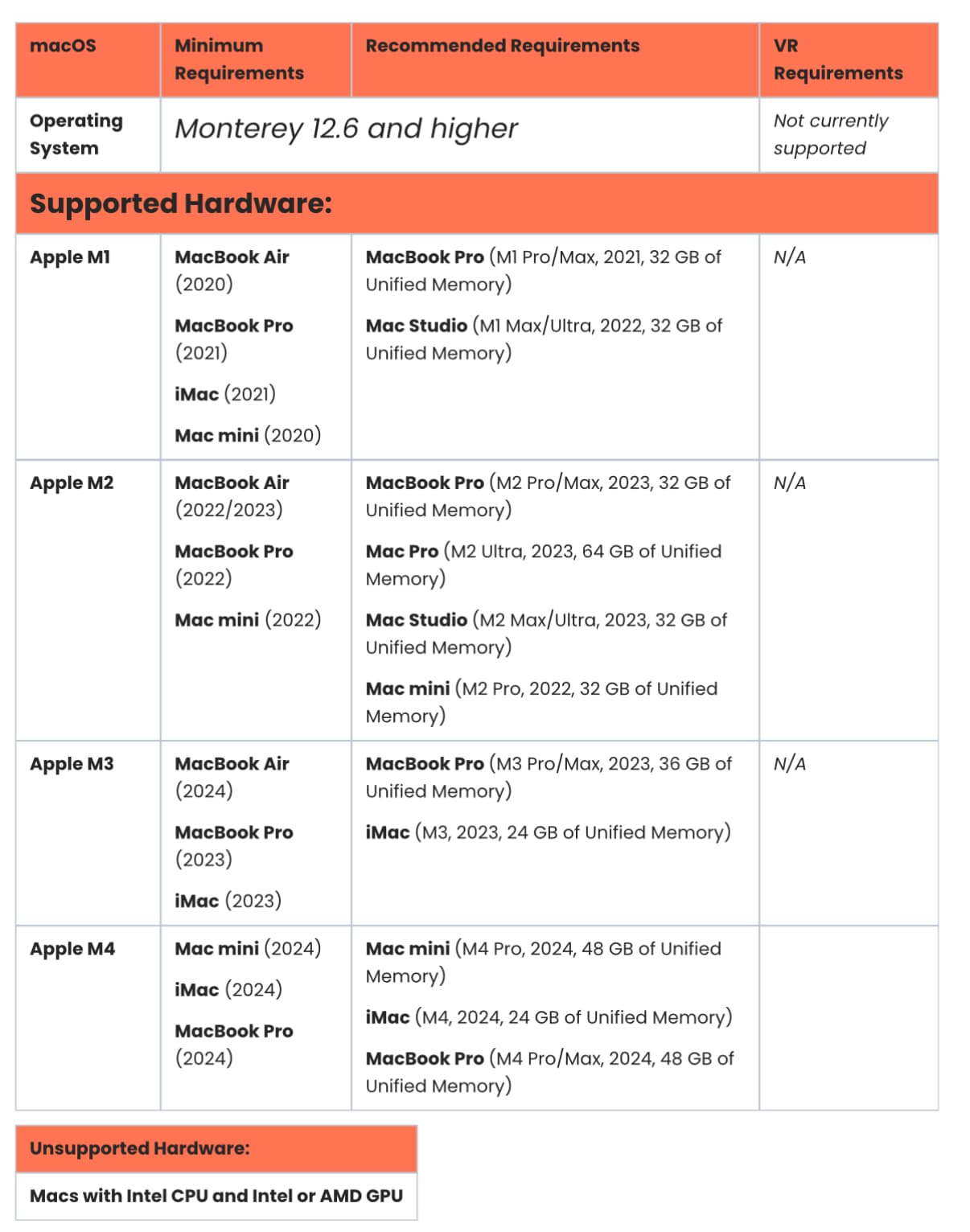
I have Sketchup on the Mac. I need to use Enscape plugin. However Enscape do not support i9 versions of MacBook. Has anyone tried it regardless?
I use Parallels to run Autocad on the same MacBook. So, another option could be to change the Sketchup for the windows version and run it on parallels in the hope that enscape might work that way. Again, has anyone tried this?
You don’t have to use parallels to run windows on your mac, it’s actually better to make a disc partition using boot camp, you can install sketchup for windows and try if Enscape runs with your hardware.
Unfortunately, Enscape is not supported on any Intel-based Macs, including the 2019 i9 MacBook Pro, regardless of whether you’re running macOS, Boot Camp, or using a virtual machine like Parallels. While Boot Camp and Parallels can run Windows, they aren’t suitable environments for Enscape. Boot Camp typically relies on outdated GPU drivers, and Parallels doesn’t allow direct hardware access, which leads to crashes and performance issues if Enscape even opens at all (which, nine times out of 10, it doesn’t).
If you have any questions or would like help reviewing those requirements, feel free to let us know by opening a ticket on our Help Desk—we’re happy to assist.