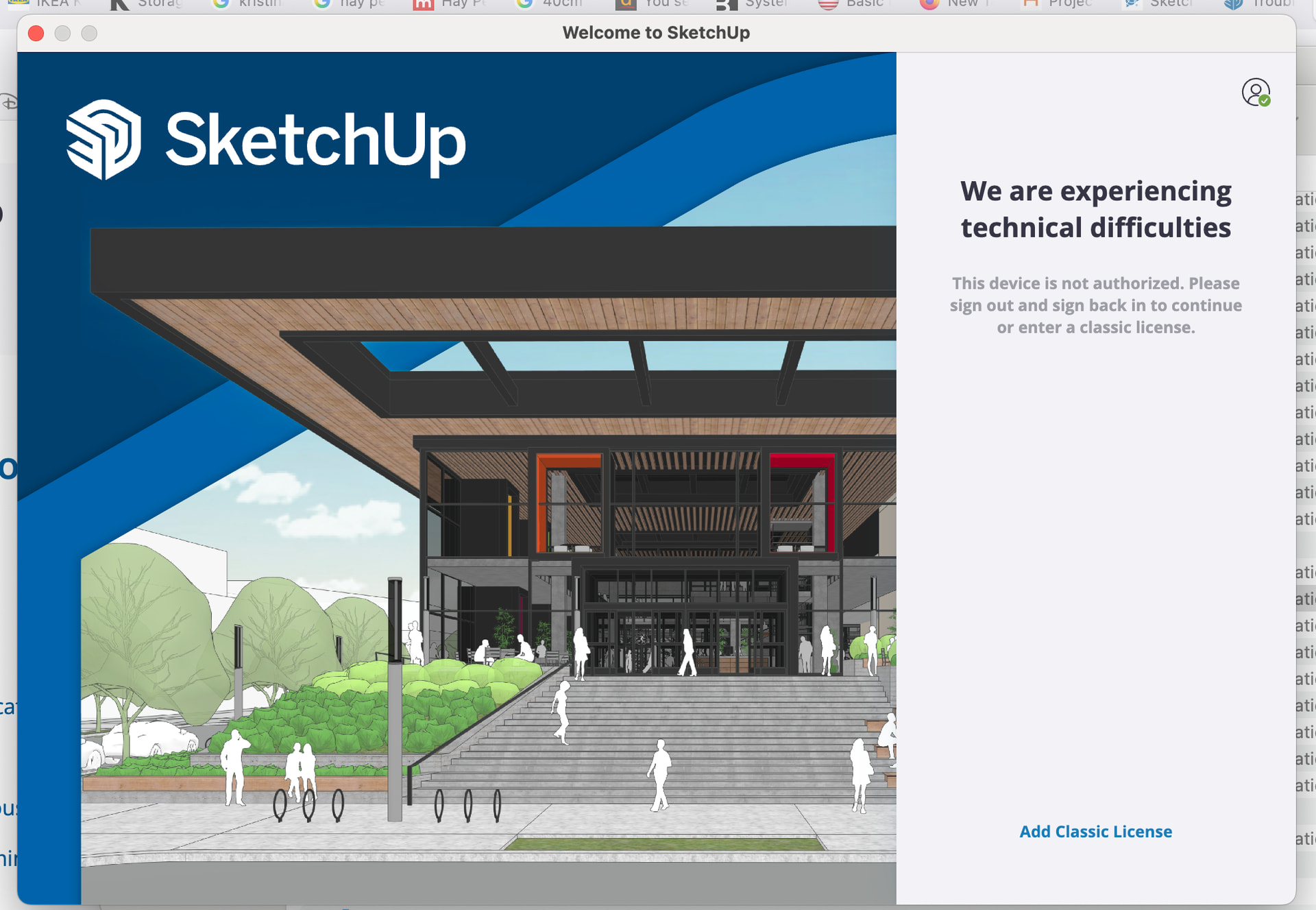
Account active, all good, but still couldn’t open file. I closed Sketchup and tried to log back in. Now can’t get in at all! Getting this… “this device is not authorized”. Can anyone help?
It actually says to first sign out then sign in. I find that when this happens, it is best to close SketchUp after the sign out. Then restart SketchUp before signing back in.
If it still fails, make sure SketchUp is closed. Perhaps reboot the computer to refresh memory use. Then before starting SketchUp, delete the login_session.dat file.
On Windows, it’s at: %AppData%/SketchUp/SketchUp 2026/
On Mac likely at: ~/Library/Application Support/SketchUp 2026/
(You will need to have these folder paths unhidden to see files.)
Thanks Dan! I clicked the person icon on the right of “we are experiencing technical difficulties” and it gave the option to sign out. When I signed back in it worked!
For your interest, that message often comes up on Mac if devices have been deauthorized, and there is still another version of SketchUp open in the background. The restart idea, or closing other copies of SketchUp, might have been enough to solve the problem as well.