Hi, I am new here and looking for some advice. I am trying to model this so that I can unfold it and have all the correct measurements. I made this by hand but obviously is not very precise. Is Sketch Up something that would allow me to redesign such a shape and eventually unfold it?
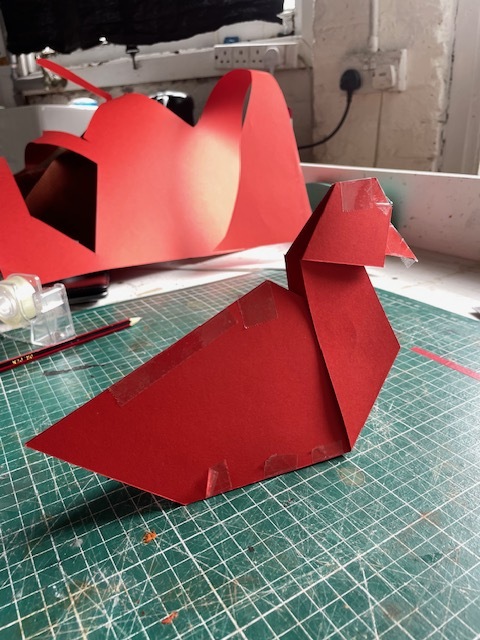
If you are only working with the ipad version you need to spend some time getting a handle on how to use the rotate tool properly. That will help you create your shapes and then unfold them to get the shapes you need.
Thank you Box. I have a Mac as well, would that be easier?
The desktop version has the ability to add extensions, and there are a couple of unfolding ones. But if your models are basically origami you’re probably just as well off using the ipad, at least for learning and untill you get into complex shapes. But even then unfolding often needs a human eye to say how.
I’m sure @ateliernab will have some good info to add as he is a paper botherer from way back.
true dat 
like Box said, on the pro version, you could use extensions to help you fold or unfold stuff.
on the ipad version, it’s gonna have to be manual, and you’ll use groups or components :
let’s say I want to make this out of paper :
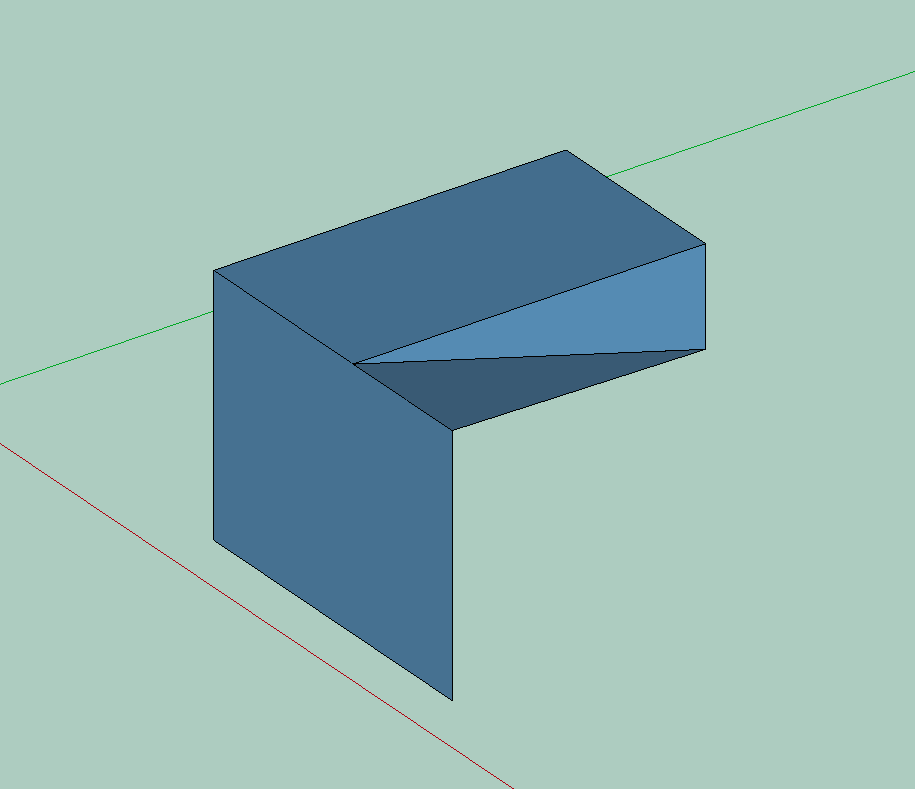
unfolding stuff is simple. select the face, use the rotate tool, but instead of using it along an axis, click and drag it so you set the rotation axis manually. I expect on an ipad this works the same.
problem is, you’re stuck with a bit that won’t get flat. and since nothing’s grouped, it’ll just deform.
now, if you group the faces, you can now manipulate them separately, and rotate them / separate them.
so this time, instead of groups, I’m using components. that way, any geometry change on one will impact the other.
as you see here, in order to do my shape, I would need to separate it in 2.
but there are many solutions :

this is another solution. it actually minimises paper use :

now, tabs.
well, tabs are the same idea, but you start in 2d.
and if you’re not sure the tabs will fit, you can check them against the place they’re supposed to arrive to.
finally, you set up a nice parallel top view, with a clean style, and you export this as a vector file. depending on how you want to cut it, by hand or using a machine, you might have to set a different colour for the fold lines and the cut lines.
plan B is to use a dedicated solution. Problem is, you’re on an ipad, so softwares like Pepakura or unfolder.app are a no-go. the first is PC only, the second mac only, and if you do a lot of papercraft (I’ll say, complex papercraft), they’re really good.
plan C is to use a web version of that :
the only “problem” I have with these external solutions is that when you’re actively designing stuff, you might end up doing a lot of back and forth between the unfolding app and your model.
here is a quick look at the paper stuff I was doing until last year, they’ve been on the back burner since then, it’s pretty simple geometry so doing it by hand in SU was quicker.
Hi Ateliernab, first of all thank you so much for taking the time to show me all this, now I know it can be possible! I am new to the software so it’ll take a while. I have a Mac so PaperMaker is also a possibility. I make large pieces with fabric, (inflatables, stretchable etc), in addition to the paper work, so I need a ‘simple’ 3D modelling with unfolding capacity software to start my learning. I’ve looked at how you constructed the hexagon pieces, great work, lots to learn looking at your page.
With extensions with the desktop version you can model the non-planar surfaces you would get with fabrics due to stretch however because those surfaces would be made of a number of flat faces, it will be difficult to flatten the surface to develop a pattern. If you can manage represent your designs and simple large faces, it’ll work OK.
Yes I think that would be possible! Thank you