I asked you to share the Preferences window because I’m trying to find out why it has done this.
Hopefully this helps

I’m not seeing anything.
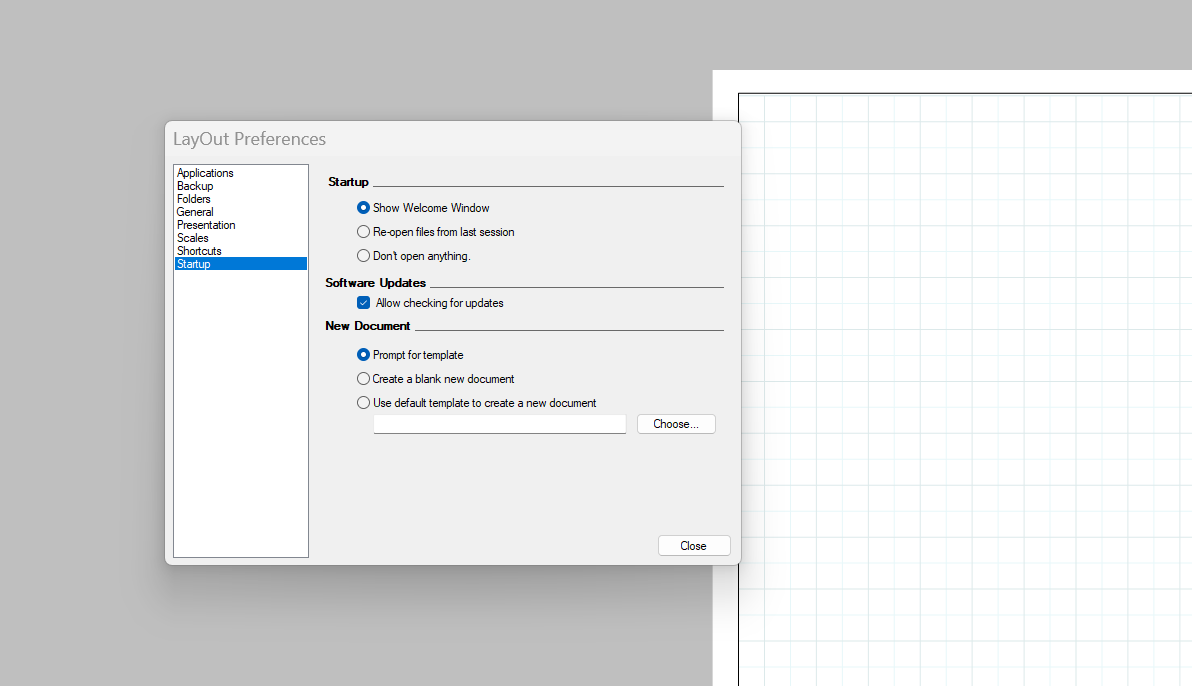
OK. Give me a few minutes.
I have to confer with somene who isn’t at work yet. For the time being, insert your SketchUp file into LayOut from LayOut’s File menu.
I reworked your template to make it easier to manage. Trythis one.
Oak homes joinery A4 landscape version III.layout (754.0 KB)
Also I see you are using SketchUp 2022 but your profile still shows 2019. Please update that information.
Yes. That is what I have been doing to get on with work.
That’s very useful information on setting up a template and thank you. Makes a lot of sense. I am using Pro 2023 but have copied and pasted my templates from 2022 and previous into the 2023 template folder. Would this create the problem. I did also have the issue with 2022.
I will alter my info now.
Good. You’re quite welcome. You can add more layers if you want but remember to conside the order of them. Note that I set up a Viewports layer for your SketchUp model viewports. Above that are layers for text and dimensions. They are higher in the list so they show up over the SketchUp viewports.
Another thing I did is use Auto Text to add the Page Names to the title block. If you add a page the text will be there automatically and it’ll display whatever page name you give it.
OK. That explains why your file opened as a 2022 version.
Thanks. To do that click on your avatar at the upper right corner of the forum page, click on the person icon and then the gear icon. You should find everything there.
I had a word with one of the developers. The behavior we’re seeing is intentional.
The solution, which I should have suggested before is to make a scrapbook containing the scale bar. Then drag it in and place it on the page when and where you need it. You can still set its scale.
Hi Dave
Thanks for the answer. Seems like an extra job each time I use the template but fairly straight forward to do. Would the scales still be linked to the sketchup file?
Does this mean that a layout template can only be saved with native layout information?
Also, referring to the file being a 2022 file because I copied and pasted templates from 2022 to 2023. Is there a simple way to save these templates as 2023 without redoing them all again?
Yes. If they are left as viewports in your scrapbook you can drag the desired scalebar onto the page and then adjust its scale to match the model viewport(s) on the page. Here’s an example I made with your scale bars. Open it in LayOut and then immediately save it as a scrapbook. You’ll find it in the Scrapbooks list. All of the scales are show at the same scale of 1:200 as the starting point. It makes the small ones very tiny. You can of course change all that to suit.
ScaleBars.layout (381.9 KB)
Thanks for your time Dave.
Very informative.
Thank you for this discussion! I have been trying to find out how to efficiently scale the scrapbook scales so they look good in various formats without having to do too much work…I figured I was missing something about how to use them. I ended up making custom sets of scales using various methods.
To clarify: you can have viewports in your scrapbook?!
Are the scales provided supposed to be used this way? They don’t seem to be but I must be missing something.
Thanks for your ScaleBars example file; that really helped clarify this concept!
Yes you can.
The scales provided in the supplied scrapbooks are not SketchUp viewports. They are just LayOut drawing entities and text. Think of the scrapbook objects primarily as examples of things you can create. Just like the supplied templates, they aren’t really intended as the end all be all . You should make your own that suit your style for your templates.
You can do this as I showed with entities created in SketchUp or you could create your own as Scale Drawings in LayOut. A benefit of using scale bars like the ones in my file is that the text, being 3D text in SketchUp, scales with the scale of the viewport. Text added in LayOut won’t scale with the scalebar geometry.
Of course you can make your own scale bars and should do so. Make them look the way you need them to look for your documents.