The SketchUp books and videos assume a designer has a completed brief, and draws up the design which gets faithfully erected on site. Alas, reality is different: the design process evolves throughout and possibly even during construction and the build phase inevitably throws up changes revisions and additional documentation. The iterative design process is the norm, but construction phase revisions can be a nightmare, especially if the original drawings are months or years old and in different Skp versions. I speak from 50 years in the business, 8 of which have been dependent on SketchUp. I would be interested in how others use Layout/SketchUp to manage such things, without (for example) having Layout veiwports jump around; new Skp scenes introduce unwanted stuff; auto text updating where it shouldn’t; dimensions disconnecting; entire drawing sets having to be dealt with when only a few drawings actually need changes etc etc etc…
The default workflow should be to save all your needed views as scenes in SketchUp, and then link all your viewports in Layout to these named scenes. No views should reference “last saved SketchUp view” and you should avoid changing the view by double-clicking into the viewport like hell.
could you keep old versions of Sketchup installed so that old projects open in the version it was created in?
Yes, that’s why I laugh when experts advise that you not add textures to your model till the “end” of your modeling process, as if there ever is an end.
You need the Auto-Invisible Layer extension. This feature should be integrated into native SU.
Yeah, that’s annoying. I try to suppress my OCD and not fix them unless they have to be.
I use a PDF editor like Acrobat or Apple’s Preview app to replace only the pages that have changed.
Lots of other issues on this topic to discuss too.
pretty sure it is now… or something similar in the tag panel.
I mean, this is why this button exists right ? to turn off the materials and resume raw modelling ? :d

Due to our litigious locale and type of projects, my firm’s procedure is to save any major revisions as new files (in this case SU and LO with references linking to the new SU file and whatever other reference files [spreadsheets, document files, images, etc.]) – all of which is related to publication and release of “drawings”. We do the same whether using AutoCAD or Revit. With regard to SU/LO versions: to avoid the LO issues you described – if a project was started in e.g. version 2020 then all future versions will be saved in 2020 version (our computers have numerous SU/LO versions). The older files are considered legal and technical archives and not to be changed – this stems from lessons learned from involvement in major lawsuits (none of which was because of our work BTW). Thankfully because of our meticulous record keeping and archiving (working drawing files, emails, meeting notes, field observation reports, photos, etc. – which we had to provide to the lawyers) we were absolved from any involvement in any litigations. It’s a bit cumbersome but it’s just part of doing business.
Yes all good responses thanks and agreed. But the problem is in the details: I would typically do a 3D model with construction elements to 1:50 scale, use several 3D views to explain most, but then cut sections and develop them at larger scale for 2D line drawings. (Sometimes it is just easier to start again at that point, but then you lose the link back to the model.). In layout, I would insert the section scene from the 3D model, then chop it into several viewports just showing the detailed junctions. Works a treat as long as you don’t go back and alter the model - which of course is part and parcel of the design process: then there is a risk of “jumping” text, dimensions and viewports. Would Fredo’s Layport perhaps allow me to freeze several viewports at the complicated bits of each section, and if so would each need to be on a separate scene?
Well, there’s a bit more than that. It’s what happens when you paint something first and then edit it.
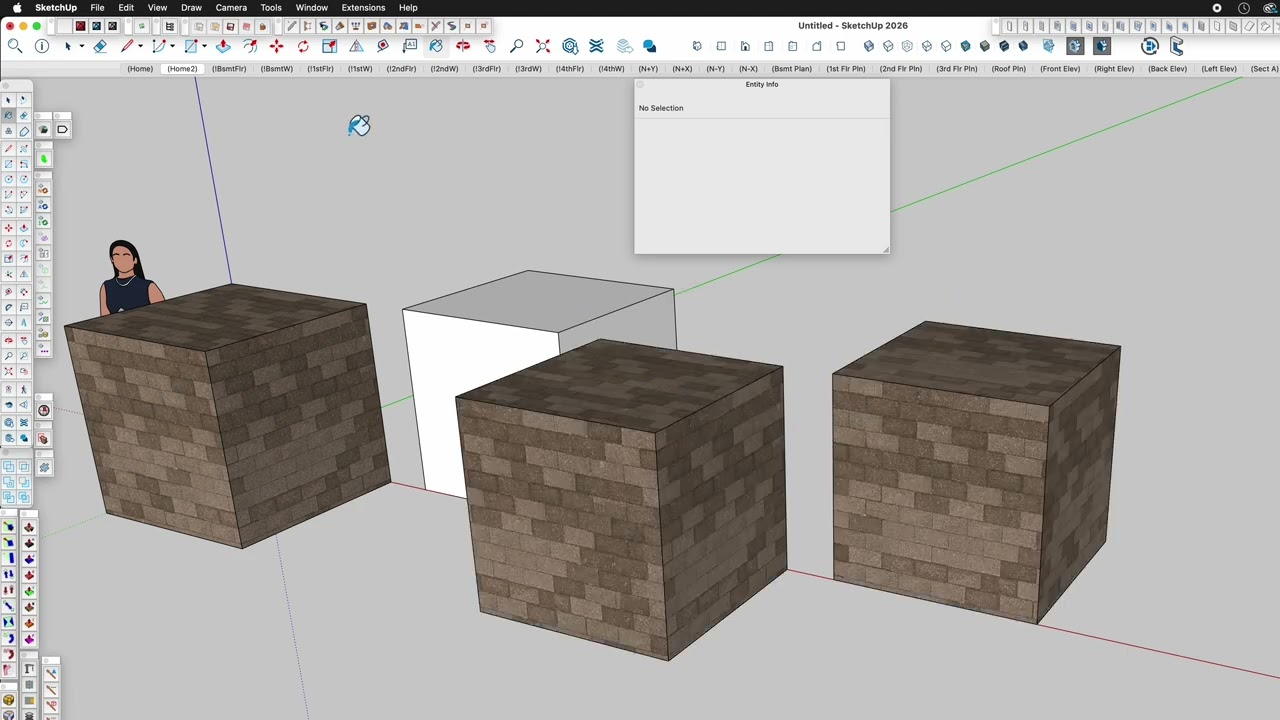
IIRC, I think there used to be a bigger issue with older versions of SU where things looked ok, but objects would be inside out and the texture you’re seeing was actually a backface. They partly fixed it by not being inside out, but the texture is still on the backface.