This is my first post in this jolly nice forum, so I’ll get right to it. I have a particularly weird problem while generating geometry from a set of vertices that generate edges which in turn create faces. I am pretty sure that the points and geometry are correct math wise, but I cannot seem to figure out why Sketchup fails to create a face where I want it to.
Talk is cheap, so here is a scene that has an empty face, which is the one that fails to be created. Load the file and then open the Ruby console and type in the following:
# points for face
points = [
[5.65553, 11.15667, 0.0], [5.65553, 6.15667, 0.0], [5.65553, 6.15667, 2.7],
[5.65553, 11.15667, 2.7], [5.65553, 11.15667, 0.0], [5.65553, 10.33172, 0.87517],
[5.65553, 10.33172, 2.09517], [5.65553, 7.18172, 2.09517], [5.65553, 7.18172, 0.87517],
[5.65553, 10.33172, 0.87517]]
# press enter and then type this
f = Sketchup.active_model.active_entities.add_face(points)
# then if you try to find the area of the face, to see if it was created OK
f.area
Error: #<NoMethodError: undefined method `area' for nil:NilClass>
<main>:in `<main>'
SketchUp:1:in `eval'
Now I am really baffled as to why this happens, searched the web and found nothing concrete and most obvious problems (like axis misalignment and so on is not present). Additionally, the funny thing is that if I move the geometry back a bit and type the above command it actually completes and shows the face fine… you can view this in this file.
Anyone has any clue on what’s going on? I am not a really good Sketchup user so I might missing something really obvious here…
Edit: Clarified the language a bit as well as bolded the links.

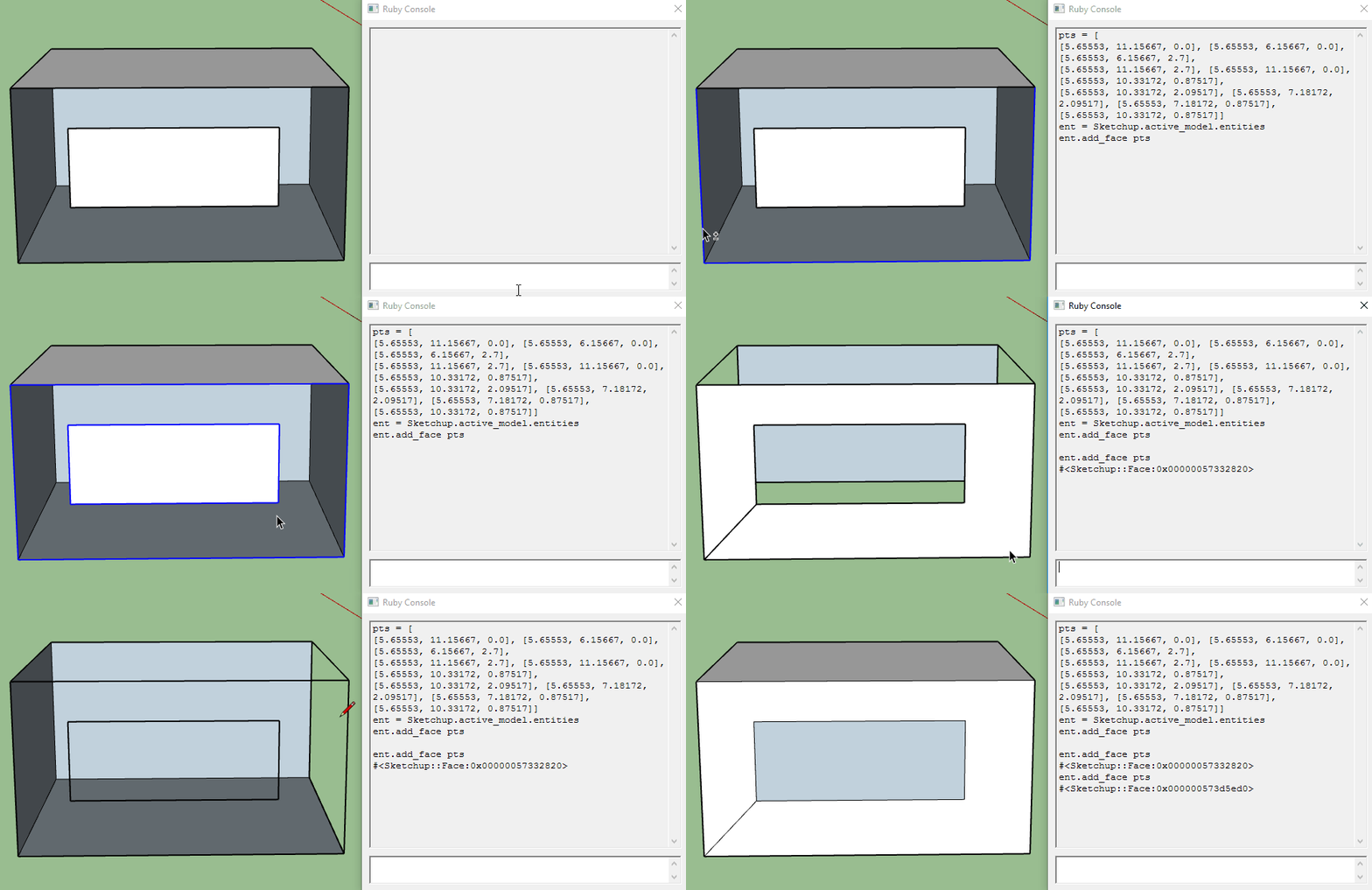
 , I am really baffled as well. I’d really like if someone could shed a light why this happens so I can find a solution whenever this happens not only on this particular model…