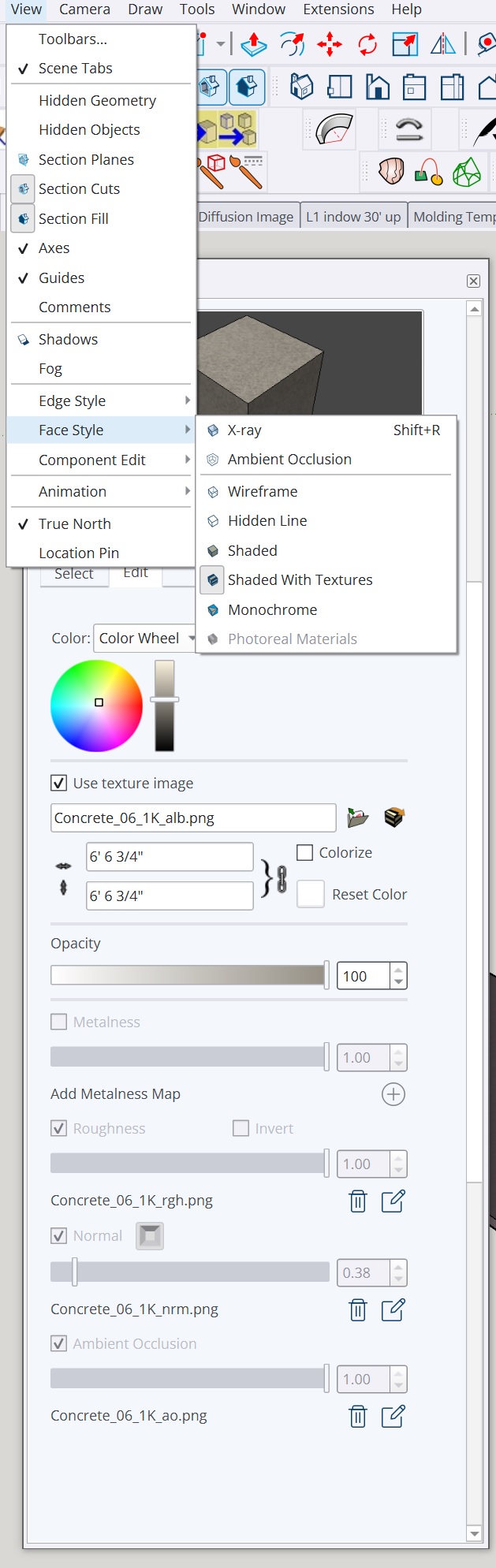
How come my PBR Maps are not showing up in SU 2026? see pic
Im bringing in materials in the library that are supposed to have maps.
what are the steps for this? Ive tried a few.
Thanks for the help. see pic Billy
Do you have the new graphics engine turned on?
You could try updating the graphics drivers but as long as the graphics card isn’t supporting the new graphics engine you won’t get the PBR maps.
Have you been sending the Bug Splat reports in?
The GeForce 1070 card is already a bit old but the Nvidia website has a Studio driver from October and a Game Ready driver from November that should work.
I am using the studio drivers
Yes I’ve been sending all the bug splat reports.
I’ve contacted SU support who helped me once before. If I remember, I went to their site and sent an email? or in case you have the proper contact info for them, please do tell.
My main purpose, and perhaps Im wrong, is to send the model to Twinmotion. I’m not sure if Twinmotion recognizes PBR materials from SU or if I may need to put the maps into TM anyway?
I’ll probably use AI after that to enhance everything, so not sure how important it all is but you would think everything helps along the way. Trial-Error-Trial again…
Thank you,
Billy
I don’t know if Twin Motion utilizes the maps in the SketchUp materials or creates its own. Those maps should still be present in the materials even if your graphics card doesn’t support the new graphics engine which seems to be the case based on the message you are getting.
But when was the last time you updated those drivers?
Thanks for the 20 bugsplats. All of them are crashes that happen while extensions are loading. Do you get crashes when starting a new document, or only when opening up an existing model?
I’ve only tested Twinmotion - but if it’s like any other rendering plugin you’ll want to swap to dedicated materials built for that particular plugin to take advantage of it. In VRay I build my own and use their extensive library. I’m not sure if Twinmotion allows similar.
Mainly while starting a new document but i am suspicious that I still dont have windows 10 configured properly as mentioned on another discussion, and have to go through SU 2026 always to get to the file im working on. thanks
thanks for that, makes sense
just updated and checked 2 days ago for updates and every week or so, if not reminded by Nvidia
thank you
You could use regular materials without pbr maps and replace them on Twinmotion with the big library it has. When you import a sketchup file into TM it asks you if you want to keep the groups and components hierarchy or materials hierarchy, I prefer the materials hierarchy if my model has materials already cause a lot of times a group like a wall can have different materials and if you keep the groups hierarchy you’ll can’t apply different materials to it.
nope, it doesn’t recognise. at least it didn’t last nov when I used it. but the twinmotion library is vast, plus the megascan materials, and the free community substance ones…
and sure, you can always apply the albedo as material in SU and in TW add all the maps you have, if you really need a specific material you didn’t find there.
Hi Colin,
Hope you are doing well.
Sometimes it crashes on new docs but i think it has something to do that i dont have my windows accounts set up properly and that was another issue. in other words everything in my folders has different years versions of SU so I will always go through 2026 and open everything. Havent had time to try all the different solutions as posted on my other discussion. thanks for the help. Billy