Mike, was what you just showed needed for the current issue? David is already successfully running LayOut.
Colin,
Sorry, but I can’t follow the path you outlined. My davidheim folder does not contain a Library folder. And I have no idea how to access the Finder’s Go menu. Nothing happens when I hold down the Option key. And I am in the Applications Support folder.
Mike,
I have the SU 2018 folder, and the icons for the three apps within the folder. But that’s it. I’m pretty sure I installed SU correctly. But for the life of me, I can’t find the correct Library folder no matter what I do or whose advice I follow.
Is it possible that a template can’t be deleted from My Templates?
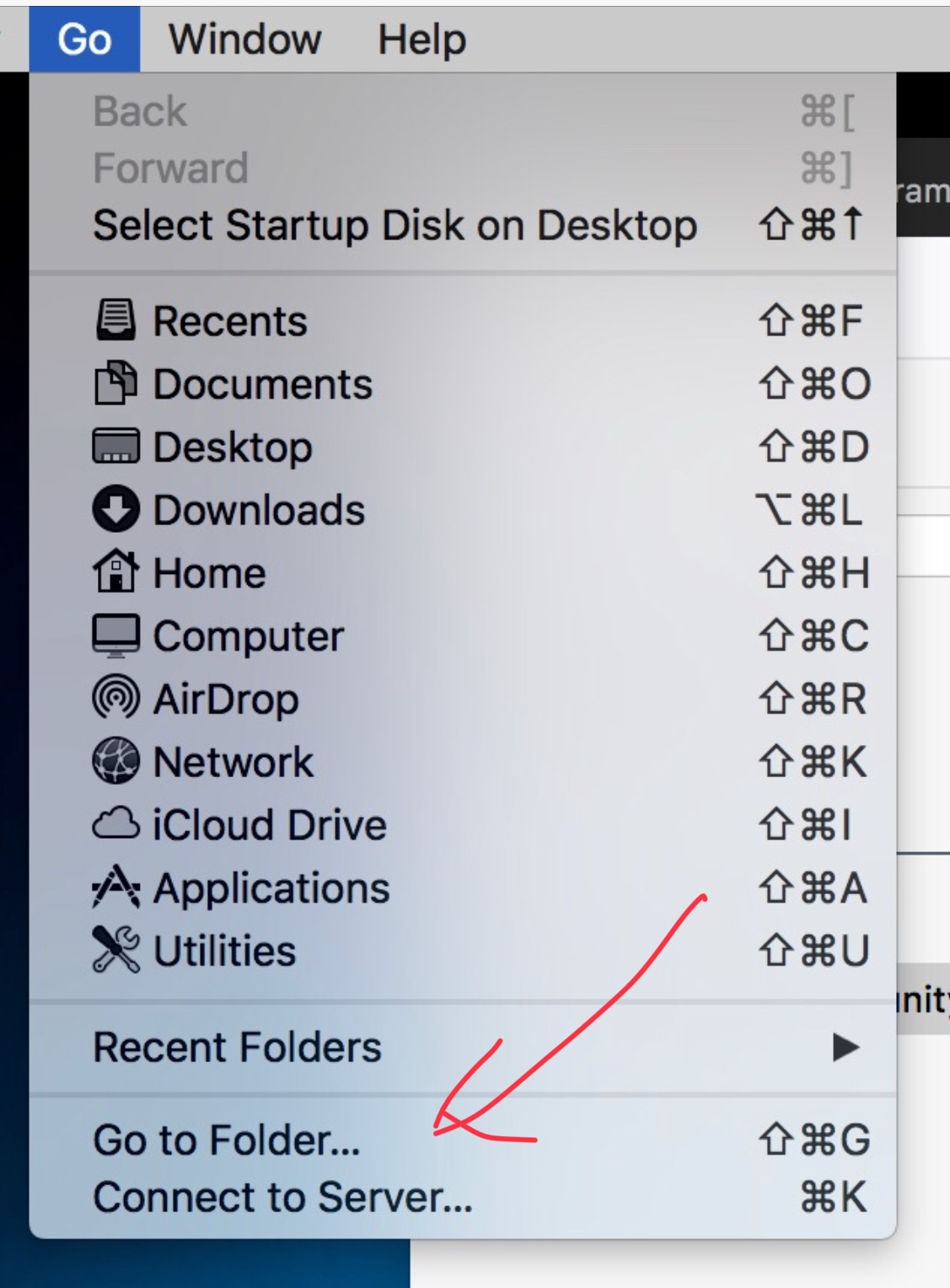
Sorry, but when I follow that and try to find the Library folder, it says the folder can’t be found.
In the drop down menu, shown by @MikeWayzovski, you can hold down the Option key to display any hidden folders - like Libraries…
You can then select one of those hidden locations from the menu…
Here is a screen recording of me going into the Finder’s Go menu (while holding the Option key, so that Library will appear), going into the Library and down to the templates folder.
https://forums.sketchup.com/uploads/short-url/rLQkBD2KuBg9IwcdRJaqV9I3r6F
Usually just typing the ~ (tilde) should get you there…
And of course… since this wayward Layout Template file is listed as being available for use, then it must exist somewhere on your computer !
So… once you manage to find this illusive hidden folder, then it can be easily resolved…
Colin,
Many thanks to you and everyone else for all your help. The screen recording finally made everything clear, and I was able to find that elusive Templates folder. The unwanted templates are gone. Again, my thanks to everyone who took the time to help; I’m sorry that I seemed so dense.
Best,
dh
Thank you for reporting back. Glad you got there in the end.
I have finally figured it out on a MAc. The trick was to press “Alt”. Here are the steps I used.
Would be nice if google allowed us to edit/delete within the application. Cheers!
- Open Finder
- Along the top click “Go”
- Hold down “Alt”
- “Library” will appear, click on it
- click on /Application Support/sketchup 2017/layout/templates
- Delete the template