There are several simple problems with the zip file you shared for use as an extension:
Your zip is actually in rar format. The SketchUp Extension Manager (EM) understands only zip format. You will need to use a different archive utility that generates zip, or find out how to tell the one you have to generate zip. I had to use a utility that knows about rar to extract it.
The EM requires the archive to use the extension .rbz. Even though it is just a renamed zip, it must use .rbz not .zip. Just change the file extension to rbz after zipping.
The convention for structure of an extension rbz is that the base folder only contains the “registrar” Ruby (what you call loader.rb) and a subfolder. The name of the registrar is expected to be the same as the name of the subfolder (Door.rb in your case). This will not prevent your extension from loading and running, but will get it rejected if you submit it to the Extension Warehouse.
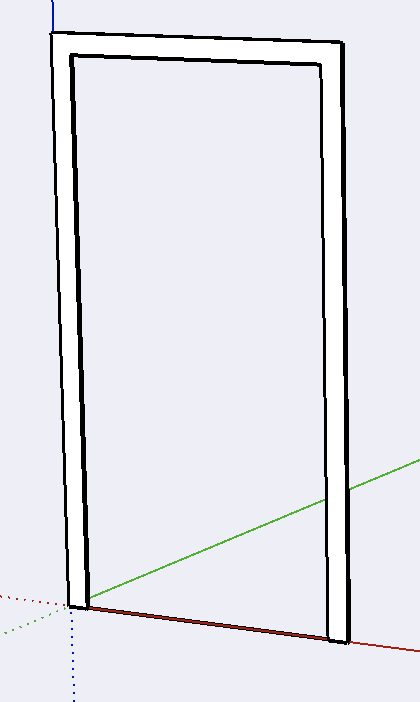
With those fixes, your code loaded and ran fine. It drew this:
A word of warning: the SketchUp Ruby API is notoriously quick about deleting an empty group. Always add something to a group’s entities immediately when you create the group (I often use a cpoint that I delete later), or create the group from an existing set of entities. Otherwise you may find the code failing randomly with an error about an invalid entity.
It is not necessary (and often disadvantages) to use an absolute path for the loader file.
The Ruby global array $LOAD_PATH (aliased as$:) is used to find the extension’s subfolder and loader file.
It is also suggested that the 2nd parameter of the SketchupExtension class new() constructor call not have a filetype extension (i.e., .rb, .rbe, etc.) See the explanation for the Sketchup::require method.
It is also not necessary to place require "sketchup" at the top of every file.
It is already loaded by the time that any extensions begin to load.
As said earlier, do not use filetypes with the require method calls, as you do not know in the future whether these files will be in another format or encyrpted.